<?xml version="1.0" encoding="utf-8"?>
<feed xmlns="http://www.w3.org/2005/Atom">
            <title type="text">Deng Yongjie's blog</title>
    <updated>2025-12-24T18:56:08+08:00</updated>
        <id>https://blog.yongjie.top</id>
        <link rel="alternate" type="text/html" href="https://blog.yongjie.top" />
        <link rel="self" type="application/atom+xml" href="https://blog.yongjie.top/atom.xml" />
    <rights>Copyright © 2026, Deng Yongjie's blog</rights>
    <generator uri="https://halo.run/" version="1.5.3">Halo</generator>
            <entry>
                <title><![CDATA[多机房监控-VictoriaMetrics/N9e-中心机房+边缘机房]]></title>
                <link rel="alternate" type="text/html" href="https://blog.yongjie.top/archives/duo-ji-fang-jian-kong" />
                <id>tag:https://blog.yongjie.top,2025-10-18:duo-ji-fang-jian-kong</id>
                <published>2025-10-18T18:47:36+08:00</published>
                <updated>2025-12-24T18:56:08+08:00</updated>
                <author>
                    <name>Deng YongJie's blog</name>
                    <uri>https://blog.yongjie.top</uri>
                </author>
                <content type="html">
                        <![CDATA[<h1 id="1.-%E6%95%B4%E4%BD%93%E6%9E%B6%E6%9E%84" tabindex="-1">1. 整体架构</h1><h2 id="1.1-%E4%B8%AD%E5%BF%83%E6%9C%BA%E6%88%BF%2B%E8%BE%B9%E7%BC%98%E6%9C%BA%E6%88%BF" tabindex="-1">1.1 中心机房+边缘机房</h2><p><img src="/upload/2025/12/image-20250813162614392.png" alt="image-20250813162614392" /></p><p><img src="/upload/2025/12/image-20251224181623213.png" alt="image-20251224181623213" /></p><h2 id="1.1-%E7%BB%84%E4%BB%B6%E9%AB%98%E5%8F%AF%E7%94%A8" tabindex="-1">1.1 组件高可用</h2><table><thead><tr><th style="text-align:left">组件</th><th style="text-align:left">中心机房</th><th style="text-align:left">边缘机房</th></tr></thead><tbody><tr><td style="text-align:left"><strong>夜莺服务</strong></td><td style="text-align:left">3节点K8S集群+负载均衡</td><td style="text-align:left">edge+vmagent * 2</td></tr><tr><td style="text-align:left"><strong>时序数据库</strong></td><td style="text-align:left">VictoriaMetrics集群</td><td style="text-align:left">VictoriaMetrics集群 * 3</td></tr><tr><td style="text-align:left"><strong>缓存</strong></td><td style="text-align:left">云Redis</td><td style="text-align:left">Redis集群 * 3</td></tr><tr><td style="text-align:left"><strong>关系数据库</strong></td><td style="text-align:left">云MySQL</td><td style="text-align:left">不部署</td></tr><tr><td style="text-align:left"><strong>采集器</strong></td><td style="text-align:left">k8s metrics-server</td><td style="text-align:left">Categraf+Telegraf+Node_exporter</td></tr></tbody></table><h2 id="1.2-%E8%BE%B9%E7%BC%98%E8%87%AA%E6%B2%BB%E6%9C%BA%E5%88%B6" tabindex="-1">1.2 边缘自治机制</h2><ul><li>中心机房故障后，由边缘机房的n9e-edge发出告警消息</li></ul><p><img src="/upload/2025/12/deepseek_mermaid_20250813_b99816.png" alt="deepseek_mermaid_20250813_b99816" /></p><h2 id="1.3-%E6%95%B0%E6%8D%AE%E5%AD%98%E5%82%A8%E8%AE%A1%E5%88%92" tabindex="-1">1.3 数据存储计划</h2><table><thead><tr><th style="text-align:left">数据类型</th><th style="text-align:left">中心机房</th><th style="text-align:left">边缘机房</th></tr></thead><tbody><tr><td style="text-align:left"><strong>监控指标</strong></td><td style="text-align:left">长期存储(180天)</td><td style="text-align:left">长期存储(180天)</td></tr><tr><td style="text-align:left"><strong>告警事件</strong></td><td style="text-align:left">完整存储</td><td style="text-align:left">仅未同步事件</td></tr><tr><td style="text-align:left"><strong>告警规则</strong></td><td style="text-align:left">主存储</td><td style="text-align:left">副本</td></tr><tr><td style="text-align:left"><strong>用户数据</strong></td><td style="text-align:left">主存储</td><td style="text-align:left">缓存</td></tr></tbody></table><h1 id="2.-%E5%8A%9F%E8%83%BD%E9%85%8D%E7%BD%AE%E8%AF%B4%E6%98%8E" tabindex="-1">2. 功能配置说明</h1><h2 id="2.1-%E9%85%8D%E7%BD%AE%E6%95%B0%E6%8D%AE%E6%BA%90" tabindex="-1">2.1 配置数据源</h2><pre><code class="language-bash">http://192.168.137.20:8481/select/0/prometheus/http://192.168.137.20:8480/insert/0/prometheus/api/v1/write# 时序库选择victoriametrics</code></pre><p><img src="/upload/2025/12/image-20250808171220158.png" alt="image-20250808171220158" /></p><p><img src="/upload/2025/12/image-20250808171340753.png" alt="image-20250808171340753" /></p><h2 id="2.2-%E5%88%9B%E5%BB%BA%E5%9B%A2%E9%98%9F%2F%E7%94%A8%E6%88%B7%EF%BC%8C%E5%9B%A2%E9%98%9F%E5%8F%AF%E4%BB%A5%E6%A0%B9%E6%8D%AE%E4%B8%8D%E5%90%8C%E9%83%A8%E9%97%A8%E6%88%96%E4%B8%9A%E5%8A%A1%E7%BB%84%E5%8C%BA%E5%88%86%EF%BC%8C%E6%96%B9%E4%BE%BF%E5%90%8E%E7%BB%AD%E5%8F%91%E9%80%81%E5%91%8A%E8%AD%A6" tabindex="-1">2.2 创建团队/用户，团队可以根据不同部门或业务组区分，方便后续发送告警</h2><p><img src="/upload/2025/12/image-20250808171459010.png" alt="image-20250808171459010" /></p><h2 id="2.3-%E5%88%9B%E5%BB%BA%E7%94%A8%E6%88%B7%E5%B9%B6%E5%A1%AB%E5%86%99%E6%89%8B%E6%9C%BA%E5%8F%B7%EF%BC%8C%E5%90%8E%E7%BB%AD%E5%91%8A%E8%AD%A6%E4%BC%9A%E9%80%9A%E8%BF%87%E6%89%8B%E6%9C%BA%E5%8F%B7at%E5%AF%B9%E5%BA%94%E7%9A%84%E4%BA%BA%E5%91%98%EF%BC%8C%E5%B0%86%E7%94%A8%E6%88%B7%E5%88%86%E5%88%AB%E5%8A%A0%E5%85%A5%E5%AF%B9%E5%BA%94%E7%9A%84%E5%9B%A2%E9%98%9F%E7%BB%84%E9%87%8C" tabindex="-1">2.3 创建用户并填写手机号，后续告警会通过手机号AT对应的人员，将用户分别加入对应的团队组里</h2><p><img src="/upload/2025/12/image-20250808171606000.png" alt="image-20250808171606000" /></p><h2 id="2.4-%E7%BA%A2%E6%A9%99%E7%BB%BF%E5%AD%97%E6%AE%B5%E6%A8%A1%E6%9D%BF" tabindex="-1">2.4 红橙绿字段模板</h2><pre><code class="language-bash">{{if $event.IsRecovered}}{{else}}{{end}}{{$event.RuleName}}  - - -  {{if $event.IsRecovered}}&lt;font color=&#39;#008800&#39;&gt;**告警名称**:&lt;/font&gt; {{$event.AnnotationsJSON.summary}}  &lt;font color=&#39;#008800&#39;&gt;**告警区域**:&lt;/font&gt; {{if $event.TagsMap.business}}{{$event.TagsMap.business}}{{else}}N/A{{end}}  &lt;font color=&#39;#008800&#39;&gt;**告警主机**:&lt;/font&gt; {{if $event.TagsMap.instance}}{{$event.TagsMap.instance}}{{else}}N/A{{end}}  &lt;font color=&#39;#008800&#39;&gt;**告警项目**:&lt;/font&gt; {{if $event.TagsMap.project}}{{$event.TagsMap.project}}{{else}}N/A{{end}}  &lt;font color=&#39;#008800&#39;&gt;**告警服务**:&lt;/font&gt; {{if $event.TagsMap.service}}{{$event.TagsMap.service}}{{else}}N/A{{end}}  &lt;font color=&#39;#008800&#39;&gt;**告警级别**:&lt;/font&gt; {{if eq $event.Severity 1}}critical{{else if eq $event.Severity 2}}warning{{else}}info{{end}}  &lt;font color=&#39;#008800&#39;&gt;**告警信息**:&lt;/font&gt; {{if $event.AnnotationsJSON.description}}{{$event.AnnotationsJSON.description}}{{else}}{{$event.AnnotationsJSON.summary}}{{end}}  &lt;font color=&#39;#008800&#39;&gt;**告警时间**:&lt;/font&gt; {{timeformat $event.TriggerTime &quot;2006.01.02 15:04:05&quot;}}  &lt;font color=&#39;#008800&#39;&gt;**恢复时间**:&lt;/font&gt; {{timeformat $event.LastEvalTime &quot;2006.01.02 15:04:05&quot;}}  {{else}}{{if eq $event.Severity 1}} &lt;!-- Critical --&gt;&lt;font color=&#39;#FF0000&#39;&gt;**告警名称**:&lt;/font&gt; {{$event.AnnotationsJSON.summary}}  &lt;font color=&#39;#FF0000&#39;&gt;**告警区域**:&lt;/font&gt; {{if $event.TagsMap.business}}{{$event.TagsMap.business}}{{else}}N/A{{end}}  &lt;font color=&#39;#FF0000&#39;&gt;**告警主机**:&lt;/font&gt; {{if $event.TagsMap.instance}}{{$event.TagsMap.instance}}{{else}}N/A{{end}}  &lt;font color=&#39;#FF0000&#39;&gt;**告警项目**:&lt;/font&gt; {{if $event.TagsMap.project}}{{$event.TagsMap.project}}{{else}}N/A{{end}}  &lt;font color=&#39;#FF0000&#39;&gt;**告警服务**:&lt;/font&gt; {{if $event.TagsMap.service}}{{$event.TagsMap.service}}{{else}}N/A{{end}}  &lt;font color=&#39;#FF0000&#39;&gt;**告警级别**:&lt;/font&gt; critical  &lt;font color=&#39;#FF0000&#39;&gt;**告警信息**:&lt;/font&gt; {{if $event.AnnotationsJSON.description}}{{$event.AnnotationsJSON.description}}{{else}}{{$event.AnnotationsJSON.summary}}{{end}}  &lt;font color=&#39;#FF0000&#39;&gt;**告警时间**:&lt;/font&gt; {{timeformat $event.TriggerTime &quot;2006.01.02 15:04:05&quot;}}  {{else if eq $event.Severity 2}} &lt;!-- Warning --&gt;&lt;font color=&#39;#FFA500&#39;&gt;**告警名称**:&lt;/font&gt; {{$event.AnnotationsJSON.summary}}  &lt;font color=&#39;#FFA500&#39;&gt;**告警区域**:&lt;/font&gt; {{if $event.TagsMap.business}}{{$event.TagsMap.business}}{{else}}N/A{{end}}  &lt;font color=&#39;#FFA500&#39;&gt;**告警主机**:&lt;/font&gt; {{if $event.TagsMap.instance}}{{$event.TagsMap.instance}}{{else}}N/A{{end}}  &lt;font color=&#39;#FFA500&#39;&gt;**告警项目**:&lt;/font&gt; {{if $event.TagsMap.project}}{{$event.TagsMap.project}}{{else}}N/A{{end}}  &lt;font color=&#39;#FFA500&#39;&gt;**告警服务**:&lt;/font&gt; {{if $event.TagsMap.service}}{{$event.TagsMap.service}}{{else}}N/A{{end}}  &lt;font color=&#39;#FFA500&#39;&gt;**告警级别**:&lt;/font&gt; warning  &lt;font color=&#39;#FFA500&#39;&gt;**告警信息**:&lt;/font&gt; {{if $event.AnnotationsJSON.description}}{{$event.AnnotationsJSON.description}}{{else}}{{$event.AnnotationsJSON.summary}}{{end}}  &lt;font color=&#39;#FFA500&#39;&gt;**告警时间**:&lt;/font&gt; {{timeformat $event.TriggerTime &quot;2006.01.02 15:04:05&quot;}}  {{else}} &lt;!-- Info --&gt;&lt;font color=&#39;#0000FF&#39;&gt;**告警名称**:&lt;/font&gt; {{$event.AnnotationsJSON.summary}}  &lt;font color=&#39;#0000FF&#39;&gt;**告警区域**:&lt;/font&gt; {{if $event.TagsMap.business}}{{$event.TagsMap.business}}{{else}}N/A{{end}}  &lt;font color=&#39;#0000FF&#39;&gt;**告警主机**:&lt;/font&gt; {{if $event.TagsMap.instance}}{{$event.TagsMap.instance}}{{else}}N/A{{end}}  &lt;font color=&#39;#0000FF&#39;&gt;**告警项目**:&lt;/font&gt; {{if $event.TagsMap.project}}{{$event.TagsMap.project}}{{else}}N/A{{end}}  &lt;font color=&#39;#0000FF&#39;&gt;**告警服务**:&lt;/font&gt; {{if $event.TagsMap.service}}{{$event.TagsMap.service}}{{else}}N/A{{end}}  &lt;font color=&#39;#0000FF&#39;&gt;**告警级别**:&lt;/font&gt; info  &lt;font color=&#39;#0000FF&#39;&gt;**告警信息**:&lt;/font&gt; {{if $event.AnnotationsJSON.description}}{{$event.AnnotationsJSON.description}}{{else}}{{$event.AnnotationsJSON.summary}}{{end}}  &lt;font color=&#39;#0000FF&#39;&gt;**告警时间**:&lt;/font&gt; {{timeformat $event.TriggerTime &quot;2006.01.02 15:04:05&quot;}}  {{end}}{{end}}</code></pre><h3 id="2.4.1-%E5%91%8A%E8%AD%A6%E4%B8%8E%E6%81%A2%E5%A4%8D%E6%95%88%E6%9E%9C" tabindex="-1">2.4.1 告警与恢复效果</h3><p><img src="/upload/2025/12/image-20250808201211278.png" alt="image-20250808201211278" /></p><p><img src="/upload/2025/12/image-20250808201316888.png" alt="image-20250808201316888" /></p><h2 id="2.5-%E9%83%A8%E7%BD%B2categraf%E9%87%87%E9%9B%86%E5%99%A8%EF%BC%8C%E4%BD%BF%E7%94%A8%E8%87%AA%E6%84%88%E5%8A%9F%E8%83%BD%E9%9C%80%E9%83%A8%E7%BD%B2%E6%AD%A4%E9%87%87%E9%9B%86%E5%99%A8" tabindex="-1">2.5 部署categraf采集器，使用自愈功能需部署此采集器</h2><pre><code class="language-bash"># 下载安装包，里面集成了所有插件https://github.com/flashcatcloud/categraf/releasestar zxf categraf-v0.4.14-linux-amd64.tar.gz -C /data/mv /data/categraf-v0.4.14-linux-amd64 /data/categraf# 创建主配置文件cd /data/categrafvim conf/config.toml[global]# 启动的时候是否在stdout中打印配置内容print_configs = false# 机器名，作为本机的唯一标识，会为时序数据自动附加一个 agent_hostname=$hostname 的标签# hostname 配置如果为空，自动取本机的机器名# hostname 配置如果不为空，就使用用户配置的内容作为hostname# 用户配置的hostname字符串中，可以包含变量，目前支持两个变量，# $hostname 和 $ip，如果字符串中出现这两个变量，就会自动替换# $hostname 自动替换为本机机器名，$ip 自动替换为本机IP# 建议大家使用 --test 做一下测试，看看输出的内容是否符合预期# 这里配置的内容，在--test模式下，会显示为 agent_hostname=xxx 的标签hostname = &quot;&quot;# 是否忽略主机名的标签，如果设置为true，时序数据中就不会自动附加agent_hostname=$hostname 的标签omit_hostname = false# 时序数据的时间戳使用ms还是s，默认是ms，是因为remote write协议使用ms作为时间戳的单位precision = &quot;ms&quot;# 全局采集频率，15秒采集一次interval = 15# 全局附加标签，一行一个，这些写的标签会自动附到时序数据上[global.labels]service=&quot;pvenode&quot;business=&quot;SZ&quot;project=&quot;yw&quot;[log]# 默认的log输出，到标准输出(stdout) # 如果指定为文件, 则写入到指定的文件中file_name = &quot;stdout&quot;# options below will not be work when file_name is stdout or stderr# 如果是写入文件，最大写入大小，单位是MBmax_size = 100# max_age is the maximum number of days to retain old log files based on the timestamp encoded in their filename.# 保留多少天的日志文件max_age = 30# max_backups is the maximum number of old log files to retain.# 保留多少个日志文件max_backups = 7# local_time determines if the time used for formatting the timestamps in backup files is the computer&#39;s local time.# 是否使用本地时间local_time = true# Compress determines if the rotated log files should be compressed using gzip.# 是否将老文件压缩（gzip格式)compress = true# 发给后端的时序数据，会先被扔到 categraf 内存队列里，每个采集插件一个队列# chan_size 定义了队列最大长度# batch 是每次从队列中取多少条，发送给后端backend[writer_opt]# default: 2000batch = 2000# channel(as queue) sizechan_size = 10000# 后端backend配置，在toml中 [[]] 表示数组，所以可以配置多个writer# 每个writer可以有不同的url，不同的basic auth信息[[writers]]# 注意端口号# v5版本端口是19000# v6+版本端口是17000# 写入vmagent，由vmagent聚合重写标签再push到vminseturl = &quot;http://127.0.0.1:8429/api/v1/write&quot;# Basic auth usernamebasic_auth_user = &quot;&quot;# Basic auth passwordbasic_auth_pass = &quot;&quot;# timeout settings, unit: mstimeout = 10000dial_timeout = 3000max_idle_conns_per_host = 100# 是否开启push gateway[http]enable = falseaddress = &quot;:9100&quot;print_access = falserun_mode = &quot;release&quot;# 是否启用告警自愈agent[ibex]enable = true## ibex flush intervalinterval = &quot;2000ms&quot;## n9e ibex server rpc addressservers = [&quot;192.168.137.20:20090&quot;]## temp script dirmeta_dir = &quot;./meta&quot;# 心跳上报（附带资源信息,对象列表中使用），适用于夜莺v6+# 如果是v5版本，这里不需要保留[heartbeat]enable = true# 如果心跳携带参数 gid=&lt;group_id&gt; 可以实现自动归属于某个业务组效果# report os version cpu.util mem.util metadataurl = &quot;http://192.168.137.20:17000/v1/n9e/heartbeat&quot;# interval, unit: sinterval = 10# Basic auth usernamebasic_auth_user = &quot;&quot;# Basic auth passwordbasic_auth_pass = &quot;&quot;## Optional headers# headers = [&quot;X-From&quot;, &quot;categraf&quot;, &quot;X-Xyz&quot;, &quot;abc&quot;]# timeout settings, unit: mstimeout = 5000dial_timeout = 3000max_idle_conns_per_host = 100# embeded prometheus agent mode[prometheus]# 是否启用 prometheus agent mode 功能enable = false# 可直接使用 prometheus 的 scrape yaml 文件，来描述抓取任务scrape_config_file = &quot;/path/to/in_cluster_scrape.yaml&quot;## log level, debug warn info errorlog_level = &quot;info&quot;## wal file storage path ,default ./data-agent# wal_storage_path = &quot;/path/to/storage&quot;## wal reserve time duration, default value is 2 hour# wal_min_duration = 2 # 安装，自动添加system_service./categraf  --install# 启动systemctl start categraf.servicesystemctl status categraf.service# 看日志是否有写入数据报错journalctl -f -u categraf.service# 如果需要使用哪个插件，就在插件的配置文件添加target和采集规则</code></pre><h2 id="2.6-%E5%91%8A%E8%AD%A6%E8%87%AA%E6%84%88%E5%8A%9F%E8%83%BD%E9%85%8D%E7%BD%AE" tabindex="-1">2.6 告警自愈功能配置</h2><h3 id="2.6.1-%E5%B7%B2%E9%83%A8%E7%BD%B2categraf%E7%9A%84%E6%9C%BA%E5%99%A8%E6%89%8D%E4%BC%9A%E8%87%AA%E5%8A%A8%E6%B3%A8%E5%86%8C%E5%88%B0%E5%85%A8%E9%83%A8%E6%9C%BA%E5%99%A8%E7%9A%84%E5%88%97%E8%A1%A8%EF%BC%8C%E7%84%B6%E5%90%8E%E6%8A%8A%E6%9C%BA%E5%99%A8%E5%8A%A0%E5%85%A5%E5%91%8A%E8%AD%A6%E8%A7%84%E5%88%99%E7%9A%84%E4%B8%9A%E5%8A%A1%E7%BB%84" tabindex="-1">2.6.1 已部署categraf的机器才会自动注册到全部机器的列表，然后把机器加入告警规则的业务组</h3><ul><li>注意，一定要把机器加入对应业务组，否则告警自愈模板不会触发</li></ul><p><img src="/upload/2025/12/image-20250811194025626.png" alt="image-20250811194025626" /></p><p><img src="/upload/2025/12/image-20250811194049317.png" alt="image-20250811194049317" /></p><h3 id="2.6.2-%E5%9C%A8%E5%AF%B9%E5%BA%94%E4%B8%9A%E5%8A%A1%E7%BB%84%E5%88%9B%E5%BB%BA%E5%91%8A%E8%AD%A6%E8%87%AA%E6%84%88%E7%9A%84%E6%A8%A1%E6%9D%BF" tabindex="-1">2.6.2 在对应业务组创建告警自愈的模板</h3><ul><li>host一定要填机器的名字，IP是不通的</li></ul><p><img src="/upload/2025/12/image-20250811194159371.png" alt="image-20250811194159371" /></p><h3 id="2.6.3-%E6%89%B9%E9%87%8F%E8%AE%BE%E7%BD%AE%E5%91%8A%E8%AD%A6%E8%A7%84%E5%88%99%E6%88%96%E8%AE%BE%E7%BD%AE%E5%8D%95%E4%B8%AA%E8%A7%84%E5%88%99%EF%BC%8C%E9%80%89%E6%8B%A9%E5%AF%B9%E5%BA%94%E7%9A%84%E8%87%AA%E6%84%88%E6%A8%A1%E6%9D%BF" tabindex="-1">2.6.3 批量设置告警规则或设置单个规则，选择对应的自愈模板</h3><p><img src="/upload/2025/12/image-20250811194257035.png" alt="image-20250811194257035" /></p><h3 id="2.6.4-%E7%84%B6%E5%90%8E%E8%A7%A6%E5%8F%91%E5%91%8A%E8%AD%A6%E6%B5%8B%E8%AF%95%EF%BC%8C%E8%A7%82%E5%AF%9F%E5%91%8A%E8%AD%A6%E8%87%AA%E6%84%88%E7%9A%84%E5%8E%86%E5%8F%B2%E4%BB%BB%E5%8A%A1%E6%98%AF%E5%90%A6%E6%9C%89%E6%89%A7%E8%A1%8C%E7%BB%93%E6%9E%9C" tabindex="-1">2.6.4 然后触发告警测试，观察告警自愈的历史任务是否有执行结果</h3><p><img src="/upload/2025/12/image-20250811194352922.png" alt="image-20250811194352922" /></p><h3 id="2.6.5-%E9%80%89%E6%8B%A9%E5%8E%86%E5%8F%B2%E4%BB%BB%E5%8A%A1%E7%9A%84stdouts%E6%97%A5%E5%BF%97%E8%BE%93%E5%87%BA%EF%BC%8C%E6%9F%A5%E7%9C%8B%E6%B5%81%E7%A8%8B%E6%98%AF%E5%90%A6%E6%89%A7%E8%A1%8C%E6%88%90%E5%8A%9F%EF%BC%8C%E5%B9%B6%E4%B8%94%E7%8A%B6%E6%80%81%E6%98%AF%E5%90%A6success" tabindex="-1">2.6.5 选择历史任务的stdouts日志输出，查看流程是否执行成功，并且状态是否success</h3><p><img src="/upload/2025/12/image-20250811194452015.png" alt="image-20250811194452015" /></p><p><img src="/upload/2025/12/image-20250811194504713.png" alt="image-20250811194504713" /></p><h1 id="3.-%E9%83%A8%E7%BD%B2%E8%BE%B9%E7%BC%98%E6%9C%BA%E6%88%BFedge" tabindex="-1">3. 部署边缘机房edge</h1><ul><li>依赖的组件：victoriametrics集群/Redis集群</li><li>edge的pushgw.Writers的配置是本地边缘机房的victoria，存储的是告警元数据，并不是监控数据，但是与监控数据的victoria共用了同一套集群</li></ul><pre><code class="language-bash"># 必须要依赖redis，每个边缘机房都要独立的。这里方便模拟，只部署了单机cat docker-compose.yml version: &#39;3.7&#39;networks:  n9e-edge:    driver: bridgeservices:  redis:    image: &quot;redis:6.2&quot;    container_name: redis    hostname: redis    restart: always    environment:      TZ: Asia/Shanghai    networks:      - n9e-edge    ports:      - &quot;6379:6379&quot;            docker-compose up -d# 部署单机victoriametrics，方便模拟wget https://github.com/VictoriaMetrics/VictoriaMetrics/releases/download/v1.122.0/victoria-metrics-linux-amd64-v1.122.0.tar.gztar zxf victoria-metrics-linux-amd64-v1.122.0.tar.gz -C /usr/bincat &gt; /etc/systemd/system/victoria-metrics.service &lt;&lt;&#39;EOF&#39;[Unit]Description=Linux VictoriaMetrics ServerDocumentation=https://docs.victoriametrics.com/After=network.target[Service]ExecStart=/usr/bin/victoria-metrics-prod -httpListenAddr=0.0.0.0:8428 -storageDataPath=/data/victoria-metrics -retentionPeriod=3[Install]WantedBy=multi-user.targetEOFsystemctl daemon-reloadsystemctl enable --now victoria-metrics.servicesystemctl status victoria-metrics.service# 部署edge组件，在官方n9e压缩包已经包括了wget https://github.com/ccfos/nightingale/releases/download/v8.2.2/n9e-v8.2.2-linux-amd64.tar.gzmkdir /data/n9e-edge/tar zxf n9e-v8.2.2-linux-amd64.tar.gz -C /data/n9e-edge/cd /data/n9e-edge# 修改basicauthpass的token鉴权，与n9e配置文件内一致，开启apiforservice，修改日志级别，开启ibex，修改redis地址# 同一个边缘机房多个edge的enginename一定要一致vim etc/edge/edge.toml[Global]RunMode = &quot;release&quot;[CenterApi]# 改成n9e中心机房的ip地址。还需要修改basicauthpass的token鉴权，与n9e配置文件内一致Addrs = [&quot;http://192.168.137.20:17000&quot;]BasicAuthUser = &quot;user001&quot;BasicAuthPass = &quot;ccc26da7b9aba533cbb263sdklf902384&quot;# unit: msTimeout = 9000[Log]# log write dirDir = &quot;logs&quot;# log level: DEBUG INFO WARNING ERROR# 生产环境改为WARNING模式Level = &quot;DEBUG&quot;# stdout, stderr, fileOutput = &quot;stdout&quot;# # rotate by time# KeepHours = 4# # rotate by size# RotateNum = 3# # unit: MB# RotateSize = 256[HTTP]# http listening addressHost = &quot;0.0.0.0&quot;# http listening portPort = 19000# https cert file pathCertFile = &quot;&quot;# https key file pathKeyFile = &quot;&quot;# whether print access logPrintAccessLog = false# whether enable pprofPProf = false# expose prometheus /metrics?ExposeMetrics = true# http graceful shutdown timeout, unit: sShutdownTimeout = 30# max content length: 64MMaxContentLength = 67108864# http server read timeout, unit: sReadTimeout = 20# http server write timeout, unit: sWriteTimeout = 40# http server idle timeout, unit: sIdleTimeout = 120[HTTP.APIForAgent]Enable = true # [HTTP.APIForAgent.BasicAuth]# user001 = &quot;ccc26da7b9aba533cbb263a36c07dcc5&quot;# 一定要改为true，否则无法启动[HTTP.APIForService]Enable = true[HTTP.APIForService.BasicAuth]# 修改token鉴权，与n9e配置文件内一致user001 = &quot;ccc26da7b9aba533cbb263sdklf902384&quot;[Alert][Alert.Heartbeat]# auto detect if blankIP = &quot;&quot;# unit msInterval = 1000# 同一个机房一定要同一个名字EngineName = &quot;shenzhen-region&quot;# [Alert.Alerting]# NotifyConcurrency = 10[Pushgw]# use target labels in database instead of in seriesLabelRewrite = true# # default busigroup key name# BusiGroupLabelKey = &quot;busigroup&quot;ForceUseServerTS = true# [Pushgw.DebugSample]# ident = &quot;xx&quot;# __name__ = &quot;xx&quot;# [Pushgw.WriterOpt]# QueueMaxSize = 1000000# QueuePopSize = 1000[[Pushgw.Writers]] # 这个是单机版的victoriametricsUrl = &quot;http://192.168.137.23:8428/api/v1/write&quot;# Basic auth usernameBasicAuthUser = &quot;&quot;# Basic auth passwordBasicAuthPass = &quot;&quot;# timeout settings, unit: msHeaders = [&quot;X-From&quot;, &quot;n9e&quot;]Timeout = 10000DialTimeout = 3000TLSHandshakeTimeout = 30000ExpectContinueTimeout = 1000IdleConnTimeout = 90000# time duration, unit: msKeepAlive = 30000MaxConnsPerHost = 0MaxIdleConns = 100MaxIdleConnsPerHost = 100## Optional TLS Config# UseTLS = false# TLSCA = &quot;/etc/n9e/ca.pem&quot;# TLSCert = &quot;/etc/n9e/cert.pem&quot;# TLSKey = &quot;/etc/n9e/key.pem&quot;# InsecureSkipVerify = false# [[Writers.WriteRelabels]]# Action = &quot;replace&quot;# SourceLabels = [&quot;__address__&quot;]# Regex = &quot;([^:]+)(?::\\d+)?&quot;# Replacement = &quot;$1:80&quot;# TargetLabel = &quot;__address__&quot;# 开启为true，categraf的配置文件可以改为edge的IP地址[Ibex]Enable = trueRPCListen = &quot;0.0.0.0:20090&quot;[Redis]# address, ip:port or ip1:port,ip2:port for cluster and sentinel(SentinelAddrs)# 修改为边缘机房本地的redis集群地址Address = &quot;127.0.0.1:6379&quot;# Username = &quot;&quot;# Password = &quot;&quot;# DB = 0# UseTLS = false# TLSMinVersion = &quot;1.2&quot;# standalone cluster sentinelRedisType = &quot;standalone&quot;# Mastername for sentinel type# MasterName = &quot;mymaster&quot;# SentinelUsername = &quot;&quot;# SentinelPassword = &quot;&quot;cat &gt; /etc/systemd/system/n9e-edge.service &lt;&lt;&#39;EOF&#39;[Unit]Description=&quot;n9e-edge&quot;After=network.target[Service]Type=simpleExecStart=/data/n9e-edge/n9e-edge -configs /data/n9e-edge/etc/edgeWorkingDirectory=/data/n9e-edge/etc/edgeRestart=on-failureSuccessExitStatus=0LimitNOFILE=65536StandardOutput=syslogStandardError=syslogSyslogIdentifier=n9e-edgeOOMScoreAdjust=-1000[Install]WantedBy=multi-user.targetEOFsystemctl daemon-reloadsystemctl enable --now n9e-edge.servicesystemctl status n9e-edge.service</code></pre><h2 id="3.1-%E9%85%8D%E7%BD%AE%E6%89%80%E6%9C%89%E8%BE%B9%E7%BC%98%E6%9C%BA%E6%88%BF%E7%9A%84%E6%95%B0%E6%8D%AE%E6%BA%90%EF%BC%8C%E5%85%B3%E8%81%94%E5%AF%B9%E5%BA%94%E7%9A%84%E5%91%8A%E8%AD%A6%E5%BC%95%E6%93%8Eenginename" tabindex="-1">3.1 配置所有边缘机房的数据源，关联对应的告警引擎enginename</h2><p><img src="/upload/2025/12/image-20250812200224255.png" alt="image-20250812200224255" /></p><h2 id="3.2-%E9%80%9A%E8%BF%87%E4%B8%9A%E5%8A%A1%E7%BB%84%E6%9D%A5%E5%8C%BA%E5%88%86%E4%B8%8D%E5%90%8C%E7%9A%84%E9%87%87%E9%9B%86%E5%99%A8%EF%BC%8C%E4%BE%8B%E5%A6%82exporter%E5%92%8Ctelegraf" tabindex="-1">3.2 通过业务组来区分不同的采集器，例如exporter和telegraf</h2><p><img src="/upload/2025/12/image-20250812200325406.png" alt="image-20250812200325406" /></p><h2 id="3.3-%E5%B0%86%E5%91%8A%E8%AD%A6%E8%A7%84%E5%88%99%E5%85%B3%E8%81%94%E6%89%80%E6%9C%89%E8%BE%B9%E7%BC%98%E6%9C%BA%E6%88%BF%E7%9A%84%E6%95%B0%E6%8D%AE%E6%BA%90%EF%BC%8C%E8%BF%99%E9%87%8C%E7%B2%BE%E7%A1%AE%E5%8C%B9%E9%85%8D%E8%BE%B9%E7%BC%98%E7%9A%84%E6%95%B0%E6%8D%AE%E6%BA%90%E6%9D%A5%E8%BF%9B%E8%A1%8C%E6%B5%8B%E8%AF%95" tabindex="-1">3.3 将告警规则关联所有边缘机房的数据源，这里精确匹配边缘的数据源来进行测试</h2><p><img src="/upload/2025/12/image-20250812200456903.png" alt="image-20250812200456903" /></p><h2 id="3.4-%E5%B0%86%E5%91%8A%E8%AD%A6%E9%98%88%E5%80%BC%E8%B0%83%E4%BD%8E%EF%BC%8C%E8%AE%A9%E5%A4%9C%E8%8E%BA%E6%9B%B4%E6%96%B0%E5%91%8A%E8%AD%A6%E8%A7%84%E5%88%99%EF%BC%8C%E5%B9%B6%E4%B8%8B%E6%B2%89%E5%88%B0%E8%BE%B9%E7%BC%98%E6%9C%BA%E6%88%BFedge" tabindex="-1">3.4 将告警阈值调低，让夜莺更新告警规则，并下沉到边缘机房edge</h2><p><img src="/upload/2025/12/image-20250812200603861.png" alt="image-20250812200603861" /></p><h2 id="3.5-%E9%A9%AC%E4%B8%8A%E5%B0%86%E4%B8%AD%E5%BF%83%E6%9C%BA%E6%88%BF%E7%9A%843%E5%8F%B0%E9%9B%86%E7%BE%A4%E5%8C%85%E6%8B%AC%E5%A4%9C%E8%8E%BA%EF%BC%8C%E7%9B%B4%E6%8E%A5%E6%96%AD%E5%BC%80%E7%94%B5%E6%BA%90%E6%A8%A1%E6%8B%9F%E6%95%85%E9%9A%9C" tabindex="-1">3.5 马上将中心机房的3台集群包括夜莺，直接断开电源模拟故障</h2><h2 id="3.6-%E7%84%B6%E5%90%8E%E8%A7%82%E5%AF%9Fedge%E7%9A%84%E6%97%A5%E5%BF%97%EF%BC%8C%E9%AA%8C%E8%AF%81%E8%BE%B9%E7%BC%98%E6%9C%BA%E6%88%BF%E5%91%8A%E8%AD%A6%E4%B8%8B%E6%B2%89%E6%98%AF%E5%90%A6%E8%83%BD%E6%AD%A3%E5%B8%B8%E5%8F%91%E5%87%BA" tabindex="-1">3.6 然后观察edge的日志，验证边缘机房告警下沉是否能正常发出</h2><ul><li>中心机房故障，只保留边缘机房。告警规则由edge去本地边缘机房victoria查询，告警消息由edge发送</li><li>中心机房恢复后，edge是不会发送恢复告警的，因为此时中心机房的victoria已经恢复，由n9e夜莺接管了，重新改回正常触发阈值。除非不修改回正常的触发阈值，再等下一次由n9e触发的告警</li></ul><p><img src="/upload/2025/12/image-20250812174844223.png" alt="image-20250812174844223" /></p><p><img src="/upload/2025/12/image-20250812174902210.png" alt="image-20250812174902210" /></p><h1 id="4.-%E6%A8%A1%E6%8B%9F2%E4%B8%AA%E8%BE%B9%E7%BC%98%E6%9C%BA%E6%88%BF%E6%95%85%E9%9A%9C%E6%83%85%E5%86%B5" tabindex="-1">4. 模拟2个边缘机房故障情况</h1><h2 id="4.1-%E5%85%88%E5%B0%86%E6%89%80%E6%9C%89%E5%91%8A%E8%AD%A6%E8%A7%84%E5%88%99%E6%89%B9%E9%87%8F%E6%94%B9%E4%B8%BA%E5%8C%B9%E9%85%8D%E6%89%80%E6%9C%89%E6%95%B0%E6%8D%AE%E6%BA%90%EF%BC%8C%E7%A1%AE%E4%BF%9D%E4%B8%AD%E5%BF%83%E6%9C%BA%E6%88%BF%2B%E6%89%80%E6%9C%89%E8%BE%B9%E7%BC%98%E6%9C%BA%E6%88%BF%E9%83%BD%E5%85%B3%E8%81%94%E8%B5%B7%E6%9D%A5" tabindex="-1">4.1 先将所有告警规则批量改为匹配所有数据源，确保中心机房+所有边缘机房都关联起来</h2><p><img src="/upload/2025/12/image-20250813102629309.png" alt="image-20250813102629309" /></p><p><img src="/upload/2025/12/image-20250813102640555.png" alt="image-20250813102640555" /></p><h2 id="4.2-%E5%B0%86%E5%85%B6%E4%B8%AD1%E4%B8%AA%E5%91%8A%E8%AD%A6%E8%A7%84%E5%88%99%E7%9A%84%E9%98%88%E5%80%BC%E8%B0%83%E4%BD%8E%EF%BC%8C%E7%84%B6%E5%90%8E%E9%A9%AC%E4%B8%8A%E5%B0%862%E4%B8%AA%E8%BE%B9%E7%BC%98%E6%9C%BA%E6%88%BF%E6%96%AD%E7%94%B5%E6%A8%A1%E6%8B%9F%E6%95%85%E9%9A%9C" tabindex="-1">4.2 将其中1个告警规则的阈值调低，然后马上将2个边缘机房断电模拟故障</h2><ul><li>告警规则阈值调低后，边缘的vmagent会推送数据到中心机房，因此告警会从中心机房的监控数据中获取并触发</li></ul><p><img src="/upload/2025/12/image-20250813103214525.png" alt="image-20250813103214525" /></p><h1 id="5.-%E9%85%8D%E7%BD%AE%E7%94%B5%E8%AF%9D%E5%91%8A%E8%AD%A6" tabindex="-1">5. 配置电话告警</h1><h2 id="5.1-%E5%85%88%E5%8E%BB%E9%98%BF%E9%87%8C%E4%BA%91%E5%88%9B%E5%BB%BA%E8%AF%AD%E9%9F%B3%E9%80%9A%E7%9F%A5%E6%A8%A1%E6%9D%BF" tabindex="-1">5.1 先去阿里云创建语音通知模板</h2><p><strong>模板内容</strong></p><pre><code class="language-bash">告警机房：${business}，告警消息为：${summary}，当前触发值为：${values}，告警级别：${severity}，请及时处理。</code></pre><p><img src="/upload/2025/12/image-20250813151127544.png" alt="image-20250813151127544" /></p><p><img src="/upload/2025/12/image-20250813151137909.png" alt="image-20250813151137909" /></p><h2 id="5.2-%E5%A4%9C%E8%8E%BA%E5%88%9B%E5%BB%BAaliyun_voice%E9%80%9A%E7%9F%A5%E5%AA%92%E4%BB%8B" tabindex="-1">5.2 夜莺创建Aliyun_Voice通知媒介</h2><p><img src="/upload/2025/12/image-20250813151320248.png" alt="image-20250813151320248" /></p><h2 id="5.3-%E8%AF%B7%E6%B1%82%E5%8F%82%E6%95%B0%E5%A1%AB%E5%86%99%E9%98%BF%E9%87%8C%E4%BA%91%E7%9A%84%E9%80%9A%E7%9F%A5%E6%A8%A1%E6%9D%BFttscode%E5%92%8Cnumber%E7%AD%89%E4%BF%A1%E6%81%AF" tabindex="-1">5.3 请求参数填写阿里云的通知模板TtsCode和Number等信息</h2><pre><code class="language-bash">AccessKeyId=LTAI5tQhsjxxxxxAccessKeySecret=30cFbeMS4xxxxCalledNumber={{ $sendto }}CalledShowNumber=阿里云的电话TtsCode=模板codeTtsParam={&quot;business&quot;:&quot;{{$tpl.business}}&quot;,&quot;summary&quot;:&quot;{{$tpl.summary}}&quot;,&quot;values&quot;:&quot;{{$tpl.values}}&quot;,&quot;severity&quot;:&quot;{{$tpl.severity}}&quot;}</code></pre><p><img src="/upload/2025/12/image-20250813151420346.png" alt="image-20250813151420346" /></p><h2 id="5.4-%E9%85%8D%E7%BD%AE%E6%B6%88%E6%81%AF%E6%A8%A1%E6%9D%BF%EF%BC%8C%E9%80%89%E6%8B%A9aliyun-voice%E7%9A%84%E6%A8%A1%E6%9D%BF%E8%BF%9B%E8%A1%8C%E4%BF%AE%E6%94%B9" tabindex="-1">5.4 配置消息模板，选择Aliyun Voice的模板进行修改</h2><pre><code class="language-bash"># 字段标识必须与上面的{{$tpl.business}}，模板key一致business={{$event.TagsMap.business}}severity={{if eq $event.Severity 1}}critical{{else if eq $event.Severity 2}}warning{{else}}info{{end}}summary={{$event.AnnotationsJSON.summary}}values={{$event.TriggerValue}}</code></pre><p><img src="/upload/2025/12/image-20250813152011457.png" alt="image-20250813152011457" /></p><h2 id="5.5-%E5%9B%A2%E9%98%9F%E6%B7%BB%E5%8A%A0%E5%AF%B9%E5%BA%94%E7%9A%84%E4%BA%BA%E5%91%98%EF%BC%8C%E9%80%9A%E7%9F%A5%E8%A7%84%E5%88%99%E9%80%89%E6%8B%A9%E6%8E%A5%E6%94%B6%E5%9B%A2%E9%98%9F" tabindex="-1">5.5 团队添加对应的人员，通知规则选择接收团队</h2><p><img src="/upload/2025/12/image-20250813152107972.png" alt="image-20250813152107972" /></p><h2 id="5.6-%E6%B5%8B%E8%AF%95%E7%94%B5%E8%AF%9D%E5%91%8A%E8%AD%A6%EF%BC%8C%E5%B0%86%E9%80%9A%E7%9F%A5%E8%A7%84%E5%88%99%E6%B7%BB%E5%8A%A0%E5%AF%B9%E5%BA%94%E7%9A%84%E5%91%8A%E8%AD%A6%E9%80%9A%E9%81%93" tabindex="-1">5.6 测试电话告警，将通知规则添加对应的告警通道</h2><p><img src="/upload/2025/12/image-20250813152336120.png" alt="image-20250813152336120" /></p>]]>

                </content>
            </entry>
            <entry>
                <title><![CDATA[提问的技巧]]></title>
                <link rel="alternate" type="text/html" href="https://blog.yongjie.top/archives/ti-wen-de-ji-qie" />
                <id>tag:https://blog.yongjie.top,2025-09-27:ti-wen-de-ji-qie</id>
                <published>2025-09-27T16:10:56+08:00</published>
                <updated>2025-12-23T16:12:20+08:00</updated>
                <author>
                    <name>Deng YongJie's blog</name>
                    <uri>https://blog.yongjie.top</uri>
                </author>
                <content type="html">
                        <![CDATA[<h2 id="%E6%8E%88%E4%BA%BA%E4%BB%A5%E9%B1%BC%E4%B8%8D%E5%A6%82%E6%8E%88%E4%BA%BA%E4%BB%A5%E6%B8%94" tabindex="-1">授人以鱼不如授人以渔</h2><p>很简单的一个问题，你是想要学习解决问题的思路和方法，还是直接就想要享受成果？</p><p>授人以渔是传道解惑，在回答你的问题时可以得到正反馈、满足感，同时也意味着这个领域内增加了一些优质的新鲜血液，因此我们乐于授人以渔。</p><p><strong>以问为舟，渡运维之海</strong>，一个好的问题，如同在迷雾中点亮灯塔，不仅照亮眼前的困境，更指引思考的方向。一个宽泛的问题如同没有坐标的地图，而一个精准的问题，则是带有经纬度的导航。</p><p><img src="/upload/2025/12/3055c190ae7be1f4466395a572382b29.jpg" alt="3055c190ae7be1f4466395a572382b29" /></p><h2 id="%E4%B8%80%E3%80%81%E4%B8%BA%E4%BB%80%E4%B9%88%E6%8F%90%E9%97%AE%E6%AF%94%E7%AD%94%E6%A1%88%E6%9B%B4%E9%87%8D%E8%A6%81%EF%BC%9F" tabindex="-1">一、为什么提问比答案更重要？</h2><h3 id="1.-%E4%BB%8E%E2%80%9C%E7%BB%8F%E9%AA%8C%E2%80%9D%E5%88%B0%E2%80%9C%E5%AE%9E%E8%B7%B5%E2%80%9D%E7%9A%84%E8%AE%A4%E7%9F%A5%E9%9D%A9%E5%91%BD" tabindex="-1">1. <strong>从“经验”到“实践”的认知革命</strong></h3><p>运维这条路它可不像搭积木，按照说明书一步步来就能搞定。运维更像是在一片未知的森林里摸索前行，到处都是隐藏的 “陷阱” 和 “谜题”。当你遇到难题时，如果能把问题问得好，那简直就像拥有了一个超级精准的导航仪，能直接带你找到解决问题的最佳路径。</p><p>对一个问题良好的界定，已经将问题解决一半了。你想啊，要是你问的问题含含糊糊，别人连你到底卡在哪儿都不知道，那怎么给你出招呢？就好比你跟朋友说 “我有点不舒服”，朋友肯定得追问你是头疼、肚子疼还是哪里难受，才能帮你决定是去买药还是去医院。提问也一样，得把症状说得明明白白，别人才能对症下药。</p><p>例如，当你在调试一段代码时，若仅停留在“为什么报错？”的层面，可能永远无法触及根本问题；但若将其拆解为“变量作用域是否冲突？” “异步回调是否未处理异常？”，问题便迎刃而解。</p><h3 id="2.-%E2%80%9C%E9%97%AE%E9%A2%98%E7%95%8C%E5%AE%9A%E2%80%9D%E7%9A%84%E7%A7%91%E5%AD%A6%E6%96%B9%E6%B3%95%E8%AE%BA" tabindex="-1">2. “问题界定”的科学方法论</h3><p>在运维领域里，那可是啥样的问题都有。有些朋友提问，简直就是让回答者一头雾水。比如说 “我的脚本跑不了，咋回事啊？” 这问题一抛出来，估计大家都得在心里默默翻个白眼。脚本跑不了的原因千千万万，可能是语法错误，可能是逻辑漏洞，还可能是环境配置问题，你这么一问，别人咋猜得到你到底是哪出了问题呢？</p><p>还有些朋友，就喜欢问一些特别宽泛的问题。比如 “怎么用 Python 做个网站？” 这问题大得都能把人给吓跑了。做网站涉及到前端、后端、数据库一大堆东西，你这么一问，别人得从何说起呢？这就好比你问 “怎么盖一栋房子？” 是先打地基、还是先砌墙、还是先装水电？</p><p>问题的界定需结合**“历史性”与“情景性”**。避免用“固定概念”束缚思维，而需以“新的眼光”重构问题。面对需求文档，若直接照搬需求描述（如“实现一个登录功能”），可能陷入技术细节的泥潭；但若将其重构为 “如何平衡用户认证的安全性与体验流畅性？”，则能快速锁定技术选型（如OAuth2.0 vs JWT）。</p><h2 id="%E4%BA%8C%E3%80%81%E6%8F%90%E9%97%AE%E7%9A%84%E6%AD%A3%E7%A1%AE%E6%96%B9%E5%BC%8F" tabindex="-1">二、提问的正确方式</h2><h3 id="1.%E7%B2%BE%E5%87%86%E5%AE%9A%E4%BD%8D%EF%BC%8C%E7%9B%B4%E5%87%BB%E8%A6%81%E5%AE%B3" tabindex="-1">1.精准定位，直击要害</h3><p>当你遇到问题时，先别急着求救。自己先好好琢磨琢磨，把问题的范围缩小缩小再缩小。比如说，你发现程序运行得很慢，那就先想想是哪一部分可能出了问题。是数据库查询太耗时？还是代码不够高效？你可以通过一些调试工具，看看程序在哪个环节卡住了。就像医生给病人做检查一样，得先找到病因，才能开药方。</p><p>在发出求助前，先成为自己问题的第一位诊断师。</p><ul><li><strong>缩小范围</strong>：是性能问题、稳定性问题还是功能异常？</li><li><strong>收集证据</strong>：日志、监控指标、错误码、时间线——数据是提问的最佳佐证。</li><li><strong>初步假设</strong>：基于证据提出一个或多个可能的原因方向。这展示了你的思考深度。</li></ul><h3 id="2.%E6%8F%90%E4%BE%9B%E8%83%8C%E6%99%AF%EF%BC%8C%E8%AE%A9%E4%BF%A1%E6%81%AF%E8%87%AA%E5%B7%B1%E8%AF%B4%E8%AF%9D" tabindex="-1">2.提供背景，让信息自己说话</h3><p>一个问题往往不是孤立存在的，它背后可能有一大堆相关的因素。所以你在提问的时候，一定要把相关的背景信息都说清楚。比如说，你在用 Python 写一个数据分析的脚本，遇到了一个库的兼容性问题。那你得说清楚你用的是哪个 Python 版本，用的是哪个数据分析库，还有你的操作系统是什么。因为不同的 Python 版本、不同的库版本、不同的操作系统，都可能会导致问题不一样。</p><p>就像你去餐厅吃饭，跟服务员说 “我要一份不辣的菜”，服务员还得知道你是对辣味完全不能接受，还是只是稍微有点忌口，这样才能给你推荐合适的菜品。信息给得越全，别人回答得就越准。</p><p>一个孤立的问题陈述是苍白的。请赋予它生命所需的上下文：</p><ul><li><strong>环境</strong>：操作系统、软件版本、硬件配置、网络拓扑。</li><li><strong>操作</strong>：导致问题发生的具体步骤或变更。</li><li><strong>预期与实际</strong>：你期望发生什么？实际发生了什么？</li><li><strong>已尝试的努力</strong>：你已做过哪些排查？结果如何？这能避免重复劳动，并显示你的主动性。</li></ul><h3 id="3.%E6%8F%90%E4%BE%9B%E4%BB%A3%E7%A0%81%E3%80%81%E6%97%A5%E5%BF%97%E4%B8%8E%E6%88%AA%E5%9B%BE" tabindex="-1">3.<strong>提供</strong>代码、日志与截图</h3><p>在技术领域，一份可复现的代码片段、一段关键的错误日志、一张清晰的监控截图，胜过千言万语的描述。</p><h3 id="4.%E5%B1%95%E7%A4%BA%E6%80%9D%E8%80%83%EF%BC%8C%E8%B5%A2%E5%BE%97%E5%B0%8A%E9%87%8D" tabindex="-1">4.展示思考，赢得尊重</h3><p>当你提问的时候，把自己思考的过程也展示出来，那绝对能让回答者对你刮目相看。这不仅能让别人更好地理解你的问题，还能让别人知道你不是个只会伸手要答案的 “小白”。比如说，你在解决一个算法问题的时候，你可以这样说 “我先尝试了用暴力枚举的方法，但是发现时间复杂度太高了。然后我又想到了用动态规划，但是不知道怎么定义状态，现在卡在这里了。” 这样一说，别人就知道你已经思考过了，只是在某个环节遇到了困难，他们也更愿意帮你出谋划策。</p><h2 id="%E4%B8%89%E3%80%81%E6%8F%90%E9%97%AE%E7%9A%84-%E2%80%9C%E9%94%A6%E4%B8%8A%E6%B7%BB%E8%8A%B1%E2%80%9D-%E6%8A%80%E5%B7%A7" tabindex="-1">三、提问的 “锦上添花” 技巧</h2><h3 id="1.%E5%96%84%E7%94%A8%E6%90%9C%E7%B4%A2%E5%BC%95%E6%93%8E%E4%B8%8E%E6%96%87%E6%A1%A3%EF%BC%8C%E5%85%88%E8%87%AA%E5%8A%A9%E5%90%8E%E6%B1%82%E5%8A%A9" tabindex="-1">1.善用搜索引擎与文档，先自助后求助</h3><p>在提问之前，利用搜索引擎、官方文档、内部Wiki，你很可能发现答案早已存在。这个过程本身，就是极佳的学习与信息过滤训练。</p><p>你可以把问题的关键字组合一下，比如 “Python 数据分析 库 兼容性问题”，说不定就能搜到别人遇到过类似的问题，还给出了详细的解决方案。这样不仅能节省别人的时间，还能让你自己先对问题有个初步的了解。</p><h3 id="2.%E5%A4%9A%E9%80%9B%E9%80%9B%E6%8A%80%E6%9C%AF%E7%A4%BE%E5%8C%BA%EF%BC%8C%E7%A7%AF%E7%B4%AF%E7%BB%8F%E9%AA%8C" tabindex="-1">2.多逛逛技术社区，积累经验</h3><p>像 Stack Overflow、CSDN 这些技术社区，里面可是藏着无数的宝藏。你可以多逛逛，看看别人是怎么提问的，别人是怎么回答的。你还能从中学到很多知识和技巧。说不定你在逛的时候，就能看到别人遇到过和你一样的问题，还给出了超棒的解决方案。</p><h3 id="3.%E5%AD%A6%E4%BC%9A%E6%80%BB%E7%BB%93%E5%BD%92%E7%BA%B3%EF%BC%8C%E4%B8%BE%E4%B8%80%E5%8F%8D%E4%B8%89" tabindex="-1">3.学会总结归纳，举一反三</h3><p>当你解决了一个问题之后，别忘了总结一下。想想这个问题是怎么产生的，你是怎么解决的，还有没有别的解决方法。这样下次再遇到类似的问题，你就能更快地解决了。而且你还能把总结的经验分享给团队，帮助团队成长。</p><p>问题解决后，完成最后的闭环：</p><ul><li><strong>总结归纳</strong>：问题根源是什么？解决方案是什么？有无更优解？</li><li><strong>分享传承</strong>：将经验写入文档、分享给团队，或形成知识库条目。</li><li><strong>举一反三</strong>：此类问题是否有通用模式？如何通过监控、告警或流程优化避免复发？</li></ul><h2 id="%E5%9B%9B%E3%80%81%E6%A1%88%E4%BE%8B%E5%90%AF%E7%A4%BA%EF%BC%9A%E4%BB%8E%E6%B7%B7%E6%B2%8C%E5%88%B0%E6%BE%84%E6%98%8E" tabindex="-1">四、案例启示：从混沌到澄明</h2><h3 id="1.-%E7%BC%96%E8%AF%91%E9%94%99%E8%AF%AF" tabindex="-1"><strong>1. 编译错误</strong></h3><p><strong>❌ 无效提问</strong>：<br />“我的代码编译不过，怎么办？”<br /><strong>问题分析</strong>：无具体错误信息、无代码片段、无环境描述。</p><p><strong>✅ 正确提问</strong>：<br />“在Linux环境下使用GCC 13.1编译C<ins>项目时，报错<code>undefined reference to 'std::thread::_M_start_thread'</code>，代码中使用了C</ins>11的<code>std::thread</code>，已添加<code>-pthread</code>编译选项但未解决，是否遗漏了其他依赖？”<br /><strong>亮点</strong>：</p><ul><li>提供环境（Linux+GCC）、错误类型（链接错误）、已尝试的解决方案。</li><li>明确技术点（C++11多线程）。</li></ul><hr /><h3 id="2.-api%E8%B0%83%E7%94%A8%E5%A4%B1%E8%B4%A5" tabindex="-1"><strong>2. API调用失败</strong></h3><p><strong>❌ 无效提问</strong>：<br />“调用微信支付API没反应，求助！”<br /><strong>问题分析</strong>：无请求参数、无响应码、无调试日志。</p><p><strong>✅ 正确提问</strong>：<br />“调用微信支付V3接口返回<code>HTTP 401</code>，请求头已包含<code>Authorization: WECHAT-PAY-SHA256-RSA2048</code>签名，时间戳误差在5秒内，证书序列号已验证有效，是否因商户号与证书不匹配导致？”<br /><strong>亮点</strong>：</p><ul><li>提供具体错误码（401）、请求头细节、已排查的环节。</li><li>锁定可能原因（证书与商户号绑定）。</li></ul><hr /><h3 id="3.-%E6%AD%A3%E5%88%99%E8%A1%A8%E8%BE%BE%E5%BC%8F%E5%A4%B1%E6%95%88" tabindex="-1"><strong>3. 正则表达式失效</strong></h3><p><strong>❌ 无效提问</strong>：<br />“我的正则匹配不到内容，哪里错了？”<br /><strong>问题分析</strong>：无正则表达式、无测试文本、无编程语言。</p><p><strong>✅ 正确提问</strong>：<br />“在Python 3.11中，使用<code>re.findall(r'\b\d{3}-\d{2}-\d{4}\b', text)</code>匹配号码失败，测试文本含<code>123-45-6789</code>但返回空列表，是否因单词边界<code>\b</code>与连字符冲突？如何调整？”<br /><strong>亮点</strong>：</p><ul><li>提供正则表达式、测试用例、语言版本。</li><li>分析可能冲突点（<code>\b</code>与连字符）。</li></ul>]]>
                </content>
            </entry>
            <entry>
                <title><![CDATA[致运维团队的一封进化论]]></title>
                <link rel="alternate" type="text/html" href="https://blog.yongjie.top/archives/zhi-yun-wei-tuan-dui-de-yi-feng-jin-hua-lun" />
                <id>tag:https://blog.yongjie.top,2025-09-13:zhi-yun-wei-tuan-dui-de-yi-feng-jin-hua-lun</id>
                <published>2025-09-13T17:59:39+08:00</published>
                <updated>2025-11-26T18:07:10+08:00</updated>
                <author>
                    <name>Deng YongJie's blog</name>
                    <uri>https://blog.yongjie.top</uri>
                </author>
                <content type="html">
                        <![CDATA[<h1 id="%E8%87%B4%E8%BF%90%E7%BB%B4%E5%9B%A2%E9%98%9F%E7%9A%84%E4%B8%80%E5%B0%81%E8%BF%9B%E5%8C%96%E8%AE%BA" tabindex="-1">致运维团队的一封进化论</h1><p>你是否曾经历过这样的深夜：刺耳的告警铃声划破宁静，你从梦中惊醒，面对一个混沌的系统，像一个迷失在黑暗森林的旅人，手无寸铁，唯有依靠零星的经验和直觉去摸索？而那个唯一可能指引方向的“地图”——文档，却要么不知所踪，要么早已过时，与现实南辕北辙。</p><p>这，正是我们必须改变的现状。</p><p>我想与我们团队中的每一位成员，深入探讨一个关乎我们职业尊严、团队成长与未来价值的核心议题：<strong>我们究竟要成为怎样的运维工程师？</strong></p><h2 id="%E4%B8%80%E3%80%81-%E6%88%90%E9%95%BF%E7%9A%84%E6%82%96%E8%AE%BA%EF%BC%9A%E7%B4%A7%E6%8F%A1%E6%B3%A5%E6%B2%99%EF%BC%8C%E8%BF%98%E6%98%AF%E6%8B%A5%E6%8A%B1%E6%B5%B7%E6%B4%8B%EF%BC%9F" tabindex="-1"><strong>一、 成长的悖论：紧握泥沙，还是拥抱海洋？</strong></h2><p>团队中，或许存在一种观念：将流程、脚本、关键信息视为“个人壁垒”，能带来不可替代的安全感。这像一个温柔的陷阱，短期内似乎巩固了地位，长期却扼杀了我们与团队的无限可能。</p><p>请记住这句箴言：<strong>“成长最快速的方法，别看他人缺点，只需挖掘他人优点，并且观察他，学习他，模仿他，成为他。”</strong> 若将知识藏匿，我们便失去了与他人优点交融、在碰撞中成长的机会。一个无法知识共享的团队，就像一片贫瘠的土地，永远无法孕育出参天大树。请谨记，<strong>“运维非孤勇者之路，团队协作方筑铜墙铁壁。”</strong> 真正的强大，源于集体智慧的交响，而非个人的独奏。</p><p>更关键的是，这些被私藏的“秘密”，在外部公司和主流运维视角下，价值有限。因为**“你的文档在说谎，但你的代码和流程不会。”** 真正的价值，不在于你记住了多少秘而不宣的命令，而在于你构建了一套怎样客观、透明、可传承的体系。外面广阔的世界认可的，是你能用**“流程来保证一致性，用自动化来提升效率，并用文化让这一切持续”** 的能力，而不是你个人大脑里记忆的碎片。</p><p><strong>“不管遇到再大的难题，即使不懂不会，也不要还没开始干，就说做不到。”</strong> 构建知识体系、分享文档，或许令人望而生畏，但请相信，<strong>“只有迎难而上，不卑不亢的尽力而为，往往都会在执行过程中快速成长。”</strong> 当你开始梳理，便会发现脉络渐清；当你开始分享，便会获得反馈与完善。请让我们的每一项工作都遵循“<strong>凡事有目标，件件有结果，事事有反馈</strong>”的准则，形成一个正向的成长飞轮。回头一看，这座名为**“知识垄断”**的大山，已被你踩在脚下，化为你职业生涯中最宝贵的实战经验！</p><h2 id="%E4%BA%8C%E3%80%81-%E8%BF%90%E7%BB%B4%E7%9A%84%E5%9F%BA%E7%9F%B3%EF%BC%9A%E7%94%A8%E5%AE%A2%E8%A7%82%E6%80%A7%EF%BC%8C%E9%94%BB%E9%80%A0%E6%88%91%E4%BB%AC%E7%9A%84%E2%80%9C%E9%A2%84%E8%A7%81%E4%B9%8B%E7%9C%BC%E2%80%9D" tabindex="-1"><strong>二、 运维的基石：用客观性，锻造我们的“预见之眼”</strong></h2><p>让我们回归运维的本质。<strong>“只有足够客观，才能锻炼运维前瞻性。”</strong> 这绝非一句空话。它意味着，我们的每一个决策，都应基于数据，而非直觉；每一次复盘，都应聚焦系统，而非个人。我们的核心哲学是：<strong>“运维之道，防患于未然；故障未至，预案先行！”</strong></p><ul><li><strong>我们的“眼”：监控与验证</strong><br /><strong>“没有监控的系统，就是失控的系统。”</strong> 监控是我们的眼睛。但仅有眼睛不够，我们还需大脑去分析。<strong>“日志告诉你‘发生了什么’，指标告诉你‘有多严重’，链路追踪告诉你‘问题在哪’。”</strong> 这三者构筑的可观测性支柱，是我们从混沌中还原真相的利器。<br />同时，我们必须具备健康的怀疑精神：<strong>“不要相信它，要验证它。”</strong> 一个自称健康的服务，必须经过真实流量的考验才算数。</li><li><strong>我们的“思”：假设与推演</strong><br />真正的运维专家，始终心怀敬畏。<strong>“运维要学会假设，永远假设失败会发生，任何可能出错的事，终将出错。”</strong> 这不是悲观，而是最深刻的理性。基于这个假设，我们的工作就不再是等待故障，而是**“为失败而设计的系统，就会成功”<strong>。通过混沌工程等手段，主动出击，将不确定性变为确定性。请记住，</strong>“今日之运维，非昨日之重复；明日之系统，因今日之优化。”** 每一次优化、每一个预案，都是在为未来更稳健的系统添砖加瓦。</li><li><strong>我们的“行”：流程与文档</strong><br />当故障真正降临时，<strong>“当你在凌晨两点被告警叫醒时，你希望面对的是一个清晰的‘使用说明书文档’，还是一个需要你‘自由发挥’的谜题？”</strong><br />这个灵魂拷问，直指文档与预案的核心价值。它们是在高压环境下，保持我们理性与效率的灯塔。同样，<strong>“运维的职责不是对变更说‘不’，而是让变更变得更安全。”</strong> 而这，正是通过客观的流程、灰度发布与自动化测试来实现的。</li></ul><h2 id="%E4%B8%89%E3%80%81-%E4%BB%B7%E5%80%BC%E7%9A%84%E5%8D%87%E5%8D%8E%EF%BC%9A%E4%BB%8E%E2%80%9C%E6%95%91%E7%81%AB%E8%8B%B1%E9%9B%84%E2%80%9D%E5%88%B0%E2%80%9C%E9%98%B2%E7%81%AB%E4%B8%93%E5%AE%B6%E2%80%9D" tabindex="-1"><strong>三、 价值的升华：从“救火英雄”到“防火专家”</strong></h2><p>我们必须共同完成一次身份的蜕变。</p><p>曾经，我们或许以解决了一个又一个高难度故障而自豪，成为团队的**“救火英雄”**。但这真的应该是我们的终极追求吗？</p><p>不。<strong>“运维的终极价值，不在于你解决了多难的问题，而在于你让多少问题不再发生。” <strong>真正的功勋，是</strong>“用户无感知的顺畅”</strong>，而这，<strong>“是运维最有力的勋章”</strong>。因为**“真正的运维价值，藏在用户从未感知的‘无故障’之中。”**</p><p>那个 <strong>“我有一个故障，但我不知道是什么，现在它又自己好了”</strong> 的案例，我们绝不能允许它不了了之。因为它是最危险的债务，会在未来连本带利地报复我们。而那个经典的 <strong>“这不是DNS问题……直到它被确认真的是为止”</strong> 的教训，时刻提醒我们，必须**“保持开放的思维，要客观地排查每一个可能性”**，避免被经验主义带偏。</p><p>每一次故障，都是一次珍贵的馈赠。<strong>“故障复盘的目标是找出‘系统性原因’，而非追究个人责任。”</strong> 因为**“所有故障，最终都是人和流程的故障。”** 机器是无辜的执行者，问题的根源在于我们背后的决策、协作与机制。只有建立起无责、客观的复盘文化，我们才能坦诚地暴露问题，从而实现团队的根本性改进。这正是“<strong>凡事有目标，件件有结果，事事有反馈</strong>” 在事后环节的完美体现。</p><p>同时，我们的视野要放得更广：<strong>“运维需要前瞻性地将成本意识嵌入开发、测试、部署的全生命周期，而不是事后算账。”</strong> 这让我们的价值从技术稳定，延伸到了商业成功。</p><p>我们的终极目标，是达到这样一种境界：<strong>“运维的最高境界：让‘救火’成为历史，让‘防火’成为本能。”</strong> 让预防性的思考和行动，融入我们的血液，成为我们工作的第一反应。</p><h2 id="%E7%BB%93%E8%AF%AD%EF%BC%9A%E6%88%90%E4%B8%BA%E7%81%AF%E5%A1%94%EF%BC%8C%E8%80%8C%E9%9D%9E%E5%AD%A4%E5%B2%9B" tabindex="-1"><strong>结语：成为灯塔，而非孤岛</strong></h2><p>朋友们，我们正站在一个时代的十字路口。是继续做紧握知识泥沙的 <strong>“孤岛”</strong>，还是成为照亮团队前路的 <strong>“灯塔”</strong> ？</p><p>选择后者，意味着我们选择了一条更艰难，却也更辉煌的道路。我们将共同构建一个知识自由流动、流程客观严谨、文化开放协作的团队。在这里，每个人都不是单一的守护者，而是共同进步的筑梦师。</p><p>让我们从今天起，主动分享每一个脚本，精心撰写每一份文档，积极参与每一次复盘。让我们用客观的数据武装自己，用前瞻的思维规划未来，用开放的心态成就彼此。</p><p>因为，当我们照亮团队时，也必将照亮我们自己广阔的职业生涯！</p>]]>
                </content>
            </entry>
            <entry>
                <title><![CDATA[私有DeepSeek-R1大模型—预训练微调]]></title>
                <link rel="alternate" type="text/html" href="https://blog.yongjie.top/archives/si-you-deepseek-r1-da-mo-xing--yu-xun-lian-wei-diao" />
                <id>tag:https://blog.yongjie.top,2025-08-31:si-you-deepseek-r1-da-mo-xing--yu-xun-lian-wei-diao</id>
                <published>2025-08-31T11:41:00+08:00</published>
                <updated>2025-11-26T18:06:55+08:00</updated>
                <author>
                    <name>Deng YongJie's blog</name>
                    <uri>https://blog.yongjie.top</uri>
                </author>
                <content type="html">
                        <![CDATA[<h1 id="%E5%AE%89%E8%A3%85ollama" tabindex="-1">安装Ollama</h1><p>下载Ollama,根据当前系统选择版本</p><p><a href="https://ollama.com/download" target="_blank">https://ollama.com/download</a></p><h1 id="%E6%89%93%E5%BC%80cmd%E5%91%BD%E4%BB%A4%E8%A1%8C" tabindex="-1">打开cmd命令行</h1><p>这是DeepSeek R1对应参数的性能需求，根据自身硬件来部署对应模型。</p><table><thead><tr><th>模型大小</th><th>显存需求(FP16推理)</th><th>显存需求(INT8推理)</th><th>推荐显卡</th><th>macOS 需要的 RAM</th></tr></thead><tbody><tr><td>1.5B</td><td>~3GB</td><td>~2GB</td><td>RTX 2060/Mac M系列</td><td>8GB</td></tr><tr><td>7B</td><td>~14GB</td><td>~10GB</td><td>RTX 3060 12GB/4070 Ti/Mac M系列</td><td>16GB</td></tr><tr><td>8B</td><td>~16GB</td><td>~12GB</td><td>RTX 4070 /Mac M系列</td><td>16GB</td></tr><tr><td>14B</td><td>~28GB</td><td>~20GB</td><td>RTX 4090 /A100 40G</td><td>32GB</td></tr><tr><td>32B</td><td>~64GB</td><td>~48GB</td><td>2xRTX 4090 /A100 80G</td><td>64GB</td></tr></tbody></table><pre><code class="language-"># 等待下载完成ollama run deepseek-r1:8b</code></pre><h1 id="%E6%9C%80%E5%90%8E%E6%8A%8A%E6%8F%92%E4%BB%B6%E6%8B%96%E8%BF%9B%E6%B5%8F%E8%A7%88%E5%99%A8" tabindex="-1">最后把插件拖进浏览器</h1><h1 id="%E8%AE%BE%E7%BD%AE%E6%B5%8F%E8%A7%88%E5%99%A8%E6%8F%92%E4%BB%B6ui%E4%BD%BF%E7%94%A8%E6%9C%AC%E5%9C%B0%E6%A8%A1%E5%9E%8B" tabindex="-1">设置浏览器插件UI使用本地模型</h1><p><img src="/upload/2025/11/image-20250206183821477.png" alt="image-20250206183821477" /></p><h1 id="%E9%83%A8%E7%BD%B2llama-factory%E9%A2%84%E8%AE%AD%E7%BB%83%E5%A4%A7%E6%A8%A1%E5%9E%8B%E3%80%81%E5%BE%AE%E8%B0%83%E5%A4%A7%E6%A8%A1%E5%9E%8B" tabindex="-1">部署LLaMA-Factory预训练大模型、微调大模型</h1><p>**官方教程：**<a href="https://llamafactory.readthedocs.io/zh-cn/latest/advanced/trainers.html" target="_blank">https://llamafactory.readthedocs.io/zh-cn/latest/advanced/trainers.html</a></p><p>**博客命令行执行教程：**<a href="https://ai.oaido.com/index.php/2024/10/08/llama-factory%e4%bd%bf%e7%94%a8%e6%95%99%e7%a8%8b/" target="_blank">https://ai.oaido.com/index.php/2024/10/08/llama-factory使用教程/</a></p><p>**训练好的大模型导出，转换为gguf格式：**<a href="https://yuxiyang.netlify.app/project/llm%E5%BE%AE%E8%B0%83/%E6%9C%AC%E5%9C%B0%E9%83%A8%E7%BD%B2llm%E8%AF%A6%E8%A7%A3/" target="_blank">https://yuxiyang.netlify.app/project/llm微调/本地部署llm详解/</a></p><p><strong>通过LlaMA-Factory导出的模型与Ollama所需格式有区别</strong>，**借助Llama.cpp的代码进行转换：**<a href="https://github.com/ggerganov/llama.cpp" target="_blank">https://github.com/ggerganov/llama.cpp</a></p><pre><code class="language-bash"># windows安装可视化UI，进行训练操作git clone https://github.com/hiyouga/LLaMA-Factory.gitcd LLaMA-Factorypip install -e &quot;.[torch,metrics]&quot;# 完成安装后，可以通过使用 llamafactory-cli version 来快速校验安装是否成功llamafactory-cli version# 注意需要提前安全英伟达驱动CUDA工具，执行命令查看是否有结果nvidia-sminvidia-smi --version$ nvidia-smiSat Feb  8 10:45:17 2025+-----------------------------------------------------------------------------------------+| NVIDIA-SMI 560.94                 Driver Version: 560.94         CUDA Version: 12.6   # 安装CUDA，注意要跟上面nvidia-smi的版本一致，比如12.2或12.6，两个要版本一致https://developer.nvidia.com/cuda-12-6-2-download-archive?target_os=Windows&amp;target_arch=x86_64&amp;target_version=10&amp;target_type=exe_localnvcc -V# 从魔搭社区下载模型，设置代理export USE_MODELSCOPE_HUB=1 # Windows 使用 set USE_MODELSCOPE_HUB=1# 设置模型的下载目录，默认是在C盘的set MODELSCOPE_CACHE=D:\Downloads\LLaMA-Factory\deepseek-ai\DeepSeek-R1-Distill-Qwen-32B# 启动UI，需要进入LLaMA-Factory目录执行，否则找不到数据集cd /d D:\Downloads\LLaMA-Factoryllamafactory-cli webui#安装LoRA（QLoRA），版本也是根据CUDA选择https://github.com/jllllll/bitsandbytes-windows-webui/releases/download/wheels/bitsandbytes-0.41.2.post2-py3-none-win_amd64.whlpip install bitsandbytes-0.41.2.post2-py3-none-win_amd64.whl# 安装FlashAttention-2，根据CUDA版本为12.2安装的https://github.com/kingbri1/flash-attention/releases/download/v2.4.2/flash_attn-2.4.2+cu122torch2.1.2cxx11abiFALSE-cp311-cp311-win_amd64.whlpip install bitsandbytes-0.41.2.post2-py3-none-win_amd64.whl</code></pre><h2 id="%E5%85%88%E5%9C%A8ui%E5%8A%A0%E8%BD%BD%E6%A8%A1%E5%9E%8B%EF%BC%8C%E8%87%AA%E5%8A%A8%E4%B8%8B%E8%BD%BD%E6%A8%A1%E5%9E%8B" tabindex="-1">先在UI加载模型，自动下载模型</h2><h2 id="%E4%B8%8B%E8%BD%BD%E5%AE%8C%E6%88%90%E5%90%8E%EF%BC%8C%E7%84%B6%E5%90%8E%E6%89%BE%E5%88%B0%E6%A8%A1%E5%9E%8B%E8%B7%AF%E5%BE%84%EF%BC%8C%E5%9C%A8ui%E4%BF%AE%E6%94%B9%E6%9C%AC%E5%9C%B0%E6%A8%A1%E5%9E%8B%E7%9A%84%E8%B7%AF%E5%BE%84%EF%BC%8C%E6%89%8D%E8%83%BD%E7%82%B9%E5%BC%80%E5%A7%8B%E8%AE%AD%E7%BB%83" tabindex="-1">下载完成后，然后找到模型路径，在UI修改本地模型的路径，才能点开始训练</h2><pre><code class="language-">D:\Downloads\LLaMA-Factory\deepseek-ai\DeepSeek-R1-Distill-Qwen-32B\hub\deepseek-ai\DeepSeek-R1-Distill-Qwen-32B</code></pre><p><img src="/upload/2025/11/image-20250208154957253.png" alt="image-20250208154957253" /></p><h1 id="%E6%B3%A8%E6%84%8F%EF%BC%9A%E8%87%B3%E5%B0%91%E9%9C%80%E8%A6%812%E4%B8%AA%E6%95%B0%E6%8D%AE%E9%9B%86%E6%89%8D%E8%83%BD%E8%AE%AD%E7%BB%83" tabindex="-1">注意：至少需要2个数据集才能训练</h1><h1 id="%E9%9C%80%E8%A6%81%E4%BF%AE%E6%94%B9dataset_info.json%E6%96%87%E4%BB%B6%E6%B7%BB%E5%8A%A0%E6%95%B0%E6%8D%AE%E9%9B%86%E5%90%8D%E5%AD%97%E6%89%8D%E8%83%BD%E8%AF%86%E5%88%AB%E6%88%90%E5%8A%9F" tabindex="-1">需要修改dataset_info.json文件添加数据集名字才能识别成功</h1><pre><code class="language-json">dataset_info.json  &quot;sanmingtonghui_v1&quot;: {&quot;file_name&quot;: &quot;sanmingtonghui_v1.json&quot;,    &quot;columns&quot;: {      &quot;prompt&quot;: &quot;instruction&quot;,      &quot;query&quot;: &quot;input&quot;,      &quot;response&quot;: &quot;output&quot;    }  },  &quot;alpaca_gpt4_data_zh&quot;: {&quot;file_name&quot;: &quot;alpaca_gpt4_data_zh.json&quot;,    &quot;columns&quot;: {      &quot;prompt&quot;: &quot;instruction&quot;,      &quot;query&quot;: &quot;input&quot;,      &quot;response&quot;: &quot;output&quot;    }  }</code></pre><h1 id="%E6%9C%80%E5%B0%8F%E5%8C%96%E8%AE%AD%E7%BB%83%E6%A8%A1%E5%9E%8B%E7%9A%84cmd%E5%91%BD%E4%BB%A4" tabindex="-1">最小化训练模型的cmd命令</h1><pre><code class="language-cmd">llamafactory-cli train ^    --stage pt ^    --do_train True ^    --model_name_or_path D:/Downloads/LLaMA-Factory/deepseek-ai/DeepSeek-R1-Distill-Qwen-32B/hub/deepseek-ai/DeepSeek-R1-Distill-Qwen-32B ^    --preprocessing_num_workers 1 ^    --finetuning_type lora ^    --template deepseek3 ^    --flash_attn auto ^    --dataset_dir data ^    --dataset sanmingtonghui_v1 ^    --cutoff_len 256 ^    --learning_rate 5e-05 ^    --num_train_epochs 1.0 ^    --max_samples 1000 ^    --per_device_train_batch_size 1 ^    --gradient_accumulation_steps 32 ^    --lr_scheduler_type cosine ^    --max_grad_norm 1.0 ^    --logging_steps 5 ^    --save_steps 50 ^    --warmup_steps 0 ^    --packing True ^    --report_to wandb ^    --output_dir saves/DeepSeek-R1-32B-Distill/lora/train_2025-02-08-18-43-00 ^    --bf16 True ^    --plot_loss True ^    --trust_remote_code True ^    --ddp_timeout 180000000 ^    --include_num_input_tokens_seen True ^    --optim adamw_torch ^    --lora_rank 4 ^    --lora_alpha 16 ^    --lora_dropout 0 ^    --lora_target all ^--log_level debug</code></pre><h1 id="%E5%AE%89%E8%A3%85anythingllmdesktop%E8%BD%AF%E4%BB%B6%EF%BC%8C%E5%AF%B9%E6%8E%A5ollama%E5%90%AF%E5%8A%A8%E7%9A%84deepseek-r1%E6%A8%A1%E5%9E%8B" tabindex="-1">安装AnythingLLMDesktop软件，对接ollama启动的deepseek-r1模型</h1><p><a href="https://anythingllm.com/desktop" target="_blank">https://anythingllm.com/desktop</a></p><h1 id="cherry-studio%E6%90%AD%E5%BB%BA%E6%9C%AC%E5%9C%B0%E7%9F%A5%E8%AF%86%E5%BA%93" tabindex="-1">Cherry Studio搭建本地知识库</h1><h1 id="open-webui" tabindex="-1">Open WebUI</h1><h1 id="%E5%A6%82%E6%9E%9C%E9%9C%80%E8%A6%81%E6%8A%95%E5%96%82%E7%9F%A5%E8%AF%86%E5%BA%93%EF%BC%8C%E7%B2%BE%E5%87%86%E5%BA%A6%E6%8F%90%E9%AB%98%EF%BC%8C%E9%9C%80%E8%A6%81%E4%B8%8B%E8%BD%BD%E5%85%B6%E5%AE%83%E6%A8%A1%E5%9E%8B%E3%80%82%E7%BC%BA%E7%82%B9%E6%98%AF%E6%8F%90%E9%97%AE%E9%9D%9E%E7%9F%A5%E8%AF%86%E5%BA%93%E7%9B%B8%E5%85%B3%E7%9A%84%E9%97%AE%E9%A2%98%E4%BC%9A%E4%B8%8D%E7%9F%A5%E9%81%93%E3%80%82" tabindex="-1">如果需要投喂知识库，精准度提高，需要下载其它模型。缺点是提问非知识库相关的问题会不知道。</h1><pre><code class="language-">ollama pull nomic-embed-text</code></pre><h2 id="%E7%84%B6%E5%90%8E%E4%B8%8A%E4%BC%A0%E7%9F%A5%E8%AF%86%E5%BA%93" tabindex="-1">然后上传知识库</h2><p><img src="/upload/2025/11/image-20250209135311223.png" alt="image-20250209135311223" /></p><h1 id="%E4%BD%BF%E7%94%A8%E6%A8%A1%E5%9E%8B%E8%87%AA%E8%BA%AB%E6%9D%A5%E6%8A%95%E5%96%82%E7%9F%A5%E8%AF%86%E5%BA%93" tabindex="-1">使用模型自身来投喂知识库</h1><p><img src="/upload/2025/11/image-20250209142317180.png" alt="image-20250209142317180" /></p>]]>
                </content>
            </entry>
            <entry>
                <title><![CDATA[EKS POD Identity使用IAM Role 静态跨账户互访S3]]></title>
                <link rel="alternate" type="text/html" href="https://blog.yongjie.top/archives/ekspodidentity-shi-yong-iamrole-jing-tai-kua-zhang-hu-hu-fang-s3" />
                <id>tag:https://blog.yongjie.top,2025-08-03:ekspodidentity-shi-yong-iamrole-jing-tai-kua-zhang-hu-hu-fang-s3</id>
                <published>2025-08-03T12:35:14+08:00</published>
                <updated>2025-08-03T10:34:35+08:00</updated>
                <author>
                    <name>Deng YongJie's blog</name>
                    <uri>https://blog.yongjie.top</uri>
                </author>
                <content type="html">
                        <![CDATA[<h1 id="%E9%95%BF%E6%9C%9F%E9%9D%99%E6%80%81%E8%B7%A8%E8%B4%A6%E6%88%B7%E8%AE%BF%E9%97%AEs3%EF%BC%8C%E9%87%87%E7%94%A8-iam-role-%E6%8E%88%E6%9D%83%E8%B7%A8%E8%B4%A6%E6%88%B7%E6%96%B9%E6%B3%95" tabindex="-1">长期静态跨账户访问S3，采用 IAM Role 授权跨账户方法</h1><ol><li>账户 A 创建一个 IAM 角色 <code>Role-A</code>，账户 B 的用户/角色 并允许 账户A担任此角色。</li><li>账户 A 的用户调用 <code>sts:AssumeRole</code> 获取临时凭证。</li><li>使用临时凭证访问账户 B 的 S3 存储桶。</li></ol><p>总体链路：账户A pod identity =&gt; IAM Role =&gt; STS =&gt; 账户B Role =&gt; S3</p><h2 id="1.-%E8%B4%A6%E6%88%B7a%E5%88%9B%E5%BB%BA%E4%B8%AArole%EF%BC%8C%E5%B9%B6%E6%8E%88%E6%9D%83s3%E6%9D%83%E9%99%90" tabindex="-1">1. 账户A创建个role，并授权S3权限</h2><p><img src="/upload/2025/06/image-20250610111332922.png" alt="image-20250610111332922" /></p><h2 id="2.-%E8%B4%A6%E6%88%B7a%E5%88%9B%E5%BB%BApod_identity_association%EF%BC%8C%E5%85%B3%E8%81%94role" tabindex="-1">2. 账户A创建pod_identity_association，关联role</h2><p><img src="/upload/2025/06/image-20250610111406447.png" alt="image-20250610111406447" /></p><h2 id="3.-%E8%B4%A6%E6%88%B7b%E5%88%9B%E5%BB%BArole%EF%BC%8C%E8%AE%BE%E7%BD%AE%E8%B7%A8%E8%B4%A6%E6%88%B7%E8%AE%BF%E9%97%AE%E4%BF%A1%E4%BB%BB%E7%AD%96%E7%95%A5%EF%BC%8C%E6%8E%88%E6%9D%83s3%E6%9D%83%E9%99%90" tabindex="-1">3. 账户B创建role，设置跨账户访问信任策略，授权S3权限</h2><p>注意：信任策略里面的arn，需要填写账户A的arn，账户A必须要存在role</p><p><img src="/upload/2025/06/image-20250610111540253.png" alt="image-20250610111540253" /></p><p><img src="/upload/2025/06/image-20250610111709708.png" alt="image-20250610111709708" /></p><h2 id="4.-%E8%B4%A6%E6%88%B7b%E8%AE%BE%E7%BD%AEs3%E7%9A%84%E8%AE%BF%E9%97%AE%E7%AD%96%E7%95%A5" tabindex="-1">4. 账户B设置S3的访问策略</h2><p>注意：策略里的role arn，填写的是当前账户B的role arn</p><p><img src="/upload/2025/06/image-20250610111812529.png" alt="image-20250610111812529" /></p><p><img src="/upload/2025/06/image-20250610111921925.png" alt="image-20250610111921925" /></p>]]>
                </content>
            </entry>
            <entry>
                <title><![CDATA[DynamoDB+S3 跨账户通过私有网络互访]]></title>
                <link rel="alternate" type="text/html" href="https://blog.yongjie.top/archives/dynamodbs3-kua-zhang-hu-tong-guo-si-you-wang-luo-hu-fang" />
                <id>tag:https://blog.yongjie.top,2025-07-27:dynamodbs3-kua-zhang-hu-tong-guo-si-you-wang-luo-hu-fang</id>
                <published>2025-07-27T16:29:56+08:00</published>
                <updated>2025-07-29T20:04:13+08:00</updated>
                <author>
                    <name>Deng YongJie's blog</name>
                    <uri>https://blog.yongjie.top</uri>
                </author>
                <content type="html">
                        <![CDATA[<h1 id="%E9%9C%80%E6%B1%82" tabindex="-1">需求</h1><p>在私有网络里，访问S3，流量需要全部走私有网络通信，不能通过互联网</p><p>Account A EKS -&gt;  Account B S3 bucket</p><p>Account B EKS -&gt;  Account A S3 bucket</p><h1 id="%E6%96%B9%E6%A1%88" tabindex="-1">方案</h1><p><code>https://docs.aws.amazon.com/zh_tw/AmazonS3/latest/userguide/privatelink-interface-endpoints.html#types-of-vpc-endpoints-for-s3</code></p><p><img src="/upload/2025/06/image-20250527100402981.png" alt="image-20250527100402981" /></p><table><thead><tr><th><strong>配置</strong></th><th><strong>安全性</strong></th><th><strong>性能</strong></th><th><strong>适用场景</strong></th></tr></thead><tbody><tr><td><strong>网关端点 + 接口端点</strong></td><td>✅ 高</td><td>✅ 低延迟</td><td>私有 DNS + 细粒度安全控制</td></tr><tr><td><strong>仅网关端点</strong></td><td>✅ 中</td><td>✅ 高</td><td>简单私有网络访问 S3</td></tr></tbody></table><h2 id="1.-s3-gateway-endpoint" tabindex="-1">1. S3 Gateway Endpoint</h2><ul><li><p><strong>内网路由</strong>：</p><ul><li><p>S3 是 AWS 的全局服务，其流量可通过 AWS 骨干网直接路由，无需依赖传统的 VPC 对等连接。</p></li><li><p>S3 Gateway Endpoint 的本质是为 VPC 内资源提供一条 <strong>私有网络路径</strong> 访问 S3。 VPC 中创建了 S3 Gateway Endpoint 后，所有指向 S3 的流量会通过 AWS 骨干网络传输（即使bucket属于另一个账户）。</p></li><li><p>AWS 骨干网自动处理跨账户流量，无需依赖 VPC 对等连接。</p></li></ul></li></ul><h2 id="2.s3-interface-endpoint" tabindex="-1">2.S3 Interface Endpoint</h2><ul><li><p><strong>创建S3 Interface Endpoint 必须要依赖 S3 Gateway Endpoint</strong></p></li><li><p><strong>私有 DNS 的覆盖范围限制</strong>：</p><ul><li><code>*.vpce-xxxxxx.s3.ap-east-1.vpce.amazonaws.com</code>（接口端点专用域名）</li><li><strong>不会覆盖标准 S3 域名</strong>（如 <code>s3.ap-east-1.amazonaws.com</code>）。</li><li>因此，直接解析 <code>s3.ap-east-1.amazonaws.com</code> 时，仍会返回公网 IP。</li><li><strong>只有通过接口端点的专用域名访问时</strong>，流量才会路由到私有 IP。</li><li>接口端点为 VPC 提供专用入口，流量在 AWS 内部网络中被自动路由，无需依赖 VPC 对等连接。</li></ul></li></ul><h1 id="%E9%AA%8C%E8%AF%81" tabindex="-1">验证</h1><p>**注意：**Access Key身份验证，需要先建立STS的接口端点</p><p><img src="/upload/2025/06/image-20250527100938620.png" alt="image-20250527100938620" /></p><h2 id="%E6%96%B0%E5%A2%9Eterraform-%E6%8E%A5%E5%8F%A3%E7%AB%AF%E7%82%B9%E4%BB%A3%E7%A0%81" tabindex="-1">新增Terraform 接口端点代码</h2><p><img src="/upload/2025/06/image-20250527103153940.png" alt="image-20250527103153940" /></p><h2 id="apply-terraform" tabindex="-1">apply terraform</h2><p><img src="/upload/2025/06/image-20250527103336570.png" alt="image-20250527103336570" /></p><h2 id="%E6%8E%A7%E5%88%B6%E5%8F%B0%E6%9F%A5%E7%9C%8B%E5%88%9B%E5%BB%BA%E7%8A%B6%E6%80%81" tabindex="-1">控制台查看创建状态</h2><p><img src="/upload/2025/06/image-20250527103418934.png" alt="image-20250527103418934" /></p><h2 id="%E5%9C%A8account-b%E8%B4%A6%E6%88%B7%E5%88%9B%E5%BB%BA1%E4%B8%AAbucket%EF%BC%8C%E7%94%A8%E4%BA%8E%E9%AA%8C%E8%AF%81%E7%BD%91%E7%BB%9C" tabindex="-1">在Account B账户创建1个bucket，用于验证网络</h2><p><img src="/upload/2025/06/image-20250527103610304.png" alt="image-20250527103610304" /></p><h2 id="%E5%9C%A8account-a%E6%B5%8B%E8%AF%95%E6%8E%A5%E5%8F%A3%E7%AB%AF%E7%82%B9dns%E8%A7%A3%E6%9E%90%E6%98%AF%E5%90%A6%E4%B8%BA%E7%A7%81%E6%9C%89%E5%9C%B0%E5%9D%80%EF%BC%8C%E6%A0%B8%E5%AF%B9%E6%8E%A5%E5%8F%A3%E7%AB%AF%E7%82%B9%E5%9C%A8subnet%E7%9A%84%E5%9C%B0%E5%9D%80" tabindex="-1">在Account A测试接口端点DNS解析是否为私有地址，核对接口端点在subnet的地址</h2><p><img src="/upload/2025/06/image-20250527103656512.png" alt="image-20250527103656512" /></p><p><img src="/upload/2025/06/image-20250527103759472.png" alt="image-20250527103759472" /></p><h2 id="%E5%9C%A8account-a%E7%9A%84%E6%97%A0igw%E3%80%81nat%E7%A7%81%E6%9C%89%E7%BD%91%E7%BB%9C%E6%9C%8D%E5%8A%A1%E5%99%A8%EF%BC%8C%E7%99%BB%E5%BD%95account-b%E8%B4%A6%E6%88%B7-access-key%EF%BC%8C%E8%AE%BF%E9%97%AEs3-bucket" tabindex="-1">在Account A的无IGW、NAT私有网络服务器，登录Account B账户 Access Key，访问S3 bucket</h2><pre><code class="language-bash">aws s3 ls s3://jette-test-peerconnection   --region ap-east-1   --endpoint-url https://bucket.vpce-xxxxxxx.s3.ap-east-1.vpce.amazonaws.com</code></pre><p><img src="/upload/2025/06/image-20250527103914295.png" alt="image-20250527103914295" /></p><p><strong>注意：vpce域名前面的bucket是固定格式，不能替换为自己的bucket name，否则会出现SSL validation failed</strong></p><p><img src="/upload/2025/06/image-20250527104155873.png" alt="image-20250527104155873" /></p><h1 id="%E5%90%8C%E6%A0%B7%EF%BC%8Cdynamodb%E4%B9%9F%E6%98%AF%EF%BC%8C%E4%BD%86%E6%98%AFdynamodb%E4%BB%85%E9%9C%80interface%E7%AB%AF%E7%82%B9%E6%97%A2%E5%8F%AF%E5%AE%8C%E6%88%90%E7%A7%81%E6%9C%89ip%E9%80%9A%E4%BF%A1" tabindex="-1">同样，DynamoDB也是，但是DynamoDB仅需interface端点既可完成私有IP通信</h1><p><a href="https://docs.aws.amazon.com/zh_tw/amazondynamodb/latest/developerguide/privatelink-interface-endpoints.html#types-of-vpc-endpoints-for-ddb" target="_blank">https://docs.aws.amazon.com/zh_tw/amazondynamodb/latest/developerguide/privatelink-interface-endpoints.html#types-of-vpc-endpoints-for-ddb</a></p><p><img src="/upload/2025/06/image-20250529111929662.png" alt="image-20250529111929662" /></p>]]>
                </content>
            </entry>
            <entry>
                <title><![CDATA[本地数据中心迁移上云—金丝雀流量切换方案]]></title>
                <link rel="alternate" type="text/html" href="https://blog.yongjie.top/archives/ben-de-shu-ju-zhong-xin-qian-yi-shang-yun--jin-si-que-liu-liang-qie-huan-fang-an" />
                <id>tag:https://blog.yongjie.top,2025-07-12:ben-de-shu-ju-zhong-xin-qian-yi-shang-yun--jin-si-que-liu-liang-qie-huan-fang-an</id>
                <published>2025-07-12T12:52:53+08:00</published>
                <updated>2025-07-15T18:33:33+08:00</updated>
                <author>
                    <name>Deng YongJie's blog</name>
                    <uri>https://blog.yongjie.top</uri>
                </author>
                <content type="html">
                        <![CDATA[<h1 id="%E9%87%91%E4%B8%9D%E9%9B%80%E5%88%87%E6%8D%A2%E6%96%B9%E5%BC%8F%E4%B8%80" tabindex="-1">金丝雀切换方式一</h1><p><strong>route53加权路由，DNS路由至ALB与本地数据中心</strong><br /><img src="/upload/2025/06/image-20241231141013096.png" alt="image-20241231141013096" /><br /><img src="/upload/2025/06/image.png" alt="image" /><br /><img src="/upload/2025/06/image-1749610015344.png" alt="image-1749610015344" /></p><p><strong>优点：</strong></p><ul><li><strong>低风险验证</strong>：允许在一个受控的小范围内验证AWS应用程序的功能和性能，降低大规模部署的风险。</li><li>**多区域支持：**Route 53的全球分布特性使得跨多个地理区域进行金丝雀发布变得容易，确保不同地区的用户体验一致。</li><li><strong>集成现有基础设施</strong>：这种方法能够很好地与现有的云架构集成，同时也支持混合云模式下的本地数据中心。</li><li>**减轻VPN隧道带宽压力：**流量从互联网按照比例路由本地数据中心公网IP、CloudFront回源ALB，无需经过VPN隧道访问本地数据中心的应用程序，减轻单一隧道的压力。</li></ul><p><strong>缺点：</strong></p><ul><li>**监控复杂度增加：**相关监控机制可能会增加运维复杂度，如何准确近实时监控查询记录？准确评估本地数据中心与AWS的访问比例？</li><li><strong>缓存问题</strong>：客户端可能会缓存DNS查询结果，导致某些用户在权重变化后仍然访问旧版本的服务，导致几分钟以内的比例不会很准确。可以通过设置60秒较短的TTL（生存时间）值来缓解这个问题，但这也会增加DNS查询频率。</li><li>**性能影响：**每次客户端进行DNS查询都会产生网络延迟，这会增加用户的访问时间。对于高流量站点，少量的延迟，累积起来可能变得明显。因为DNS记录的TTL到期时，客户端必须重新查询以获取最新的IP地址。通常DNS查询延迟在几毫秒到几百毫秒之间。</li></ul><p><img src="/upload/2025/06/image-1749610236933.png" alt="image-1749610236933" /></p><p><strong>实现原理</strong></p><ul><li>**权重分配：**例如，CDN和另一个域名指定了一个权重值。CDN的权重是70，而另一个域名的权重是30。</li><li>**DNS查询处理：**每当一个用户的DNS请求到达Route 53时，它会根据权重计算选择哪一个资源返回给客户端。Route 53会在内部进行一个“抽奖”过程，其中每个资源被选中的概率与它的权重成正比。</li><li>**TTL时间：**设置的TTL时间为60秒意味着DNS解析结果在客户端缓存中的有效期为60秒。在此期间内，客户端将继续使用同一个IP地址或域名解析结果，不会再次发起DNS查询。一旦TTL过期，客户端会重新发起DNS查询，此时可能会收到不同的解析结果，因为Route 53会再次根据权重随机选择。</li></ul><p><strong>用户如何按权重比例访问</strong></p><ul><li>**首次解析：**对于第一次访问的用户，或者其DNS缓存已过期的用户，他们的DNS查询会被发送到Route 53。Route 53会设定的权重比例随机选择一个目标，并将相应的CNAME记录返回给用户。</li><li>**后续访问：**由于设置了60秒的TTL，用户在接下来的一分钟内会继续使用第一次查询得到的结果。这意味着在这段时间内，用户的每次请求都会被发送到同一个目标（CDN或其他域名），直到TTL过期。</li><li>**负载分布：**不同用户会根据权重比例被分配到不同的目标。总体来看，大约70%的新DNS查询会被路由到CDN，而30%会被路由到另一个域名。但是单个用户的体验可能不会精确地出现这个比例，因为解析结果被缓存，用户在TTL过期前会一直访问同一个目标。</li></ul><p><strong>注意事项</strong></p><ul><li>**非均匀分布：**由于DNS缓存的存在和递归DNS服务器的配置差异，实际流量分布可能不会完全符合设定的权重比例。假如：办公室内网DNS服务器配置文件设置了3600秒TTL，因此办公室内的用户也会缓存3600秒。所以用户的每次访问，并不会精确的按照权重比例分配路由，只有用户的TTL过期之后，重新查询DNS解析，此时Route 53才会再次根据权重随机选择分配的域名。</li></ul><h1 id="%E9%87%91%E4%B8%9D%E9%9B%80%E5%88%87%E6%8D%A2%E6%96%B9%E5%BC%8F%E4%BA%8C" tabindex="-1">金丝雀切换方式二</h1><p><strong>通过ALB加权路由，按比例转发EKS-Node、EC2多可用区实例代理</strong></p><p><img src="/upload/2025/06/image-20241231150824459.png" alt="image-20241231150824459" /></p><p><strong>优点：</strong></p><ul><li><strong>低风险验证</strong>：允许在一个受控的小范围内验证AWS应用程序的功能和性能，降低大规模部署的风险。</li><li><strong>高可用性和容错性</strong>：使用多可用区的 EC2 实例和 EKS Node 提供了高可用性和容错性，确保即使某个可用区出现问题，其他可用区仍能继续提供服务。ALB 提供了负载均衡、健康检测和故障转移功能，进一步增强了系统的可靠性。</li><li>**流量精细控制：**在应用层进行流量分配，可以更精细地控制流量。</li><li>**延迟和性能：**客户端不需要频繁的 DNS 查询，并且由于 ALB 靠近应用程序层，通常会有较低的内部网络延迟。</li></ul><p><strong>缺点：</strong></p><ul><li>**VPN隧道压力：**应用程序、数据库所有流量必须通过同一隧道，增加了隧道的压力，可能导致性能瓶颈。</li><li><strong>单点故障风险</strong>：单一隧道存在单点故障的风险，如果隧道中断，所有流量都会受到影响。</li><li>**VPN隧道质量：**可能受到互联网质量的影响，导致隧道网络抖动，可能延迟增加。</li><li>**成本：**如果隧道带宽需求较高，可能会导致较高的网络成本，出站数据传输会根据目的区域和传输量收费。</li></ul><p><strong>走公网方式，金融或政府项目，安全不符合标准</strong><br /><img src="/upload/2025/06/image-20250102184712937.png" alt="image-20250102184712937" /></p><h1 id="%E9%87%91%E4%B8%9D%E9%9B%80%E6%B5%8B%E8%AF%95%E5%88%87%E6%8D%A2%E6%96%B9%E5%BC%8F%E4%B8%89" tabindex="-1">金丝雀测试切换方式三</h1><p>cloudfront基于Lambda@Egde函数，此函数处理请求逻辑，并分发自定义源和ALB源，通常适用于A/B版发布</p><p>重点：在边缘函数中，很多不允许使用的标头和只读标头</p><p><a href="https://docs.aws.amazon.com/zh_cn/AmazonCloudFront/latest/DeveloperGuide/edge-function-restrictions-all.html" target="_blank">https://docs.aws.amazon.com/zh_cn/AmazonCloudFront/latest/DeveloperGuide/edge-function-restrictions-all.html</a></p>]]>
                </content>
            </entry>
            <entry>
                <title><![CDATA[数据上云方案]]></title>
                <link rel="alternate" type="text/html" href="https://blog.yongjie.top/archives/shu-ju-shang-yun-fang-an" />
                <id>tag:https://blog.yongjie.top,2025-06-21:shu-ju-shang-yun-fang-an</id>
                <published>2025-06-21T13:07:09+08:00</published>
                <updated>2025-06-23T19:34:41+08:00</updated>
                <author>
                    <name>Deng YongJie's blog</name>
                    <uri>https://blog.yongjie.top</uri>
                </author>
                <content type="html">
                        <![CDATA[<h1 id="%E4%B8%80%E3%80%81%E4%BF%A1%E6%81%AF%E6%94%B6%E9%9B%86%E5%8F%8A%E5%89%8D%E7%BD%AE%E5%87%86%E5%A4%87" tabindex="-1">一、信息收集及前置准备</h1><ul><li><p>本地数据库版本信息、目标数据库版本信息</p></li><li><p>确认本地MySQL版本与目标Aurora MySQL版本的兼容性</p></li><li><p>确认本地MySQL是否有并行查询的需求？Aurora MySQL默认禁用，要启用此功能，请使用启用了 aurora_parallel_query 参数的数据库实例参数组</p></li><li><p>本地数据库数据存储量，要迁移的对象数量</p></li><li><p>本地机房上行带宽吞吐量，可用的网络吞吐量</p></li><li><p>本地数据库全量备份一次需要耗时多久</p></li><li><p>是否有主机监控、mysql_exporter性能监控</p></li><li><p>字符集和排序规则：确保源数据库和目标数据库使用相同的字符集和排序规则（collation），避免迁移后出现乱码或其他问题</p></li><li><p>SQL语句兼容性：虽然Aurora MySQL与MySQL高度兼容，但仍可能存在细微的语法差异。需要测试环境验证业务流程所有关键SQL是否正常工作</p></li><li><p>验证源表是否启用了自动增量，DMS不会自动将AUTO_INCREMENT属性迁移到目标数据库</p></li><li><p>本地数据库确认NTP时间同步准确性</p></li></ul><h1 id="%E4%BA%8C%E3%80%81%E5%88%9B%E5%BB%BAdms-fleet%E6%94%B6%E9%9B%86%E5%99%A8%EF%BC%8C%E7%94%9F%E6%88%90%E8%BF%81%E7%A7%BB%E7%9A%84%E8%AF%84%E4%BC%B0%E5%BB%BA%E8%AE%AE" tabindex="-1">二、创建DMS-fleet收集器，生成迁移的评估建议</h1><ul><li>把收集器msi安装包下载到本地，然后安装数据收集器</li><li>手动管理监控对象，添加数据库服务器及数据库连接信息，也可以通过.csv文件导入</li><li>开启收集器，可以自定义时间范围：1-60天。最快1天后采集完成，采集信息包括服务器配置文件信息（例如，操作系统、数量、数量RAM）CPU、数据库元数据和利用率指标</li><li>收集完毕后生成详细的迁移评估建议，包括硬件配置、操作系统信息、数据库元数据和利用率指标等</li></ul><p><img src="/upload/2025/06/image-20250120104916514.png" alt="image-20250120104916514" /></p><h1 id="%E4%B8%89%E3%80%81%E6%9C%AC%E5%9C%B0mysql%E6%95%B0%E6%8D%AE%E5%BA%93%E8%B0%83%E6%95%B4%E9%85%8D%E7%BD%AE%E6%96%87%E4%BB%B6%E5%8F%82%E6%95%B0" tabindex="-1">三、本地MySQL数据库调整配置文件参数</h1><p><strong>新建数据库用户，具有以下权限</strong></p><pre><code class="language-bash">CREATE USER &#39;your_user&#39;@&#39;%&#39; IDENTIFIED BY &#39;your_password&#39;;GRANT SELECT, RELOAD, LOCK TABLES, REPLICATION SLAVE, BINLOG MONITOR, SHOW VIEW ON  *.* TO &#39;your_user&#39;@&#39;%&#39;; </code></pre><p><strong>关键参数设置</strong></p><p><code>https://docs.aws.amazon.com/zh_cn/dms/latest/userguide/dm-data-providers-source-mysql.html</code></p><table><thead><tr><th style="text-align:left">参数</th><th style="text-align:left">值</th></tr></thead><tbody><tr><td style="text-align:left"><code>server-id</code></td><td style="text-align:left">将该参数设置为 1 或更大的值。</td></tr><tr><td style="text-align:left"><code>log-bin</code></td><td style="text-align:left">设置二进制日志文件的路径，例如 <code>log-bin=E:\MySql_Logs\BinLog</code>。请勿包含文件扩展名。</td></tr><tr><td style="text-align:left"><code>binlog_format</code></td><td style="text-align:left">将该参数设置为 <code>ROW</code>。在复制期间使用此设置，因为在某些情况下，如果 <code>binlog_format</code> 设置为 <code>STATEMENT</code>，那么在将数据复制到目标时可能会导致不一致。如果 <code>binlog_format</code> 设置为 <code>MIXED</code>，数据库引擎还会向目标写入类似的不一致数据，因为数据库引擎会自动切换到基于 <code>STATEMENT</code> 的日志记录。</td></tr><tr><td style="text-align:left"><code>expire_logs_days</code></td><td style="text-align:left">将该参数设置为 1 或更大的值。为防止过度使用磁盘空间，不要使用默认值 0。</td></tr><tr><td style="text-align:left"><code>binlog_checksum</code></td><td style="text-align:left">将该参数设置为 <code>NONE</code>。</td></tr><tr><td style="text-align:left"><code>binlog_row_image</code></td><td style="text-align:left">将该参数设置为 <code>FULL</code>。</td></tr><tr><td style="text-align:left"><code>log_slave_updates</code></td><td style="text-align:left"><code>TRUE</code>如果使用 My SQL 或 MariaDB 副本作为源，此参数设置为True。</td></tr></tbody></table><ul><li><p>binlog日志保留时间至少 24 小时以上</p></li><li><p>用于连接到数据源的用户名具有以下限制：</p><ul><li>长度为 2 到 64 个字符。</li><li>不能包含空格。</li><li>可以包含以下字符：a-z、A-Z、0-9、下划线 (_)。</li><li>必须以 a-z 或 A-Z 开头。</li></ul></li><li><p>用于连接到数据源的密码具有以下限制：</p><ul><li>不能包含以下任何字符：单引号 (')、双引号 (&quot;)、分号 (;)或空格。</li></ul></li><li><p>以下变量设置较大的超时值，至少为 5 分钟，防止迁移期间断开连接</p><ul><li><code>net_read_timeout</code> 默认30秒</li><li><code>net_write_timeout</code> 默认30秒</li><li><code>wait_timeout</code> 默认8小时，可不做调整</li></ul></li></ul><h1 id="%E5%9B%9B%E3%80%81%E6%9C%AC%E5%9C%B0mysql%E6%95%B0%E6%8D%AE%E5%BA%93%E9%85%8D%E7%BD%AE%E4%BB%8E%E8%8A%82%E7%82%B9" tabindex="-1">四、本地MySQL数据库配置从节点</h1><ul><li><strong>添加从节点减少主节点压力</strong>：将备份任务、DMS同步任务放在从节点上可以避免对主节点性能的影响，因为备份过程可能会消耗大量资源。</li><li>从节点复制延迟需实时同步</li></ul><h1 id="%E4%BA%94%E3%80%81%E5%88%9B%E5%BB%BAaurora-mysql%E9%9B%86%E7%BE%A4" tabindex="-1">五、创建Aurora MySQL集群</h1><p><strong>先定义好参数组，修改参数需要重启实例才能生效</strong></p><p><img src="/upload/2025/06/image-20250206101212436.png" alt="image-20250206101212436" /></p><p><strong>修改下面参数并保存</strong></p><pre><code class="language-">net_read_timeout = 28800net_write_timeout = 28800binlog_format = ROWbinlog_checksum = NONEbinlog_row_image = fulllog_bin_trust_function_creators = 1</code></pre><p><strong>数据库集群引用此参数组</strong></p><p><strong>新建数据库用户，具有以下权限</strong></p><pre><code class="language-sql">CREATE USER &#39;your_user&#39;@&#39;%&#39; IDENTIFIED BY &#39;your_password&#39;;GRANT ALTER, CREATE, DROP, INDEX, INSERT, UPDATE, DELETE, SELECT, CREATE VIEW, CREATE ROUTINE, ALTER ROUTINE, EVENT, TRIGGER, EXECUTE, REFERENCES ON *.* TO &#39;your_user&#39;@&#39;%&#39;;GRANT REPLICATION SLAVE, REPLICATION CLIENT  ON *.* TO &#39;your_user&#39;@&#39;%&#39;; GRANT SLAVE MONITOR  ON *.* TO &#39;your_user&#39;@&#39;%&#39;;</code></pre><h1 id="%E5%85%AD%E3%80%81dms%E5%89%8D%E7%BD%AE%E5%87%86%E5%A4%87" tabindex="-1">六、DMS前置准备</h1><ul><li>新建对应VPC的子网组</li><li>创建源端点、目标端点</li><li>创建复制实例</li><li>选择子网组</li><li>创建迁移任务</li><li>创建迁移前评估任务</li></ul><p><strong>手动提供目标端点信息或secret manager</strong></p><h1 id="%E4%B8%83%E3%80%81dms%E6%95%B0%E6%8D%AE%E5%AE%8C%E5%85%A8%E5%8A%A0%E8%BD%BD%E5%90%8E%EF%BC%8C%E8%87%AA%E5%8A%A8%E7%AB%8B%E5%8D%B3%E6%89%A7%E8%A1%8C%E6%A0%A1%E9%AA%8C%E5%8A%9F%E8%83%BD%E2%80%94%E6%B3%A8%E6%84%8F%E4%BA%8B%E9%A1%B9" tabindex="-1">七、DMS数据完全加载后，自动立即执行校验功能—注意事项</h1><p><code>https://docs.aws.amazon.com/zh_cn/dms/latest/userguide/CHAP_Validating.html</code></p><ul><li><p>数据验证要求表具有主键或唯一索引。</p><ul><li>主键列不能是 <code>CLOB</code>、<code>BLOB</code> 或 <code>BYTE</code> 类型。</li><li>对于 <code>VARCHAR</code> 或 <code>CHAR</code> 类型的主键列，长度必须小于 1024。必须在数据类型中指定长度。不能使用无界数据类型作为数据验证的主键。</li></ul></li><li><p>多个数据库合并为一个数据库时，不支持数据验证。</p></li><li><p>如果在校验 DMS 期间之外修改了目标数据库，则可能无法准确报告差异。如果应用程序向目标表写入数据，同时对同一个表执行验证，DMS 会出现此结果。</p></li><li><p>在验证期间不断修改一行或多行，DMS 无法验证这些行。</p></li><li><p>DMS 检测到超过 10000 条失败或暂停的记录，则会停止验证。在继续之前，先解决数据验证失败的问题。</p></li><li><p>DMS 不支持视图的数据验证。</p></li></ul><h1 id="%E5%85%AB%E3%80%81%E5%85%A8%E9%87%8F%E8%BF%81%E7%A7%BB%E5%89%8D%E2%80%94%E6%9C%AC%E5%9C%B0%E6%95%B0%E6%8D%AE%E5%BA%93%E6%89%A7%E8%A1%8C%E5%85%A8%E9%87%8F%E5%A4%87%E4%BB%BD" tabindex="-1">八、全量迁移前—本地数据库执行全量备份</h1><ul><li><p>在执行迁移任务前，约定业务低峰期在从节点进行备份，以减少对性能的影响</p></li><li><p>使用 --single-transaction 选项可以在不锁定整个数据库的情况下获得一致的备份</p></li><li><p>注意备份期间会大量占用CPU、内存</p></li></ul><h1 id="%E4%B9%9D%E3%80%81dms%E4%BB%BB%E5%8A%A1%E5%BC%80%E5%A7%8B%E6%95%B0%E6%8D%AE%E8%BF%81%E7%A7%BB%2B%E5%A4%8D%E5%88%B6%E5%90%8C%E6%AD%A5" tabindex="-1">九、DMS任务开始数据迁移+复制同步</h1><ul><li>复制实例创建迁移任务</li><li>迁移类型选择：迁移和复制</li></ul><p><strong>数据迁移流程期间DMS支持以下 DDL 语句：</strong></p><ul><li>创建表</li><li>删除表</li><li>重命名表</li><li>截断表</li><li>添加列</li><li>删除列</li><li>重命名列</li><li>更改列数据类型</li></ul><p><strong>为了最大程度降低风险，在迁移过程明确禁止更改数据库结构</strong>：不要对本地机房MySQL数据库的表结构进行修改，如增加或删除字段、修改数据类型、建表、删表、重命名等等。所有数据库相关的操作，整个数据上云完成后，稳定运行一段时间后再操作。</p><p><strong>创建数据迁移复制任务，开启完全加载，持续复制类型，并在执行数据迁移的情况下验证。拆分每个任务对应每个库</strong></p><h1 id="%E5%8D%81%E3%80%81%E5%85%A8%E9%87%8F%E8%BF%81%E7%A7%BB%E5%AE%8C%E6%88%90%E5%90%8E%E2%80%94%E9%AA%8C%E8%AF%81%E6%95%B0%E6%8D%AE%E6%A0%A1%E9%AA%8C" tabindex="-1">十、全量迁移完成后—验证数据校验</h1><p><code>https://docs.aws.amazon.com/zh_cn/dms/latest/userguide/CHAP_Validating.html</code></p><p><strong>方法一：console界面创建复制任务时，以json编辑修改参数</strong></p><p><code>https://docs.aws.amazon.com/zh_cn/dms/latest/userguide/CHAP_Tasks.CustomizingTasks.TaskSettings.DataValidation.html</code></p><p><img src="/upload/2025/06/image-20250121113746886.png" alt="image-20250121113746886" /></p><pre><code class="language-yaml">&quot;ValidationSettings&quot;: {     &quot;EnableValidation&quot;: true,     &quot;ThreadCount&quot;: 10,     &quot;HandleCollationDiff&quot;: true,     &quot;RecordFailureDelayLimitInMinutes&quot;: 30  }     </code></pre><p><strong>方法二：在CLI创建或修改任务以开始数据验证<code>true</code>时，使用，将<code>EnableValidation</code>参数设置为。以下示例创建一个任务并启用数据验证。</strong></p><pre><code class="language-bash">aws dms create-replication-task    --replication-task-settings &#39;{&quot;ValidationSettings&quot;:{&quot;EnableValidation&quot;:true}}&#39;   --replication-instance-arn arn:aws:dms:us-east-1:5731014:     rep:36KWVMB7Q    --source-endpoint-arn arn:aws:dms:us-east-1:5731014:     endpoint:CSZAEFQURFYMM    --target-endpoint-arn arn:aws:dms:us-east-1:5731014:     endpoint:CGPP7MF6WT4JQ   --migration-type full-load-and-cdc   --table-mappings &#39;{&quot;rules&quot;: [{&quot;rule-type&quot;: &quot;selection&quot;, &quot;rule-id&quot;: &quot;1&quot;, &quot;rule-name&quot;: &quot;1&quot;, &quot;object-locator&quot;: {&quot;schema-name&quot;: &quot;data_types&quot;, &quot;table-name&quot;: &quot;%&quot;}, &quot;rule-action&quot;: &quot;include&quot;}]}&#39;</code></pre><p><strong>使用<code>describe-table-statistics</code>命令接收JSON格式的数据验证报告。以下命令显示数据验证报告。</strong></p><pre><code class="language-bash">aws dms  describe-table-statistics --replication-task-arn arn:aws:dms:ap-east-1:713881828472:task:ZW6MFLSBUZFBZLA4FOWSQ6IKBA</code></pre><h1 id="%E5%8D%81%E4%B8%80%E3%80%81%E7%BA%A6%E5%AE%9A%E6%97%B6%E9%97%B4%E7%BB%B4%E6%8A%A4%E7%AA%97%E5%8F%A3%E2%80%94%E4%B8%9A%E5%8A%A1%E5%88%87%E6%8D%A2" tabindex="-1">十一、约定时间维护窗口—业务切换</h1><ul><li><strong>业务低峰期停服，暂停业务写入</strong>：在切换窗口开始时暂停所有对MySQL的写入操作</li><li>**停服后：**业务切换前，本地数据库执行全量之后的增量备份</li><li><strong>DMS自动无限期复制同步数据</strong>：等待几分钟，再次校验数据一致性、完整性。手动执行SQL对比数量与DMS校验</li><li><strong>切换应用程序数据库连接</strong>：将应用程序的数据库连接切换到Aurora MySQL集群</li><li>**验证业务全流程可用性：**所有业务流程，验证关键SQL的可用性</li></ul><pre><code class="language-sql"># 手动验证数据库所有表的行数SELECT     table_name AS &#96;Table&#96;,     table_rows AS &#96;Rows&#96;FROM     information_schema.tablesWHERE     table_schema = &#39;f11_cloud_sales&#39;ORDER BY     table_rows DESC;SELECT     table_name AS &#96;Table&#96;,     table_rows AS &#96;Rows&#96;FROM     information_schema.tablesWHERE     table_schema = &#39;f11_user&#39;ORDER BY     table_rows DESC;</code></pre>]]>
                </content>
            </entry>
            <entry>
                <title><![CDATA[EKS跨Region使用Amazon-Prometheus方案]]></title>
                <link rel="alternate" type="text/html" href="https://blog.yongjie.top/archives/eks-kua-region-shi-yong-amazon-prometheus-fang-an" />
                <id>tag:https://blog.yongjie.top,2025-06-08:eks-kua-region-shi-yong-amazon-prometheus-fang-an</id>
                <published>2025-06-08T17:31:15+08:00</published>
                <updated>2025-06-11T11:11:41+08:00</updated>
                <author>
                    <name>Deng YongJie's blog</name>
                    <uri>https://blog.yongjie.top</uri>
                </author>
                <content type="html">
                        <![CDATA[<h1 id="%E8%83%8C%E6%99%AF" tabindex="-1">背景</h1><p>由于AWS AMP服务不支持香港区域，因此香港区域的EKS需要使用Prometheus监控有两个办法：</p><ol><li>自建Prometheus</li><li>使用新加坡或其它区域的AMP服务</li></ol><p>下面是跨区域使用AMP的方法<br /><img src="/upload/2025/06/image-1749611497327.png" alt="image-1749611497327" /></p><h1 id="%E5%9C%A8%E6%96%B0%E5%8A%A0%E5%9D%A1%E5%8C%BA%E5%9F%9F%E5%88%9B%E5%BB%BAprometheus%E7%9A%84%E5%B7%A5%E4%BD%9C%E5%8C%BA" tabindex="-1">在新加坡区域创建Prometheus的工作区</h1><h1 id="%E9%A6%99%E6%B8%AFeks%E9%85%8D%E7%BD%AE%E6%96%B0%E5%8A%A0%E5%9D%A1prometheus%E7%9A%84%E6%9D%83%E9%99%90" tabindex="-1">香港EKS配置新加坡Prometheus的权限</h1><p>however, we need to set up the required permissions so that the Prometheus server can write into an Amazon Managed Service for Prometheus workspace.</p><p>The following shell script can be used to execute these actions on the <strong>my-xregion-eks</strong> Amazon EKS cluster:</p><ol><li>Create an <a href="https://aws.amazon.com/iam/" target="_blank">AWS Identity and Access Management (IAM)</a> role with an IAM policy that has permissions to remote-write into an Amazon Managed Service for Prometheus workspace.</li><li>Create a Kubernetes service account that is annotated with the IAM role.</li><li>Create a trust relationship between the IAM role and the <a href="https://docs.aws.amazon.com/IAM/latest/UserGuide/id_roles_providers_create_oidc.html" target="_blank">OpenID Connect (OIDC) provider</a> hosted in your Amazon EKS cluster.</li></ol><pre><code class="language-bash">#!/bin/bash -eSERVICE_ACCOUNT_AMP_NAMESPACE=prometheusAWS_ACCOUNT_ID=$(aws sts get-caller-identity --query &quot;Account&quot; --output text)OIDC_PROVIDER=$(aws eks describe-cluster --name ${CLUSTER_NAME} --query &quot;cluster.identity.oidc.issuer&quot; --output text | sed -e &quot;s/^https:\/\///&quot;)SERVICE_ACCOUNT_AMP_INGEST_NAME=amp-iamproxy-service-accountSERVICE_ACCOUNT_IAM_AMP_INGEST_ROLE=amp-iamproxy-ingest-roleSERVICE_ACCOUNT_IAM_AMP_INGEST_POLICY=AMPIngestPolicy## Set up a trust policy designed for a specific combination of K8s service account and namespace to sign in from a Kubernetes cluster which hosts the OIDC Idp.#cat &lt;&lt;EOF &gt; TrustPolicy.json{  &quot;Version&quot;: &quot;2012-10-17&quot;,  &quot;Statement&quot;: [    {      &quot;Effect&quot;: &quot;Allow&quot;,      &quot;Principal&quot;: {        &quot;Federated&quot;: &quot;arn:aws:iam::${AWS_ACCOUNT_ID}:oidc-provider/${OIDC_PROVIDER}&quot;      },      &quot;Action&quot;: &quot;sts:AssumeRoleWithWebIdentity&quot;,      &quot;Condition&quot;: {        &quot;StringEquals&quot;: {          &quot;${OIDC_PROVIDER}:sub&quot;: &quot;system:serviceaccount:${SERVICE_ACCOUNT_AMP_NAMESPACE}:${SERVICE_ACCOUNT_AMP_INGEST_NAME}&quot;        }      }    }  ]}EOFfunction getRoleArn() {  OUTPUT=$(aws iam get-role --role-name $1 --query &#39;Role.Arn&#39; --output text 2&gt;&amp;1)  # Check for an expected exception  if [[ $? -eq 0 ]]; then    echo $OUTPUT  elif [[ -n $(grep &quot;NoSuchEntity&quot; &lt;&lt;&lt; $OUTPUT) ]]; then    echo &quot;&quot;  else    &gt;&amp;2 echo $OUTPUT    return 1  fi}## Create the IAM Role for ingest with the above trust policy#SERVICE_ACCOUNT_IAM_AMP_INGEST_ROLE_ARN=$(getRoleArn ${SERVICE_ACCOUNT_IAM_AMP_INGEST_ROLE})if [ &quot;$SERVICE_ACCOUNT_IAM_AMP_INGEST_ROLE_ARN&quot; = &quot;&quot; ]; then  #  # Create the IAM role for service account  #  SERVICE_ACCOUNT_IAM_AMP_INGEST_ROLE_ARN=$(aws iam create-role \  --role-name ${SERVICE_ACCOUNT_IAM_AMP_INGEST_ROLE} \  --assume-role-policy-document file://TrustPolicy.json \  --query &quot;Role.Arn&quot; --output text)    #  # Attach the required IAM policies to the IAM role created above  #  SERVICE_ACCOUNT_IAM_AMP_INGEST_ARN=arn:aws:iam::aws:policy/AmazonPrometheusRemoteWriteAccess    aws iam attach-role-policy \  --role-name ${SERVICE_ACCOUNT_IAM_AMP_INGEST_ROLE} \  --policy-arn ${SERVICE_ACCOUNT_IAM_AMP_INGEST_ARN} else    echo &quot;$SERVICE_ACCOUNT_IAM_AMP_INGEST_ROLE_ARN IAM role for ingest already exists&quot;fiecho ${SERVICE_ACCOUNT_IAM_AMP_INGEST_ROLE_ARN}## EKS cluster hosts an OIDC provider with a public discovery endpoint.# Associate this IdP with AWS IAM so that the latter can validate and accept the OIDC tokens issued by Kubernetes to service accounts.# Doing this with eksctl is the easier and best approach.#eksctl utils associate-iam-oidc-provider --cluster ${CLUSTER_NAME} --approve</code></pre><h1 id="%E4%B8%A4%E4%B8%AA%E5%8C%BA%E5%9F%9Fvpc%E4%B9%8B%E9%97%B4%E5%BB%BA%E7%AB%8B%E5%AF%B9%E7%AD%89%E8%BF%9E%E6%8E%A5" tabindex="-1">两个区域VPC之间建立对等连接</h1><h1 id="%E9%85%8D%E7%BD%AEamazon-route-53%EF%BC%8C%E4%BB%A5%E8%A7%A3%E6%9E%90%E5%88%B0amazon-managed-service-for-prometheus%E7%9A%84%E8%AF%B7%E6%B1%82%EF%BC%8C%E4%BB%A5%E4%BE%BF%E9%80%9A%E8%BF%87vpc%E7%AB%AF%E7%82%B9%E8%B7%AF%E7%94%B1%E5%88%B0%E6%96%B0%E5%8A%A0%E5%9D%A1prometheus%E5%B7%A5%E4%BD%9C%E5%8C%BA" tabindex="-1">配置Amazon Route 53，以解析到Amazon Managed Service for Prometheus的请求，以便通过VPC端点路由到新加坡Prometheus工作区</h1><ul><li>Go to the Route53 console and choose <strong>Create hosted zone</strong>.</li><li>In the domain name field, enter the information for the domain name that you want to route traffic for.</li><li>Select <strong>Private hosted zone</strong>.</li></ul><p><img src="/upload/2025/06/ijaganna_Cross-Region-Metrics-Prometheus_f8.jpg" alt="ijaganna_Cross-Region-Metrics-Prometheus_f8" /></p><ul><li>Choose <strong>Create hosted zone</strong>.</li><li>Now we need to create an A record to route the traffic to the VPC endpoint created earlier.</li><li>Inside the newly created hosted zone, choose <strong>Create record</strong>.</li><li>In the <strong>Quick create record</strong> screen, choose <strong>Switch to wizard</strong>.</li><li>In the <strong>Choose routing policy</strong> screen, select <strong>Simple routing</strong> and choose <strong>Next</strong>.</li><li>In the <strong>Configure records</strong> screen, select <strong>Define simple record</strong>.</li><li>In the new screen, leave the <strong>Record name</strong> field as it is.</li><li>Select <strong>Alias to VPC endpoint</strong> in the <strong>Value/Route traffic to</strong> drop-down.</li><li>Select Region Y where you created the VPC endpoint earlier.</li><li>Now, select the first VPC Endpoint alias from the lookup that appears.</li><li>Leave the <strong>Record type</strong> drop-down as it is and select <strong>Define simple record</strong>.</li><li>Once created, your Hosted zone should look like the following screenshot:</li></ul><p><img src="/upload/2025/06/ijaganna_Cross-Region-Metrics-Prometheus_f9.jpg" alt="ijaganna_Cross-Region-Metrics-Prometheus_f9" /></p><h1 id="%E5%9C%A8%E9%A6%99%E6%B8%AFamazon-eks%E9%9B%86%E7%BE%A4%E4%B8%8A%E9%83%A8%E7%BD%B2prometheus-server%EF%BC%8C%E5%B9%B6%E4%B8%BAprometheus%E7%AB%AF%E7%82%B9%E9%85%8D%E7%BD%AE%E8%BF%9C%E7%A8%8B%E5%86%99%E5%85%A5%E5%88%B0%E6%96%B0%E5%8A%A0%E5%9D%A1amazon-managed-service-for-prometheus%E7%9A%84%E7%AB%AF%E7%82%B9" tabindex="-1">在香港Amazon EKS集群上部署Prometheus server，并为Prometheus端点配置远程写入到新加坡Amazon Managed Service for Prometheus的端点</h1><pre><code class="language-bash">kubectl create ns prometheushelm repo add prometheus-community https://prometheus-community.github.io/helm-chartshelm repo add kube-state-metrics https://kubernetes.github.io/kube-state-metricshelm repo update</code></pre><p>Next, we create a file called <code>amp_ingest_override_values.yaml</code> by running the following:</p><pre><code class="language-bash">cat &gt;&gt; amp_ingest_override_values.yaml &lt;&lt; EOF## The following is a set of default values for prometheus server helm chart which enable remoteWrite to AMP## For the rest of prometheus helm chart values see: https://github.com/prometheus-community/helm-charts/blob/main/charts/prometheus/values.yaml##serviceAccounts:  ## Disable alert manager roles  ##  server:        name: &quot;amp-iamproxy-service-account&quot;  alertmanager:    create: false  ## Disable pushgateway  ##  pushgateway:    create: falseserver:  remoteWrite:    -      queue_config:        max_samples_per_send: 1000        max_shards: 200        capacity: 2500  ## Use a statefulset instead of a deployment for resiliency  ##  statefulSet:    enabled: true  ## Store blocks locally for short time period only  ##  retention: 1h  ## Disable alert manager##alertmanager:  enabled: false## Disable pushgateway##pushgateway:  enabled: falseEOF </code></pre><p>Execute the following command to modify the Prometheus server configuration to deploy the signing proxy and configure the <strong>remoteWrite</strong> endpoint:</p><pre><code class="language-bash">IAM_PROXY_PROMETHEUS_ROLE_ARN=$(aws iam get-role --role-name amp-iamproxy-ingest-role | jq .Role.Arn -r)WORKSPACE_ID=$(aws amp list-workspaces --alias ${AMP_WORKSPACE_NAME}| jq .workspaces[0].workspaceId -r)helm install amp-prometheus-chart prometheus-community/prometheus -n prometheus -f ./amp_ingest_override_values.yaml \--set serviceAccounts.server.annotations.&quot;eks\.amazonaws\.com/role-arn&quot;=&quot;${IAM_PROXY_PROMETHEUS_ROLE_ARN}&quot; \--set server.remoteWrite[0].url=&quot;https://aps-workspaces.${AWS_REGION_Y}.amazonaws.com/workspaces/${WORKSPACE_ID}/api/v1/remote_write (https://aps-workspaces.${aws_region}.amazonaws.com/workspaces/$%7BWORKSPACE_ID%7D/api/v1/remote_write)&quot; \--set server.remoteWrite[0].sigv4.region=${AWS_REGION_Y}</code></pre><h1 id="%E5%9C%A8%E6%96%B0%E5%8A%A0%E5%9D%A1%E5%88%9B%E5%BB%BAamazon-managed-grafana%E5%B7%A5%E4%BD%9C%E5%8C%BA%EF%BC%8C%E5%B9%B6%E4%BB%8Eamazon-managed-service-for-prometheus-%E5%B7%A5%E4%BD%9C%E5%8C%BA%E6%9F%A5%E8%AF%A2%E6%8C%87%E6%A0%87" tabindex="-1">在新加坡创建Amazon Managed Grafana工作区，并从Amazon Managed Service for Prometheus 工作区查询指标</h1><ul><li>Set up an Amazon Managed Grafana workspace by following the instructions from the blog post <a href="https://aws.amazon.com/blogs/mt/amazon-managed-grafana-getting-started/" target="_blank">Amazon Managed Grafana – Getting Started</a> from the AWS Management &amp; Governance Blog.</li><li>Once you’re logged into the Amazon Managed Grafana console, add the Amazon Managed Service for Prometheus datasource by selecting <strong>AWS services</strong> under the <strong>AWS</strong> section on the left navigation bar.</li><li>Select <strong>Prometheus</strong> under the <strong>AWS services</strong> tab.</li><li>In the <strong>Data sources</strong> tab, select your AWS Region (Region Y) where the Amazon Managed Service for Prometheus workspace is.</li><li>The Amazon Managed Service for Prometheus workspace will automatically appear under the drop-down. Select the check box and choose <strong>Add 1 data source</strong> to add the Amazon Managed Service for Prometheus data source.</li></ul><p><img src="/upload/2025/06/ijaganna_Cross-Region-Metrics-Prometheus_f10.jpg" alt="ijaganna_Cross-Region-Metrics-Prometheus_f10" /></p><ul><li>Now choose <strong>Explore</strong> from the left navigation bar and enter the following query in to the text box: <code>apiserver_current_inflight_requests</code></li><li>You will see a screen similar to the one in the following screenshot, which shows that we are able to successfully query metrics from the EKS cluster through the Amazon Managed Service for Prometheus workspace:</li></ul><p><img src="/upload/2025/06/ijaganna_Cross-Region-Metrics-Prometheus_f11.jpg" alt="ijaganna_Cross-Region-Metrics-Prometheus_f11" /></p>]]>
                </content>
            </entry>
            <entry>
                <title><![CDATA[Terraform 模块化结构设计]]></title>
                <link rel="alternate" type="text/html" href="https://blog.yongjie.top/archives/terraform-mo-kuai-hua-jie-gou-she-ji" />
                <id>tag:https://blog.yongjie.top,2025-05-25:terraform-mo-kuai-hua-jie-gou-she-ji</id>
                <published>2025-05-25T17:08:47+08:00</published>
                <updated>2025-05-28T17:23:07+08:00</updated>
                <author>
                    <name>Deng YongJie's blog</name>
                    <uri>https://blog.yongjie.top</uri>
                </author>
                <content type="html">
                        <![CDATA[<h1 id="terraform-%E6%A8%A1%E5%9D%97%E5%8C%96%E7%BB%93%E6%9E%84%E8%AE%BE%E8%AE%A1" tabindex="-1">Terraform 模块化结构设计</h1><p>Terraform 多环境管理，建议采用以下结构：</p><pre><code class="language-">project-root/├── components/          # 模組目錄│   ├── 01-preserver/  # Terraform後端S3資源模組│   │   ├── outputs.tf│   │   ├── s3.tf│   │   └── variables.tf  │   │   │   └── 02-network/    # 網路模組（如 VPC、Subnet）│       ├── vpc.tf│       ├── eip.tf│       ├── subnet.tf│       ├── security_group.tf│       ├── nacl.tf│       ├── nat_gw.tf│       ├── igw.tf│       ├── rtb.tf│       ├── variables.tf│       └── outputs.tf│├── environments/        # 環境變數目錄（與 components 同級）│   ├── dev/             # 開發環境│   │   ├── 01-preserver.tfvars│   │   └── 02-network.tfvars│   ├── uat/             # 預發佈環境│   │   ├── 01-preserver.tfvars│   │   └── 02-network.tfvars│   └── prd/             # 生產環境│       ├── 01-preserver.tfvars│       └── 02-network.tfvars│├── versions.tf          # 版本約束└── scripts/             # 统一的脚本目录（如 apply、plan 等）    ├── tf-apply.sh    ├── tf-plan.sh    ├── tf-init.sh    └── tf-destroy.sh</code></pre><h2 id="%E6%A8%A1%E5%9D%97%E8%AE%BE%E8%AE%A1%E5%8E%9F%E5%88%99" tabindex="-1">模块设计原则</h2><pre><code class="language-">components/03-eks-cluster/├── eks.tf                 # 定义 EKS 资源├── variables.tf           # 模块输入变量定义└── outputs.tf             # 模块输出变量定义</code></pre><h2 id="%E7%8E%AF%E5%A2%83%E9%9A%94%E7%A6%BB%E4%B8%8E%E5%8F%98%E9%87%8F%E7%AE%A1%E7%90%86" tabindex="-1">环境隔离与变量管理</h2><p>在 <code>environments/dev/</code> 中，为每个模块创建独立的 <code>.tfvars</code> 文件：</p><pre><code class="language-">aws_region = &quot;ap-east-1&quot;# VPC配置，定義VPC的CIDR和名稱vpc_config = {  cidr_block = &quot;10.x.x.0/16&quot;  name       = &quot;vpc-dev&quot;}</code></pre><h2 id="%E5%90%8E%E7%AB%AF%E9%85%8D%E7%BD%AE%E4%B8%8E%E7%89%88%E6%9C%AC%E7%BB%9F%E4%B8%80" tabindex="-1">后端配置与版本统一</h2><p><code>tf-init.sh</code> 初始化自动判断，自动生成对应模块独立状态文件的后端配置<br /><img src="/upload/2025/05/image-1747363518993.png" alt="image-1747363518993" /><br /><img src="/upload/2025/05/image-1747363561928.png" alt="image-1747363561928" /></p><h3 id="(1)-%E6%A8%A1%E5%9D%97%E5%8C%96%E4%B8%8E%E5%A4%8D%E7%94%A8%E6%80%A7" tabindex="-1"><strong>(1) 模块化与复用性</strong></h3><ul><li><strong>独立性</strong>：每个模块（如 <code>03-eks-cluster</code>）可独立部署和更新。</li><li><strong>复用性</strong>：每个模块（如 <code>03-eks-cluster</code>）可在多个组件中复用。</li></ul><h3 id="(2)-%E7%8E%AF%E5%A2%83%E9%9A%94%E7%A6%BB" tabindex="-1"><strong>(2) 环境隔离</strong></h3><ul><li><strong>变量隔离</strong>：通过 <code>.tfvars</code> 文件实现环境特定配置。</li><li><strong>状态隔离</strong>：通过 S3 后端和工作区确保环境状态独立。</li></ul><h3 id="(3)-%E5%8F%AF%E7%BB%B4%E6%8A%A4%E6%80%A7" tabindex="-1"><strong>(3) 可维护性</strong></h3><ul><li><strong>清晰的结构</strong>：模块、环境、共享配置分层清晰。</li><li><strong>依赖明确</strong>：通过输出变量或远程状态引用其他模块的输出。</li></ul><h1 id="%E5%A6%82%E4%BD%95%E8%A7%A3%E5%86%B3%E9%A6%96%E6%AC%A1%E5%88%9B%E5%BB%BA%E5%90%8E%E7%AB%AF%E5%AD%98%E5%82%A8%E7%9A%84%E4%BE%9D%E8%B5%96%E9%97%AE%E9%A2%98%EF%BC%9A" tabindex="-1">如何解决首次创建后端存储的依赖问题：</h1><ul><li>当使用 terraform init -backend=false 时，Terraform 会禁用远程后端（如 S3），转而使用本地 terraform.tfstate 文件存储状态。</li><li>如果 S3 存储桶本身是通过 Terraform 模块（如 01-preserver）创建的，那么在初始化时 S3 后端可能还不存在，导致无法直接写入状态文件。</li><li>因此，必须先在本地应用配置（apply），创建 S3 存储桶，再将本地状态文件 terraform.tfstate 手动推送到新创建的 S3 存储桶中。</li></ul><h2 id="%E9%81%BF%E5%85%8D%E5%BE%AA%E7%8E%AF%E4%BE%9D%E8%B5%96%EF%BC%9A" tabindex="-1">避免循环依赖：</h2><ul><li>如果直接启用 S3 后端（-backend=true），Terraform 会尝试在初始化时验证 S3 存储桶是否存在。但存储桶本身可能由当前模块创建，导致初始化失败（因为存储桶还未创建）。</li><li>手动推送状态是解决这种 “先有鸡还是先有蛋” 问题的临时方案。</li></ul><p><img src="/upload/2025/05/image-1747368380772.png" alt="image-1747368380772" /></p>]]>
                </content>
            </entry>
            <entry>
                <title><![CDATA[AWS Direct Connect专线与数据中心互通-Hub-and-Spoke架构（使用Terraform实现）]]></title>
                <link rel="alternate" type="text/html" href="https://blog.yongjie.top/archives/awsdirectconnect专线与数据中心互通-hub-and-spoke架构使用terraform实现" />
                <id>tag:https://blog.yongjie.top,2025-05-18:awsdirectconnect专线与数据中心互通-hub-and-spoke架构使用terraform实现</id>
                <published>2025-05-18T13:10:31+08:00</published>
                <updated>2025-05-19T11:12:05+08:00</updated>
                <author>
                    <name>Deng YongJie's blog</name>
                    <uri>https://blog.yongjie.top</uri>
                </author>
                <content type="html">
                        <![CDATA[<h1 id="%E6%80%BB%E4%BD%93%E7%9A%84%E9%93%BE%E8%B7%AF" tabindex="-1">总体的链路</h1><p><strong>Hub-and-Spoke架构</strong><br /><img src="/upload/2025/05/image-1747361757824.png" alt="image-1747361757824" /><br /><img src="/upload/2025/05/image-1747361797200.png" alt="image-1747361797200" /><br /><strong>本地 → 网络账户专线 → 网络账户 TGW → 成员账户共享 TGW → 成员账户 VPC → EC2</strong></p><ol><li>本地 → 网络账户专线 → 网络账户 TGW<ul><li>确保专线已正确连接到网络账户的 TGW。</li></ul></li><li>网络账户 TGW → 成员账户共享 TGW<ul><li>确保网络账户 TGW 路由表已将成员账户 VPC 的 CIDR 块转发到共享 TGW。</li></ul></li><li>成员账户共享 TGW → 成员账户 VPC<ul><li>确保成员账户 VPC 路由表已将 CIDR 块指向共享 TGW。</li></ul></li><li>成员账户 VPC → EC2<ul><li>确保 EC2 安全组和子网 ACL 允许入站流量。</li></ul></li></ol><p><strong>因此成员账户的路由表，也必须要有网络账户及本地的回程路由，否则流量”有来无回“</strong></p><p><strong>建立Direct Connect专线过程略过</strong><br /><img src="/upload/2025/05/image-1747361685744.png" alt="image-1747361685744" /></p><p><strong>专线的虚拟接口是必须要配置的，还需要添加本地设备专线的对等连接，以下是解释本地设备对等连接IP地址为局域网</strong><br /><img src="/upload/2025/05/image-1747361892340.png" alt="image-1747361892340" /></p><h1 id="%E9%A6%96%E5%85%88terraform%E5%88%9B%E5%BB%BA1%E4%B8%AAvpc%E9%99%84%E5%8A%A0%E5%85%B3%E8%81%94%EF%BC%8C%E5%85%B3%E8%81%94%E5%88%B0%E7%BD%91%E7%BB%9C%E8%B4%A6%E6%88%B7%E7%9A%84%E5%85%B1%E4%BA%ABtgw" tabindex="-1">首先Terraform创建1个vpc附加关联，关联到网络账户的共享TGW</h1><p><strong>注意：只需要将当前成员账户的VPC附加到共享的TGW ID即可。前提是网络账户已经将TGW共享给成员账户的account</strong><br /><img src="/upload/2025/05/image-20250513111453656.png" alt="image-20250513111453656" /></p><p><strong>成员账户的VPC附加到共享的TGW ID，子网只能选择3个</strong><br /><img src="/upload/2025/05/image-20250513111158018.png" alt="image-20250513111158018" /></p><p><strong>然后把需要互通的子网，路由表添加规则，涉及的网络账户CIDR指向共享的TGW ID</strong><br /><img src="/upload/2025/05/image-20250513111830829.png" alt="image-20250513111830829" /></p><p><strong>variables输入变量定义数据类型</strong><br /><img src="/upload/2025/05/image-20250513111849374.png" alt="image-20250513111849374" /></p><p><strong>tfvars变量值文件定义CIDR列表</strong><br /><img src="/upload/2025/05/image.png" alt="image" /></p><p><strong>然后控制台查看RAM是否有资源显示，如果成员账户没有成功关联共享的TGW，控制台是不会有显示共享资源的！路由表是由网络账户统一控制管理的。</strong><br /><img src="/upload/2025/05/image-20250513112246314.png" alt="image-20250513112246314" /><br /><img src="/upload/2025/05/image-1747362042284.png" alt="image-1747362042284" /></p>]]>
                </content>
            </entry>
            <entry>
                <title><![CDATA[批量导出AWS所有auto scaling groups详细配置至Excel表格]]></title>
                <link rel="alternate" type="text/html" href="https://blog.yongjie.top/archives/pi-liang-dao-chu-aws-suo-you-autoscalinggroups-xiang-xi-pei-zhi-zhi-excel-biao-ge" />
                <id>tag:https://blog.yongjie.top,2025-05-17:pi-liang-dao-chu-aws-suo-you-autoscalinggroups-xiang-xi-pei-zhi-zhi-excel-biao-ge</id>
                <published>2025-05-17T19:31:48+08:00</published>
                <updated>2025-05-19T11:11:58+08:00</updated>
                <author>
                    <name>Deng YongJie's blog</name>
                    <uri>https://blog.yongjie.top</uri>
                </author>
                <content type="html">
                        <![CDATA[<h1 id="%E4%BD%BF%E7%94%A8python%E8%84%9A%E6%9C%AC%E5%AF%BC%E5%87%BA" tabindex="-1">使用Python脚本导出</h1><pre><code class="language-">import jsonimport csvimport osimport subprocessfrom typing import List, Dictimport re# AWS凭证通过环境变量获取（避免硬编码）# ACCESS_KEY = os.getenv(&#39;AWS_ACCESS_KEY_ID&#39;)# SECRET_KEY = os.getenv(&#39;AWS_SECRET_ACCESS_KEY&#39;)# REGION = &#39;ap-southeast-1&#39;# 设置访问密钥和区域ACCESS_KEY = &#39;AKIARPNIBxxxx&#39;SECRET_KEY = &#39;NYt5Qw2RSj0/a5lDih7crQjXRxxxxxx&#39;REGION = &#39;ap-southeast-1&#39;def get_auto_scaling_groups():    try:        result = subprocess.run(            [                &#39;aws&#39;, &#39;autoscaling&#39;, &#39;describe-auto-scaling-groups&#39;,                &#39;--region&#39;, REGION,                &#39;--output&#39;, &#39;json&#39;            ],            env={                **os.environ,                &#39;AWS_ACCESS_KEY_ID&#39;: ACCESS_KEY,                &#39;AWS_SECRET_ACCESS_KEY&#39;: SECRET_KEY            },            capture_output=True, text=True, check=True        )        return json.loads(result.stdout)[&#39;AutoScalingGroups&#39;]    except subprocess.CalledProcessError as e:        print(f&quot;Error fetching Auto Scaling groups: {e}&quot;)        return []def extract_target_group_name(target_group_arn):    &quot;&quot;&quot;从ARN中提取目标组的名字&quot;&quot;&quot;    match = re.search(r&#39;targetgroup/([^/]+)/&#39;, target_group_arn)    if match:        return match.group(1)    return &#39;&#39;def format_field(field_value):    &quot;&quot;&quot;将字段值按逗号分隔并换行&quot;&quot;&quot;    if not field_value:        return &#39;&#39;    items = field_value.split(&#39;,&#39;)    return &#39;\n&#39;.join(item.strip() for item in items)def extract_asg_details(asg):    details = {        &#39;AutoScalingGroupName&#39;: asg.get(&#39;AutoScalingGroupName&#39;, &#39;&#39;),        &#39;LaunchConfigurationName&#39;: asg.get(&#39;LaunchConfigurationName&#39;, &#39;&#39;),        &#39;MinSize&#39;: str(asg.get(&#39;MinSize&#39;, &#39;&#39;)),  # 确保数值类型转换为字符串        &#39;MaxSize&#39;: str(asg.get(&#39;MaxSize&#39;, &#39;&#39;)),        &#39;DesiredCapacity&#39;: str(asg.get(&#39;DesiredCapacity&#39;, &#39;&#39;)),        &#39;DefaultCooldown&#39;: str(asg.get(&#39;DefaultCooldown&#39;, &#39;&#39;)),        &#39;AvailabilityZones&#39;: format_field(&#39;, &#39;.join(asg.get(&#39;AvailabilityZones&#39;, [])),  # 格式化可用区        &#39;LoadBalancerNames&#39;: format_field(&#39;, &#39;.join(asg.get(&#39;LoadBalancerNames&#39;, [])),  # 格式化负载均衡器名称        &#39;TargetGroupNames&#39;: format_field(&#39;, &#39;.join([extract_target_group_name(tg) for tg in asg.get(&#39;TargetGroupARNs&#39;, [])])),  # 格式化目标组名称        &#39;HealthCheckType&#39;: asg.get(&#39;HealthCheckType&#39;, &#39;&#39;),        &#39;HealthCheckGracePeriod&#39;: str(asg.get(&#39;HealthCheckGracePeriod&#39;, &#39;&#39;)),  # 确保数值类型转换为字符串        &#39;VPCZoneIdentifier&#39;: format_field(asg.get(&#39;VPCZoneIdentifier&#39;, &#39;&#39;)),  # 格式化VPCZoneIdentifier        &#39;CreatedTime&#39;: asg.get(&#39;CreatedTime&#39;, &#39;&#39;).split(&#39;.&#39;)[0],  # 去掉时间戳中的小数部分    }    return detailsdef write_to_csv(asg_data, filename=&#39;auto_scaling_groups_info.csv&#39;):    fields = [&#39;AutoScalingGroupName&#39;, &#39;LaunchConfigurationName&#39;, &#39;MinSize&#39;, &#39;MaxSize&#39;, &#39;DesiredCapacity&#39;,              &#39;DefaultCooldown&#39;, &#39;AvailabilityZones&#39;, &#39;LoadBalancerNames&#39;, &#39;TargetGroupNames&#39;, &#39;HealthCheckType&#39;,              &#39;HealthCheckGracePeriod&#39;, &#39;VPCZoneIdentifier&#39;, &#39;CreatedTime&#39;]    with open(filename, &#39;w&#39;, newline=&#39;&#39;, encoding=&#39;utf-8-sig&#39;) as csvfile:        writer = csv.DictWriter(csvfile, fieldnames=fields)        writer.writeheader()        for asg in asg_data:            writer.writerow(extract_asg_details(asg))    print(f&quot;Auto Scaling组信息已成功提取并保存到 {filename} 文件中。&quot;)if __name__ == &quot;__main__&quot;:    asg_data = get_auto_scaling_groups()    if asg_data:        write_to_csv(asg_data)</code></pre><h1 id="%E6%9C%80%E7%BB%88%E5%B1%95%E7%A4%BA%E7%BB%93%E6%9E%9C%EF%BC%9A" tabindex="-1">最终展示结果：</h1><p><img src="/upload/2025/03/image-20250314111527690.png" alt="image-20250314111527690" /></p>]]>
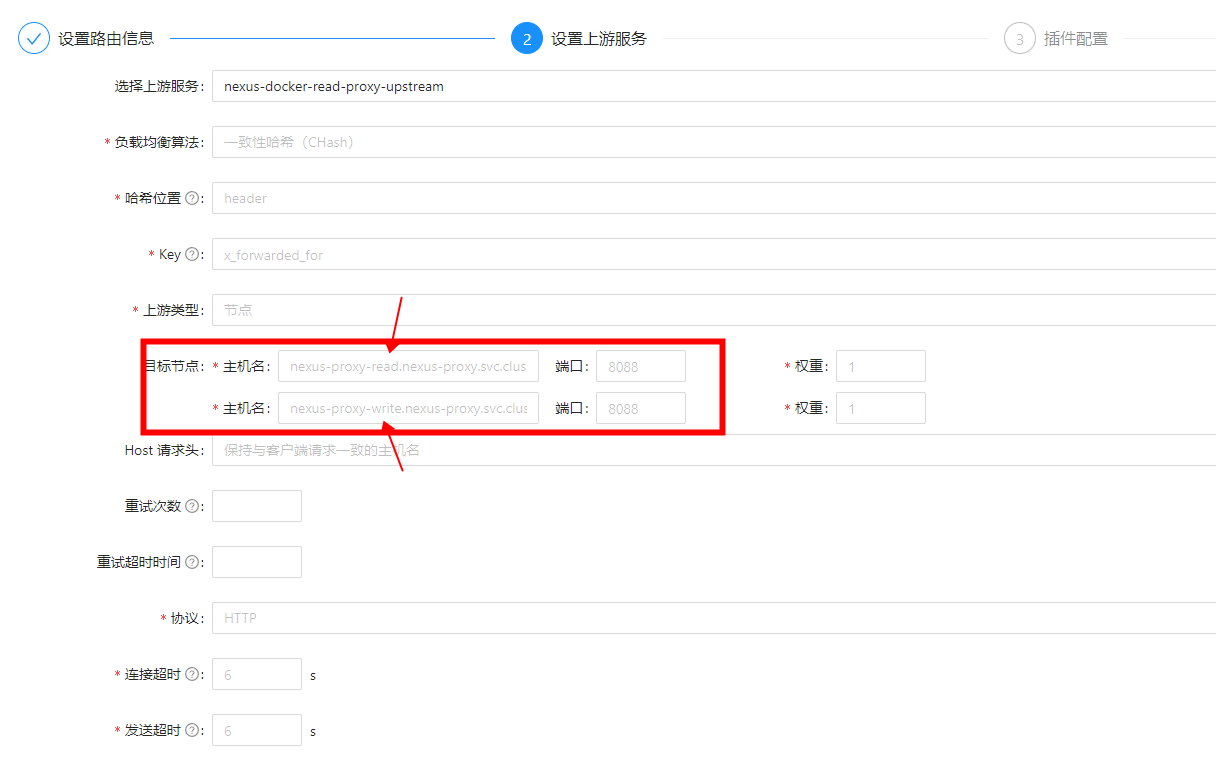
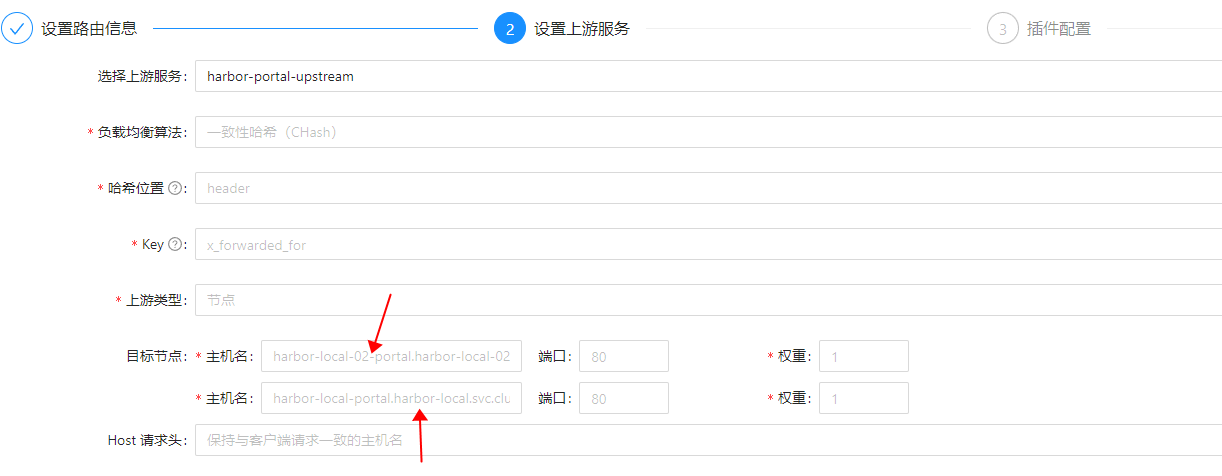
                </content>
            </entry>
            <entry>
                <title><![CDATA[批量导出AWS所有LB负载均衡器详细配置至Excel表格]]></title>
                <link rel="alternate" type="text/html" href="https://blog.yongjie.top/archives/pi-liang-dao-chu-aws-suo-you-lb-fu-zai-jun-heng-qi-xiang-xi-pei-zhi-zhi-excel-biao-ge" />
                <id>tag:https://blog.yongjie.top,2025-05-04:pi-liang-dao-chu-aws-suo-you-lb-fu-zai-jun-heng-qi-xiang-xi-pei-zhi-zhi-excel-biao-ge</id>
                <published>2025-05-04T17:27:04+08:00</published>
                <updated>2025-05-06T11:23:04+08:00</updated>
                <author>
                    <name>Deng YongJie's blog</name>
                    <uri>https://blog.yongjie.top</uri>
                </author>
                <content type="html">
                        <![CDATA[<h1 id="%E8%B4%9F%E8%BD%BD%E5%9D%87%E8%A1%A1%E5%99%A8%E9%85%8D%E7%BD%AE%E4%BF%A1%E6%81%AF%EF%BC%8C%E7%9B%B4%E6%8E%A5%E4%BD%BF%E7%94%A8python%E8%84%9A%E6%9C%AC%E6%9F%A5%E8%AF%A2elbv2%E5%92%8Celb%E7%9A%84%E9%85%8D%E7%BD%AE" tabindex="-1">负载均衡器配置信息，直接使用Python脚本查询elbv2和elb的配置</h1><pre><code class="language-">import jsonimport csvimport osimport subprocess# AWS凭证通过环境变量获取（避免硬编码）# ACCESS_KEY = os.getenv(&#39;AWS_ACCESS_KEY_ID&#39;)# SECRET_KEY = os.getenv(&#39;AWS_SECRET_ACCESS_KEY&#39;)# REGION = &#39;ap-southeast-1&#39;# 设置访问密钥和区域ACCESS_KEY = &#39;AKIARPNIxxxxxx&#39;SECRET_KEY = &#39;NYt5Qw2RSj0/a5lDih7xxxxxx&#39;REGION = &#39;ap-southeast-1&#39;def get_load_balancer_details(lb_arn, lb_type=&#39;elbv2&#39;):    if lb_type == &#39;elbv2&#39;:        try:            result = subprocess.run(                [                    &#39;aws&#39;, &#39;elbv2&#39;, &#39;describe-load-balancers&#39;,                    &#39;--load-balancer-arns&#39;, lb_arn,                    &#39;--region&#39;, REGION,                    &#39;--output&#39;, &#39;json&#39;                ],                env={                    **os.environ,                    &#39;AWS_ACCESS_KEY_ID&#39;: ACCESS_KEY,                    &#39;AWS_SECRET_ACCESS_KEY&#39;: SECRET_KEY                },                capture_output=True, text=True, check=True            )            return json.loads(result.stdout)[&#39;LoadBalancers&#39;][0]        except subprocess.CalledProcessError as e:            print(f&quot;Error fetching load balancer details for ARN {lb_arn}: {e}&quot;)            return {}    elif lb_type == &#39;elb&#39;:        try:            result = subprocess.run(                [                    &#39;aws&#39;, &#39;elb&#39;, &#39;describe-load-balancers&#39;,                    &#39;--load-balancer-names&#39;, lb_arn,                    &#39;--region&#39;, REGION,                    &#39;--output&#39;, &#39;json&#39;                ],                env={                    **os.environ,                    &#39;AWS_ACCESS_KEY_ID&#39;: ACCESS_KEY,                    &#39;AWS_SECRET_ACCESS_KEY&#39;: SECRET_KEY                },                capture_output=True, text=True, check=True            )            return json.loads(result.stdout)[&#39;LoadBalancerDescriptions&#39;][0]        except subprocess.CalledProcessError as e:            print(f&quot;Error fetching load balancer details for name {lb_arn}: {e}&quot;)            return {}def get_listeners(lb_arn):    try:        result = subprocess.run(            [                &#39;aws&#39;, &#39;elbv2&#39;, &#39;describe-listeners&#39;,                &#39;--load-balancer-arn&#39;, lb_arn,                &#39;--region&#39;, REGION,                &#39;--output&#39;, &#39;json&#39;            ],            env={                **os.environ,                &#39;AWS_ACCESS_KEY_ID&#39;: ACCESS_KEY,                &#39;AWS_SECRET_ACCESS_KEY&#39;: SECRET_KEY            },            capture_output=True, text=True, check=True        )        return json.loads(result.stdout)[&#39;Listeners&#39;]    except subprocess.CalledProcessError as e:        print(f&quot;Error fetching listeners for load balancer ARN {lb_arn}: {e}&quot;)        return []def get_listeners_for_elb(lb_name):    try:        result = subprocess.run(            [                &#39;aws&#39;,&#39;elb&#39;,&#39;describe-load-balancers&#39;,                &#39;--load-balancer-name&#39;,lb_name,                &#39;--region&#39;,REGION,                &#39;--output&#39;,&#39;json&#39;            ],            env={                **os.environ,                &#39;AWS_ACCESS_KEY_ID&#39;: ACCESS_KEY,                &#39;AWS_SECRET_ACCESS_KEY&#39;: SECRET_KEY            },            capture_output=True,text=True,check=True        )        lb_detail = json.loads(result.stdout)[&#39;LoadBalancerDescriptions&#39;][0]        listeners = lb_detail.get(&#39;ListenerDescriptions&#39;,[])        # 格式化侦听器信息        listeners_str = &#39;\n&#39;.join([            f&quot;{listener[&#39;Listener&#39;][&#39;Protocol&#39;]} {listener[&#39;Listener&#39;][&#39;LoadBalancerPort&#39;]} -&gt; &quot;            f&quot;{listener[&#39;Listener&#39;].get(&#39;InstanceProtocol&#39;,&#39;&#39;)} {listener[&#39;Listener&#39;].get(&#39;InstancePort&#39;,&#39;&#39;)}&quot;            for listener in listeners        ])        return listeners_str    except subprocess.CalledProcessError as e:        print(f&quot;Error fetching listeners for classic load balancer {lb_name}: {e}&quot;)        return &#39;&#39;def get_subnets(availability_zones, subnets, lb_type=&#39;elb&#39;):    if lb_type == &#39;elbv2&#39;:        # 对于 ELBv2 类型，子网信息位于 AvailabilityZones 中的每个可用区对象里        subnets_list = [az[&#39;SubnetId&#39;] for az in availability_zones]    else:        # 对于经典 ELB 类型，子网信息直接是一个列表        subnets_list = subnets    return &#39;\n&#39;.join(subnets_list)def get_target_groups(lb_arn):    try:        result = subprocess.run(            [                &#39;aws&#39;, &#39;elbv2&#39;, &#39;describe-target-groups&#39;,                &#39;--load-balancer-arn&#39;, lb_arn,                &#39;--region&#39;, REGION,                &#39;--output&#39;, &#39;json&#39;            ],            env={                **os.environ,                &#39;AWS_ACCESS_KEY_ID&#39;: ACCESS_KEY,                &#39;AWS_SECRET_ACCESS_KEY&#39;: SECRET_KEY            },            capture_output=True, text=True, check=True        )        return json.loads(result.stdout)[&#39;TargetGroups&#39;]    except subprocess.CalledProcessError as e:        print(f&quot;Error fetching target groups for ARN {lb_arn}: {e}&quot;)        return []def get_health_check(tg_arn):    try:        result = subprocess.run(            [                &#39;aws&#39;, &#39;elbv2&#39;, &#39;describe-target-health&#39;,                &#39;--target-group-arn&#39;, tg_arn,                &#39;--region&#39;, REGION,                &#39;--output&#39;, &#39;json&#39;            ],            env={                **os.environ,                &#39;AWS_ACCESS_KEY_ID&#39;: ACCESS_KEY,                &#39;AWS_SECRET_ACCESS_KEY&#39;: SECRET_KEY            },            capture_output=True, text=True, check=True        )        return json.loads(result.stdout)    except subprocess.CalledProcessError as e:        print(f&quot;Error fetching health check for target group {tg_arn}: {e}&quot;)        return {}def extract_listener_target_groups(listeners):    target_groups = []    for listener in listeners:        actions = listener.get(&#39;DefaultActions&#39;, [])        for action in actions:            if action[&#39;Type&#39;] == &#39;forward&#39;:                target_group_arn = action[&#39;TargetGroupArn&#39;]                # 从 ARN 中提取目标组名称                parts = target_group_arn.split(&#39;/&#39;)                if len(parts) &gt; 1:                    target_group_name = parts[-2]  # 目标组名称位于倒数第二个位置                    target_groups.append(target_group_name)                else:                    print(f&quot;无法从 ARN {target_group_arn} 中提取目标组名称&quot;)    return &#39;; &#39;.join(target_groups)def get_attributes(lb_name_or_arn, lb_type):    if lb_type == &#39;elbv2&#39;:        try:            result = subprocess.run(                [                    &#39;aws&#39;, &#39;elbv2&#39;, &#39;describe-load-balancer-attributes&#39;,                    &#39;--load-balancer-arn&#39;, lb_name_or_arn,                    &#39;--region&#39;, REGION,                    &#39;--output&#39;, &#39;json&#39;                ],                env={                    **os.environ,                    &#39;AWS_ACCESS_KEY_ID&#39;: ACCESS_KEY,                    &#39;AWS_SECRET_ACCESS_KEY&#39;: SECRET_KEY                },                capture_output=True, text=True, check=True            )            attributes_list = json.loads(result.stdout)[&#39;Attributes&#39;]            attributes_dict = {attr[&#39;Key&#39;]: attr[&#39;Value&#39;] for attr in attributes_list}            return attributes_dict        except subprocess.CalledProcessError as e:            print(f&quot;Error fetching attributes for elbv2 {lb_name_or_arn}: {e}&quot;)            return {}    elif lb_type == &#39;elb&#39;:        # 经典 ELB 需要使用 load-balancer-name 而不是 ARN        try:            result = subprocess.run(                [                    &#39;aws&#39;, &#39;elb&#39;, &#39;describe-load-balancer-attributes&#39;,                    &#39;--load-balancer-name&#39;, lb_name_or_arn,                    &#39;--region&#39;, REGION,                    &#39;--output&#39;, &#39;json&#39;                ],                env={                    **os.environ,                    &#39;AWS_ACCESS_KEY_ID&#39;: ACCESS_KEY,                    &#39;AWS_SECRET_ACCESS_KEY&#39;: SECRET_KEY                },                capture_output=True, text=True, check=True            )            attributes_dict = {}            attributes_json = json.loads(result.stdout)            for attr_key,attr_value in attributes_json[&#39;LoadBalancerAttributes&#39;].items():                if isinstance(attr_value,dict) and &#39;Enabled&#39; in attr_value:                    attributes_dict[attr_key] = attr_value[&#39;Enabled&#39;]                else:                    attributes_dict[attr_key] = attr_value            return attributes_dict        except subprocess.CalledProcessError as e:            print(f&quot;Error fetching attributes for classic elb {lb_name_or_arn}: {e}&quot;)            return {}def get_instance_ids_for_classic_lb(lb_name):    try:        result = subprocess.run(            [                &#39;aws&#39;, &#39;elb&#39;, &#39;describe-instance-health&#39;,                &#39;--load-balancer-name&#39;, lb_name,                &#39;--region&#39;, REGION,                &#39;--output&#39;, &#39;json&#39;            ],            env={                **os.environ,                &#39;AWS_ACCESS_KEY_ID&#39;: ACCESS_KEY,                &#39;AWS_SECRET_ACCESS_KEY&#39;: SECRET_KEY            },            capture_output=True, text=True, check=True        )        instance_ids = [instance[&#39;InstanceId&#39;] for instance in json.loads(result.stdout)[&#39;InstanceStates&#39;]]        return &#39;\n&#39;.join(instance_ids)    except subprocess.CalledProcessError as e:        print(f&quot;Error fetching instance IDs for classic load balancer {lb_name}: {e}&quot;)        return &#39;&#39;def get_health_check_info_for_classic_lb(lb_detail):    health_check = lb_detail.get(&#39;HealthCheck&#39;, {})    if health_check:        return (            f&quot;HealthyThreshold: {health_check.get(&#39;HealthyThreshold&#39;)}\n&quot;            f&quot;Interval: {health_check.get(&#39;Interval&#39;)}\n&quot;            f&quot;Target: {health_check.get(&#39;Target&#39;)}\n&quot;            f&quot;Timeout: {health_check.get(&#39;Timeout&#39;)}\n&quot;            f&quot;UnhealthyThreshold: {health_check.get(&#39;UnhealthyThreshold&#39;)}&quot;        )    else:        return &#39;&#39;# 获取所有负载均衡器基本信息try:    # 获取 ELBv2 类型的负载均衡器    result_v2 = subprocess.run(        [            &#39;aws&#39;, &#39;elbv2&#39;, &#39;describe-load-balancers&#39;,            &#39;--query&#39;, &#39;LoadBalancers[*].[LoadBalancerName, LoadBalancerArn]&#39;,            &#39;--region&#39;, REGION,            &#39;--output&#39;, &#39;json&#39;        ],        env={            **os.environ,            &#39;AWS_ACCESS_KEY_ID&#39;: ACCESS_KEY,            &#39;AWS_SECRET_ACCESS_KEY&#39;: SECRET_KEY        },        capture_output=True, text=True, check=True    )    load_balancers_v2 = json.loads(result_v2.stdout)    # 获取经典负载均衡器（ELB）    result_elb = subprocess.run(        [            &#39;aws&#39;, &#39;elb&#39;, &#39;describe-load-balancers&#39;,            &#39;--query&#39;, &#39;LoadBalancerDescriptions[*].[LoadBalancerName]&#39;,            &#39;--region&#39;, REGION,            &#39;--output&#39;, &#39;json&#39;        ],        env={            **os.environ,            &#39;AWS_ACCESS_KEY_ID&#39;: ACCESS_KEY,            &#39;AWS_SECRET_ACCESS_KEY&#39;: SECRET_KEY        },        capture_output=True, text=True, check=True    )    load_balancers_elb = json.loads(result_elb.stdout)except subprocess.CalledProcessError as e:    print(f&quot;Error fetching load balancers: {e}&quot;)    exit(1)# 定义CSV头部fields = [&#39;负载均衡器名称&#39;, &#39;DNS 名称&#39;, &#39;负载均衡类型&#39;, &#39;负载均衡模式&#39;, &#39;安全组&#39;, &#39;可用区&#39;, &#39;子网&#39;, &#39;侦听器&#39;, &#39;健康检查&#39;, &#39;目标实例&#39;, &#39;跨区域负载均衡配置&#39;, &#39;删除保护&#39;, &#39;转发目标组&#39;]# 准备写入CSVwith open(&#39;load_balancers_info.csv&#39;, &#39;w&#39;, newline=&#39;&#39;&#39;) as csvfile:    writer = csv.writer(csvfile)    writer.writerow(fields)    # 遍历每个elbv2类型的负载均衡器并写入 CSV    for lb in load_balancers_v2:        lb_name = lb[0]        lb_arn = lb[1]        # 获取负载均衡器详细信息        lb_detail = get_load_balancer_details(lb_arn, lb_type=&#39;elbv2&#39;)        dns_name = lb_detail.get(&#39;DNSName&#39;, &#39;&#39;)        lb_type = lb_detail.get(&#39;Type&#39;, &#39;&#39;)        lb_scheme = lb_detail.get(&#39;Scheme&#39;, &#39;&#39;)        lb_securitygroups = &#39;\n&#39;.join(lb_detail.get(&#39;SecurityGroups&#39;, []))        availability_zones = lb_detail.get(&#39;AvailabilityZones&#39;, [])        # 获取子网信息        subnets_str = get_subnets(availability_zones,[],lb_type=&#39;elbv2&#39;)        # 获取侦听器信息        listeners = get_listeners(lb_arn)        listeners_str = &#39;; &#39;.join([f&quot;{listener[&#39;Protocol&#39;]} {listener[&#39;Port&#39;]}&quot; for listener in listeners])        # 提取侦听器中的转发目标组        target_groups_str = extract_listener_target_groups(listeners)        # 获取目标组和健康检查信息        target_groups = get_target_groups(lb_arn)        health_checks = []        for tg in target_groups:            tg_arn = tg[&#39;TargetGroupArn&#39;]            health_check_result = get_health_check(tg_arn)            for thd in health_check_result.get(&#39;TargetHealthDescriptions&#39;, []):                target_id = thd[&#39;Target&#39;][&#39;Id&#39;]                target_port = thd[&#39;Target&#39;][&#39;Port&#39;]                health_check_port = thd[&#39;HealthCheckPort&#39;]                state = thd[&#39;TargetHealth&#39;][&#39;State&#39;]                reason = thd[&#39;TargetHealth&#39;].get(&#39;Reason&#39;, &#39;&#39;)                description = thd[&#39;TargetHealth&#39;].get(&#39;Description&#39;, &#39;&#39;)                health_check_info = (                    f&quot;Id: {target_id}\n&quot;                    f&quot;HealthCheckPort: {health_check_port}\n&quot;                    f&quot;Port: {target_port}\n&quot;                    f&quot;State: {state}\n&quot;                    f&quot;Reason: {reason}\n&quot;                    f&quot;Description: {description}\n&quot;                )                health_checks.append(health_check_info)        health_check_str = &#39;\n&#39;.join(health_checks)  # 使用换行符分隔每条健康检查信息        # 获取属性信息        attributes = get_attributes(lb_arn,lb_type=&#39;elbv2&#39;)        deletion_protection = attributes.get(&#39;deletion_protection.enabled&#39;,&#39;false&#39;)        cross_zone_load_balancing = attributes.get(&#39;load_balancing.cross_zone.enabled&#39;,&#39;false&#39;)        # 目标实例留空        target_instances_str = &#39;Null&#39;        # 写入行        writer.writerow([            lb_name,  # 负载均衡器名称            dns_name,  # DNS 名称            lb_type,  # 负载均衡类型            lb_scheme,  # 负载均衡模式            lb_securitygroups,  # 安全组            &#39;\n&#39;.join([az[&#39;ZoneName&#39;] for az in availability_zones]),  # 可用区            subnets_str,  # 子网            listeners_str,  # 侦听器            health_check_str,  # 健康检查            target_instances_str,  # 目标实例（elbv2没有目标实例信息）            cross_zone_load_balancing,  # 跨区域负载均衡配置            deletion_protection,  # 删除保护            target_groups_str  # 转发目标组        ])    # 遍历每个经典负载均衡器（ELB）并写入 CSV    for lb in load_balancers_elb:        lb_name = lb[0]        # 获取负载均衡器详细信息        lb_detail = get_load_balancer_details(lb_name, lb_type=&#39;elb&#39;)        dns_name = lb_detail.get(&#39;DNSName&#39;, &#39;&#39;)        lb_type = &#39;classic&#39;        lb_scheme = lb_detail.get(&#39;Scheme&#39;, &#39;&#39;)        # 处理 SecurityGroups        security_groups = lb_detail.get(&#39;SecurityGroups&#39;,[])        if isinstance(security_groups,list):            lb_securitygroups = &#39;\n&#39;.join([sg for sg in security_groups])        else:            lb_securitygroups = security_groups        availability_zones = lb_detail.get(&#39;AvailabilityZones&#39;, [])        # 获取子网信息        subnets_str = get_subnets([], lb_detail.get(&#39;Subnets&#39;, []), lb_type=&#39;elb&#39;)        # 获取侦听器信息        listeners_str = get_listeners_for_elb(lb_name)        # 获取目标实例信息        target_instances_str = get_instance_ids_for_classic_lb(lb_name)        # 获取健康检查信息        health_check_str = get_health_check_info_for_classic_lb(lb_detail)        # 获取属性信息        attributes = get_attributes(lb_name,lb_type=&#39;elb&#39;)        cross_zone_load_balancing = attributes.get(&#39;CrossZoneLoadBalancing&#39;,&#39;false&#39;)        # 经典负载均衡器不支持删除保护、目标组概念，所以这些字段留空        deletion_protection = &#39;Null&#39;        target_groups_str = &#39;Null&#39;        # 写入行        writer.writerow([            lb_name,  # 负载均衡器名称            dns_name,  # DNS 名称            lb_type,  # 负载均衡类型            lb_scheme,  # 负载均衡模式            lb_securitygroups,  # 安全组            &#39;\n&#39;.join(availability_zones),  # 可用区            subnets_str,  # 子网            listeners_str,  # 侦听器            health_check_str,  # 健康检查            target_instances_str,  # 目标实例            cross_zone_load_balancing,  # 跨区域负载均衡配置            deletion_protection,  # 删除保护（经典负载均衡器不支持）            target_groups_str  # 转发目标组        ])print(&quot;负载均衡器信息已成功提取并保存到 load_balancers_info.csv 文件中。&quot;)</code></pre><h1 id="%E6%9C%80%E7%BB%88%E5%B1%95%E7%A4%BA%E7%BB%93%E6%9E%9C%EF%BC%9A" tabindex="-1">最终展示结果：</h1><p><img src="/upload/2025/03/image-20250314111431330.png" alt="image-20250314111431330" /></p>]]>
                </content>
            </entry>
            <entry>
                <title><![CDATA[批量导出AWS所有快照详细信息至Excel表格]]></title>
                <link rel="alternate" type="text/html" href="https://blog.yongjie.top/archives/pi-liang-dao-chu-aws-suo-you-kuai-zhao-xiang-xi-xin-xi-zhi-excel-biao-ge" />
                <id>tag:https://blog.yongjie.top,2025-05-03:pi-liang-dao-chu-aws-suo-you-kuai-zhao-xiang-xi-xin-xi-zhi-excel-biao-ge</id>
                <published>2025-05-03T16:19:02+08:00</published>
                <updated>2025-05-06T11:22:58+08:00</updated>
                <author>
                    <name>Deng YongJie's blog</name>
                    <uri>https://blog.yongjie.top</uri>
                </author>
                <content type="html">
                        <![CDATA[<h1 id="cli%E5%AF%BC%E5%87%BA%E5%BF%AB%E7%85%A7%E7%9A%84%E8%AF%A6%E7%BB%86%E4%BF%A1%E6%81%AF" tabindex="-1">CLI导出快照的详细信息</h1><pre><code class="language-">aws ec2 describe-snapshots \--owner-ids self \--query &quot;Snapshots[*].[SnapshotId,VolumeSize,VolumeId,Description,StartTime]&quot; \--output json &gt; snapshots_info.json</code></pre><h1 id="%E4%BD%BF%E7%94%A8python%E8%84%9A%E6%9C%AC%E5%B0%86json%E5%86%85%E5%AE%B9%EF%BC%8C%E6%8C%87%E5%AE%9A%E8%A1%A8%E5%A4%B4%E5%86%99%E5%85%A5excel%E8%A1%A8%E6%A0%BC" tabindex="-1">使用Python脚本将json内容，指定表头写入excel表格</h1><pre><code class="language-">import jsonimport csvfrom dateutil import parserimport pytz# 读取 JSON 文件with open(&#39;snapshots_info.json&#39;, &#39;r&#39;, encoding=&#39;utf-8&#39;) as file:    snapshot_data = json.load(file)# 定义CSV头部fields = [&#39;快照 ID&#39;, &#39;快照大小 (GiB)&#39;, &#39;源卷ID&#39;, &#39;卷大小 (GiB)&#39;, &#39;快照启动时间&#39;, &#39;快照描述&#39;]# 准备写入CSVwith open(&#39;snapshots_info.csv&#39;, &#39;w&#39;, newline=&#39;&#39;, encoding=&#39;utf-8-sig&#39;) as csvfile:    writer = csv.writer(csvfile)    writer.writerow(fields)    # 遍历每个快照并写入 CSV    for snapshot in snapshot_data:        snapshot_id = snapshot[0] if snapshot[0] else &#39;&#39;        volume_size_gb = snapshot[1] if len(snapshot) &gt; 1 and snapshot[1] else &#39;&#39;        volume_id = snapshot[2] if len(snapshot) &gt; 2 and snapshot[2] else &#39;&#39;        description = snapshot[3] if len(snapshot) &gt; 3 and snapshot[3] else &#39;&#39;        start_time_utc = snapshot[4] if len(snapshot) &gt; 4 and snapshot[4] else &#39;&#39;        # 快照大小与卷大小相同（以 GiB 为单位）        snapshot_size_gb = volume_size_gb        # 将 UTC 时间转换为中国标准时间 (CST, UTC+8)        if start_time_utc:            utc_dt = parser.parse(start_time_utc)            cst_tz = pytz.timezone(&#39;Asia/Shanghai&#39;)  # 获取中国标准时间时区            start_time_cst = utc_dt.astimezone(cst_tz).strftime(&#39;%Y-%m-%d %H:%M:%S GMT+0800 (中国标准时间)&#39;)  # 转换为 CST 并格式化输出        else:            start_time_cst = &#39;&#39;        # 写入行        writer.writerow([            snapshot_id,  # 快照 ID            snapshot_size_gb,  # 快照大小 (GiB)            volume_id,  # 源卷ID            volume_size_gb,  # 卷大小 (GiB)            start_time_cst,  # 快照启动时间            description  # 快照描述        ])print(&quot;快照信息已成功提取并保存到 snapshots_info.csv 文件中。&quot;)</code></pre><h1 id="%E6%9C%80%E7%BB%88%E7%BB%93%E6%9E%9C%E5%B1%95%E7%A4%BA%EF%BC%9A" tabindex="-1">最终结果展示：</h1><p><img src="/upload/2025/03/image-20250314111230730.png" alt="image-20250314111230730" /></p>]]>
                </content>
            </entry>
            <entry>
                <title><![CDATA[批量导出AWS所有AMI模板详细配置信息至Excel表格]]></title>
                <link rel="alternate" type="text/html" href="https://blog.yongjie.top/archives/pi-liang-dao-chu-aws-suo-you-ami-mo-ban-xiang-xi-pei-zhi-xin-xi-zhi-excel-biao-ge" />
                <id>tag:https://blog.yongjie.top,2025-05-02:pi-liang-dao-chu-aws-suo-you-ami-mo-ban-xiang-xi-pei-zhi-xin-xi-zhi-excel-biao-ge</id>
                <published>2025-05-02T15:34:20+08:00</published>
                <updated>2025-05-06T11:22:49+08:00</updated>
                <author>
                    <name>Deng YongJie's blog</name>
                    <uri>https://blog.yongjie.top</uri>
                </author>
                <content type="html">
                        <![CDATA[<h1 id="cli%E5%AF%BC%E5%87%BAami%E6%A8%A1%E6%9D%BF%E7%9A%84%E9%85%8D%E7%BD%AE%E4%BF%A1%E6%81%AF" tabindex="-1">CLI导出AMI模板的配置信息</h1><pre><code class="language-">aws ec2 describe-images \    --owners self \    --filters Name=is-public,Values=false \    --query &quot;Images[*].[Name,ImageId,BlockDeviceMappings[0].Ebs.SnapshotId,BlockDeviceMappings[0].Ebs.VolumeSize,SourceImageId,SourceImageRegion,Description,Tags]&quot; \    --output json &gt; private_ami_info.json</code></pre><h1 id="%E4%BD%BF%E7%94%A8python%E8%84%9A%E6%9C%AC%E5%B0%86json%E5%86%85%E5%AE%B9%EF%BC%8C%E6%8C%87%E5%AE%9A%E8%A1%A8%E5%A4%B4%E5%86%99%E5%85%A5excel%E8%A1%A8%E6%A0%BC" tabindex="-1">使用Python脚本将json内容，指定表头写入excel表格</h1><pre><code class="language-">import jsonimport csv# 读取 JSON 文件with open(&#39;private_ami_info.json&#39;,&#39;r&#39;,encoding=&#39;utf-8&#39;) as file:    ami_data = json.load(file)# 定义CSV头部fields = [&#39;AMI 名称&#39;,&#39;AMI ID&#39;,&#39;Source AMI ID&#39;,&#39;Source AMI Region&#39;,&#39;块存储设备ID&#39;,&#39;卷大小（GiB）&#39;,&#39;描述&#39;,&#39;标签&#39;]# 准备写入CSVwith open(&#39;private_ami_info.csv&#39;,&#39;w&#39;,newline=&#39;&#39;,encoding=&#39;utf-8-sig&#39;) as csvfile:    writer = csv.writer(csvfile)    writer.writerow(fields)    # 遍历每个 AMI 并写入 CSV    for ami in ami_data:        ami_name = ami[0] if ami[0] else &#39;&#39;  # AMI 名称与 Name 字段相同        ami_id = ami[1]        block_device_id = ami[2] if len(ami) &gt; 2 and ami[2] else &#39;&#39;        volume_size = ami[3] if len(ami) &gt; 3 and ami[3] else &#39;&#39;        source_ami_id = ami[4] if len(ami) &gt; 4 and ami[4] else &#39;&#39;        source_ami_region = ami[5] if len(ami) &gt; 5 and ami[5] else &#39;&#39;        description = ami[6] if len(ami) &gt; 6 and ami[6] else &#39;&#39;        # 提取和格式化标签信息，过滤掉系统默认生成的标签        user_tags = {}        if len(ami) &gt; 7 and ami[7]:            for tag in ami[7]:                key = tag[&#39;Key&#39;]                value = tag[&#39;Value&#39;]                # 过滤掉以 &quot;aws:&quot; 开头的系统标签                if not key.startswith(&quot;aws:&quot;):                    user_tags[key] = value        tags_str = json.dumps(user_tags, ensure_ascii=False)  # 将用户自定义标签转换为 JSON 字符串        # 写入行        writer.writerow([            ami_name,  # AMI 名称            ami_id,  # AMI ID            source_ami_id,  # Source AMI ID            source_ami_region,  # Source AMI Region            block_device_id,  # 块存储设备ID            volume_size,  # 卷大小（GiB）            description,  # 描述            tags_str  # 标签        ])print(&quot;私有 AMI 信息已成功提取并保存到 private_ami_info.csv 文件中。&quot;)</code></pre><p>最终结果：<br /><img src="/upload/2025/03/image-20250314111134795.png" alt="image-20250314111134795" /></p>]]>
                </content>
            </entry>
            <entry>
                <title><![CDATA[批量导出AWS所有EC2详细配置信息至Excel表格]]></title>
                <link rel="alternate" type="text/html" href="https://blog.yongjie.top/archives/pi-liang-dao-chu-aws-suo-you-ec2-xiang-xi-pei-zhi-xin-xi-zhi-excel-biao-ge" />
                <id>tag:https://blog.yongjie.top,2025-04-27:pi-liang-dao-chu-aws-suo-you-ec2-xiang-xi-pei-zhi-xin-xi-zhi-excel-biao-ge</id>
                <published>2025-04-27T11:20:52+08:00</published>
                <updated>2025-04-29T18:50:38+08:00</updated>
                <author>
                    <name>Deng YongJie's blog</name>
                    <uri>https://blog.yongjie.top</uri>
                </author>
                <content type="html">
                        <![CDATA[<p>#一、实例和ebs挂载卷、自动伸缩的详细配置导出为json</p><pre><code class="language-">aws ec2 describe-instances \    --filters &quot;Name=instance-state-name,Values=running&quot; \    --query &#39;Reservations[*].Instances[*].[InstanceId, InstanceType, Tags[?Key==&#96;Name&#96;].Value | [0], Placement.AvailabilityZone, SubnetId, PrivateIpAddress, PublicIpAddress, NetworkInterfaces[0].Association.PublicIp, BlockDeviceMappings[*].Ebs.{VolumeId:VolumeId}, SecurityGroups[*].GroupId, SecurityGroups[*].GroupName, KeyName, ImageId, IamInstanceProfile.Arn, Tags]&#39; \    --output json &gt; instances.jsonaws ec2 describe-volumes \    --query &quot;Volumes[*].{VolumeId:VolumeId, Size:Size}&quot; \    --output json &gt; volumes.jsonaws autoscaling describe-auto-scaling-instances \    --query &#39;AutoScalingInstances[*].[InstanceId, AutoScalingGroupName]&#39; \    --output json &gt; asg_info.json</code></pre><p>二、使用Python脚本将json内容，写入到excel表格里</p><pre><code class="language-">import jsonimport csv# 加载 instances.json 数据with open(&#39;instances.json&#39;,&#39;r&#39;,encoding=&#39;utf-8&#39;) as file:    instances = json.load(file)# 加载 volumes.json 数据with open(&#39;volumes.json&#39;,&#39;r&#39;,encoding=&#39;utf-8&#39;) as file:    volumes = json.load(file)# 加载 asg_info.json 数据with open(&#39;asg_info.json&#39;,&#39;r&#39;,encoding=&#39;utf-8&#39;) as file:    asg_info = json.load(file)# 创建一个字典以便快速查找卷大小volume_size_dict = {volume[&#39;VolumeId&#39;]: volume[&#39;Size&#39;] for volume in volumes}# 创建一个字典以便快速查找ASG信息asg_dict = {item[0]: item[1] for item in asg_info}# 定义CSV头部（确保使用正确的字符集）fields = [    &#39;名称&#39;,&#39;vCPU&#39;,&#39;内存（GiB）&#39;,&#39;实例ID&#39;,&#39;实例类型&#39;,&#39;存储EBS卷容量（GiB）&#39;,    &#39;可用区&#39;,&#39;子网ID&#39;,&#39;私有IP地址&#39;,&#39;公有IP地址&#39;,&#39;弹性IP&#39;,&#39;安全组ID&#39;,&#39;安全组名称&#39;,&#39;密钥名称&#39;,    &#39;AMI ID&#39;,&#39;IAM角色&#39;,&#39;Auto Scaling 组名称&#39;,&#39;标签&#39;]def filter_user_tags(tags):    &quot;&quot;&quot;过滤掉系统默认生成的标签，保留用户自定义的标签&quot;&quot;&quot;    if not tags:        return {}    # 系统默认标签的前缀列表    system_tag_prefixes = [&#39;aws:&#39;,&#39;elasticbeanstalk:&#39;]    # 过滤逻辑    user_tags = {        tag[&#39;Key&#39;]: tag[&#39;Value&#39;]        for tag in tags        if not any(tag[&#39;Key&#39;].startswith(prefix) for prefix in system_tag_prefixes)    }    return user_tags# 准备写入CSVwith open(&#39;ec2_instances.csv&#39;,&#39;w&#39;,newline=&#39;&#39;,encoding=&#39;utf-8-sig&#39;) as csvfile:    writer = csv.writer(csvfile)    writer.writerow(fields)    # 遍历每个实例并写入CSV    for reservation in instances:        for instance in reservation:            # 解析每个实例的信息            instance_id = instance[0]            instance_type = instance[1]            name = instance[2]            availability_zone = instance[3]            subnet_id = instance[4]            private_ip_address = instance[5]            public_ip_address = instance[6]            elastic_ip = instance[7]            block_device_mappings = instance[8]            security_group_ids = &#39;,&#39;.join(instance[9]) if instance[9] else &#39;&#39;            security_group_names = &#39;,&#39;.join(instance[10]) if instance[10] else &#39;&#39;            key_name = instance[11]            ami_id = instance[12]            iam_instance_profile = instance[13]            tags = instance[14]            # 补充缺失字段（vCPU 和 内存设为空）            vcpu = &#39;&#39;            memory_gib = &#39;&#39;            # 计算EBS卷总大小            ebs_volume_size_total = sum(volume_size_dict.get(bdm[&#39;VolumeId&#39;],0) for bdm in block_device_mappings if                                        isinstance(bdm,dict) and &#39;VolumeId&#39; in bdm)            # 获取Auto Scaling组名称            auto_scaling_group_name = asg_dict.get(instance_id,&#39;&#39;)            # 过滤用户自定义的标签            user_tags = filter_user_tags(tags)            user_tags_str = json.dumps(user_tags,ensure_ascii=False)            # 写入行            writer.writerow([                name,  # 名称                vcpu,  # vCPU                memory_gib,  # 内存（GiB）                instance_id,  # 实例ID                instance_type,  # 实例类型                ebs_volume_size_total,  # 存储EBS卷容量（GiB）                availability_zone,  # 可用区                subnet_id,  # 子网ID                private_ip_address,  # 私有IP地址                public_ip_address,  # 公有IP地址                elastic_ip,  # 弹性IP                security_group_ids,  # 安全组ID                security_group_names,  # 安全组名称                key_name,  # 密钥名称                ami_id,  # AMI ID                iam_instance_profile,  # IAM角色                auto_scaling_group_name,  # Auto Scaling 组名称                user_tags_str  # 用户自定义标签            ])</code></pre><h1 id="%E6%9C%80%E7%BB%88%E7%BB%93%E6%9E%9C%E5%B1%95%E7%A4%BA%EF%BC%9A" tabindex="-1">最终结果展示：</h1><p><img src="/upload/2025/03/image-20250314111008501.png" alt="image-20250314111008501" /></p>]]>
                </content>
            </entry>
            <entry>
                <title><![CDATA[MySQL迁移OceanBase方案]]></title>
                <link rel="alternate" type="text/html" href="https://blog.yongjie.top/archives/mysql-qian-yi-oceanbase-fang-an" />
                <id>tag:https://blog.yongjie.top,2025-04-05:mysql-qian-yi-oceanbase-fang-an</id>
                <published>2025-04-05T09:59:10+08:00</published>
                <updated>2025-04-10T10:31:44+08:00</updated>
                <author>
                    <name>Deng YongJie's blog</name>
                    <uri>https://blog.yongjie.top</uri>
                </author>
                <content type="html">
                        <![CDATA[<h1 id="%E4%B8%80%E3%80%81%E5%89%8D%E6%9C%9F%E5%87%86%E5%A4%87" tabindex="-1">一、前期准备</h1><ul><li><p><strong>网络连通性</strong>：确保MySQL源数据库与OceanBase目标数据库之间的网络通畅。</p></li><li><p><strong>备份MySQL数据</strong>：在迁移之前，对MySQL数据库进行全面备份，以防迁移过程中出现问题。</p></li><li><p><strong>评估数据规模</strong>：统计MySQL数据库的大小，评估迁移所需的时间和资源。</p></li><li><p><strong>MySQL开启Binlog</strong>：OMS迁移平台会基于全量迁移任务，读取 MySQL 数据库的 Binlog，实时同步增量数据至目标端。</p></li><li><p><strong>确认字符集和排序规则</strong>：源端和目标端数据库的 Collation 不同，可能导致数据同步不一致，从而导致数据丢失。查询字符集和排序规则：<code>SELECT @@character_set_database, @@collation_database;</code></p></li><li><p><strong>统一字符集和排序规则</strong>：如果数据不包含特殊的国际化字符，并且在 <code>utf8mb4_unicode_ci</code> 和 <code>utf8mb4_general_ci</code> 排序规则下的排序和比较结果一致，那么可以不修改 MySQL 的排序规则。为了确保迁移后的数据在 OceanBase 与 MySQL 一致，最好还是将 MySQL 的排序规则统一为 <code>utf8mb4_general_ci</code>。<strong>（需业务方评估确认是否可修改排序规则为<code>utf8mb4_general_ci</code>，确保排序规则的兼容性）</strong></p><ul><li><strong>注意事项</strong>：在 <code>utf8mb4_unicode_ci</code> 中，<code>ä</code> 和 <code>a</code> 的排序不同，因为 <code>ä</code> 在 Unicode 中有一个不同的权重。在 <code>utf8mb4_general_ci</code> 中，<code>ä</code> 和 <code>a</code> 可能会被视为相同的字符，因为它们按照字典序进行排序。如果MySQL在在 <code>utf8mb4_unicode_ci</code> 中，存在这种特殊字符，直接修改排序规则可能导致数据不一致或排序错误。建议在测试环境中先进行排序规则的修改，并进行全面测试，确保数据一致性和正确性，再到生产环境中进行修改。OMS在迁移过程中会处理字符集和排序规则的转换，自动转为<code>utf8mb4_general_ci</code></li></ul></li><li><p><strong>MySQL与OB节点之间时钟同步</strong>：若时间不同步可能导致延迟时间（增量同步/反向增量）不准确。</p></li><li><p><strong>MySQL权限说明</strong>：数据库用户至少需要具备 <code>REPLICATION CLIENT</code>、<code>REPLICATION SLAVE</code> 和 <code>SELECT *.*</code> 权限，如果是<code>PRIVILEGES</code>权限，则不用调整。</p><ul><li><code>GRANT REPLICATION CLIENT, REPLICATION SLAVE ON *.* TO '&lt;user_name&gt;';</code> <code>GRANT SELECT ON *.* TO '&lt;user_name&gt;';</code></li></ul></li><li><p><strong>OB权限说明</strong>：目标端数据库至少具备 <code>CREATE</code>、<code>CREATE VIEW</code>、<code>SELECT</code>、<code>INSERT</code>、<code>UPDATE</code>、<code>ALTER</code>、<code>INDEX</code> 和 <code>DELETE</code> 权限及整个租户 <code>SELECT</code> 权限。</p><ul><li><code>GRANT CREATE,CREATE VIEW,SELECT,INSERT,UPDATE,ALTER,INDEX,DELETE ON &lt;database_name&gt;.* TO '&lt;user_name&gt;';</code></li><li><code>GRANT SELECT ON *.* TO '&lt;user_name&gt;';</code></li></ul></li><li><p><strong>确定MySQL 数据库是否为双主或多主架构</strong>：如果是双主或多主，需开启 <code>log_slave_updates</code> 参数，否则可能因数据源未及时接收所有的 Binlog 导致存在数据丢失的风险。</p></li><li><p><strong>MySQL本地Binlog日志保留时间</strong>：数据迁移要求源端数据库的本地增量日志至少保留 7 天以上。否则数据迁移可能因为无法获取增量日志导致数据迁移任务失败，甚至导致源端和目标端数据不一致。因为OMS需要能够完整地获取从迁移开始时刻到迁移完成时刻之间的所有变更记录，如果源端的binlog保留期限不够长，那么在迁移过程中，早期的变更记录可能会被覆盖或删除，从而导致数据丢失或不一致。<code>expire_logs_days = 7或更大 </code></p></li><li><p><strong>版本兼容确认</strong>：OMS：V4.2.6 与 MySQL：V5.5、V5.6、V5.7、V8.0，MariaDB：V10.2 与 OceanBase 社区版V4.3.0-CE、V4.3.1-CE、V4.3.2-CE、V4.3.3-CE兼容。<a href="https://www.oceanbase.com/docs/community-oms-cn-1000000001456787" target="_blank">版本对应关系</a></p></li><li><p><strong>源端和目标端不支持大小写敏感</strong>：源端MySQL按照目标端参数 <code>lower_case_table_names = 1</code> 设置，并以小写方式创建目标端数据库对象，不支持表名区分大小写。</p></li><li><p><strong>MySQL 数据库设置唯一标识</strong>：源端 MySQL Server 必须设置 <code>server_id</code>，用来标识MySQL服务器。因为可能多个服务器同时在进行复制操作，多个MySQL不能共享同一个<code>server_id</code>，避免冲突。</p></li></ul><h1 id="%E4%BA%8C%E3%80%81%E8%BF%81%E7%A7%BB%E8%BF%87%E7%A8%8B%E7%A6%81%E6%AD%A2%E6%93%8D%E4%BD%9C" tabindex="-1">二、迁移过程禁止操作</h1><ul><li><strong>请勿在结构迁移和全量迁移阶段执行库或表结构变更的 DDL 操作，否则可能造成数据迁移任务中断。</strong></li><li><strong>禁止大量写入操作</strong>：尽量避免对源端MySQL进行大量的写入操作，以免影响迁移的准确性和效率。</li><li><strong>禁止更改数据库结构</strong>：不要对MySQL数据库的表结构进行修改，如增加或删除字段、修改数据类型等。</li><li><strong>禁止关闭binlog功能</strong>：保持MySQL的binlog功能开启，确保增量数据能够被OMS正常获取。</li><li><strong>禁止直接修改数据</strong>：不应直接在OceanBase上进行数据的修改操作，以避免数据不一致。<strong>（等后面校验数据一致性，并停服切换至目标库后，再对目标库数据进行操作）</strong></li><li><strong>禁止中断迁移任务</strong>：不要随意中断OMS工具的迁移任务，除非遇到严重错误需要紧急停止。</li><li><strong>禁止频繁修改配置</strong>：不要频繁修改OMS平台的配置，避免影响迁移效果。</li></ul><h1 id="%E4%B8%89%E3%80%81%E8%BF%81%E7%A7%BB%E6%AD%A5%E9%AA%A4" tabindex="-1">三、迁移步骤</h1><ul><li><p>OMS 新建 源端MySQL 数据源、目标端OceanBase 数据源。</p></li><li><p>新建数据迁移任务。</p></li><li><p>选择源端和目标端。</p></li><li><p>选择数据迁移场景和支持全部表迁移类型。</p></li><li><p><strong>选择迁移类型</strong>：勾选<strong>结构迁移</strong>、<strong>全量迁移</strong>、<strong>增量同步</strong>、<strong>同步DML和DDL</strong>*<strong>全量校验</strong> 和 <strong>反向增量</strong>。</p></li><li><p><strong>选择迁移对象</strong>：勾选源端需要同步的库。</p></li><li><p><strong>迁移选项</strong>：结构迁移字符集映射与排序规则映射会自动对齐，排序规则可以支持多个选项。<strong>全量迁移、增量同步、全量校验并发速度选择平稳</strong>。</p></li><li><p><strong>点击预检查</strong>：OMS会自动检查数据库用户的读写权限、数据库的网络连接等是否符合要求。全部检查任务均通过后才能启动数据迁移任务。如果预检查报错，可以根据检查给出的解决方法和提示，处理问题后，重新执行预检查，直至预检查成功。</p></li><li><p><strong>选择启动任务</strong>：数据迁移任务启动后，会根据选择的迁移类型依次执行。</p></li><li><p><strong>全量校验</strong>：在全量迁移完成、增量数据同步至目标端并与源端基本追平后，OMS会自动发起一轮针对源库配置的数据表和目标表的全量数据校验任务。</p></li></ul><h2 id="a.%E6%96%B0%E5%BB%BA%E6%95%B0%E6%8D%AE%E6%BA%90" tabindex="-1"><strong>a.新建数据源</strong></h2><p><img src="/upload/2025/02/image-20241030184736751.png" alt="image-20241030184736751" /><br /><img src="/upload/2025/02/image-20241030184841100.png" alt="image-20241030184841100" /></p><h2 id="b.%E6%96%B0%E5%BB%BA%E8%BF%81%E7%A7%BB%E9%A1%B9%E7%9B%AE%E5%B9%B6%E9%80%89%E6%8B%A9%E6%BA%90%E7%AB%AF%E5%92%8C%E7%9B%AE%E6%A0%87%E7%AB%AF" tabindex="-1"><strong>b.新建迁移项目并选择源端和目标端</strong></h2><p><img src="/upload/2025/02/image-20241030184912996.png" alt="image-20241030184912996" /></p><h2 id="c.%E9%80%89%E6%8B%A9%E8%BF%81%E7%A7%BB%E5%9C%BA%E6%99%AF%E5%92%8C%E8%BF%81%E7%A7%BB%E7%B1%BB%E5%9E%8B" tabindex="-1"><strong>c.选择迁移场景和迁移类型</strong></h2><p><img src="/upload/2025/02/image-20241030184944770.png" alt="image-20241030184944770" /><br /><img src="/upload/2025/02/image-20241030185120647.png" alt="image-20241030185120647" /><br /><img src="/upload/2025/02/image-20241030185221197.png" alt="image-20241030185221197" /></p><h2 id="d.%E8%BF%81%E7%A7%BB%E9%80%89%E9%A1%B9%EF%BC%8C%E9%80%89%E6%8B%A9%E5%B9%B3%E7%A8%B3%E8%BF%81%E7%A7%BB" tabindex="-1"><strong>d.迁移选项，选择平稳迁移</strong></h2><p><img src="/upload/2025/02/image-20241030190124669.png" alt="image-20241030190124669" /><br /><img src="/upload/2025/02/image-20241030190154384.png" alt="image-20241030190154384" /></p><h2 id="e.%E8%BF%9B%E5%85%A5%E9%A2%84%E6%A3%80%E6%9F%A5%EF%BC%8C%E6%A0%B9%E6%8D%AE%E6%8F%90%E7%A4%BA%E5%AE%8C%E6%88%90%E7%9B%B8%E5%BA%94%E7%9A%84%E6%93%8D%E4%BD%9C" tabindex="-1"><strong>e.进入预检查，根据提示完成相应的操作</strong></h2><p><strong>MySQL未开启binlog，所以需要先开启</strong></p><p><img src="/upload/2025/02/image-20241030190258309.png" alt="image-20241030190258309" /></p><p><strong>OB租户开启日志归档，OCP平台可以操作</strong></p><p><img src="/upload/2025/02/image-20241030190436004.png" alt="image-20241030190436004" /></p><h2 id="f.%E9%A2%84%E6%A3%80%E6%9F%A5%E6%88%90%E5%8A%9F%E5%90%8E%EF%BC%8C%E5%90%AF%E5%8A%A8%E4%BB%BB%E5%8A%A1" tabindex="-1"><strong>f.预检查成功后，启动任务</strong></h2><p><img src="/upload/2025/02/image-20241030192018727.png" alt="image-20241030192018727" /></p><h2 id="g.%E7%BB%93%E6%9E%84%E8%BF%81%E7%A7%BB%EF%BC%8C%E9%9C%80%E8%A6%81%E6%B3%A8%E6%84%8F%E6%98%AF%E5%90%A6%E6%9C%89%E5%A4%B1%E8%B4%A5%E7%9A%84%E5%AF%B9%E8%B1%A1%EF%BC%8C%E9%9C%80%E8%A6%81%E9%87%8D%E8%AF%95" tabindex="-1"><strong>g.结构迁移，需要注意是否有失败的对象，需要重试</strong></h2><p><img src="/upload/2025/02/image-20241031094932200.png" alt="image-20241031094932200" /></p><h2 id="h.%E5%85%A8%E9%87%8F%E8%BF%81%E7%A7%BB%EF%BC%8C%E9%9C%80%E8%A6%81%E6%B3%A8%E6%84%8F%E6%98%AF%E5%90%A6%E6%9C%89%E5%A4%B1%E8%B4%A5%E7%9A%84%E5%AF%B9%E8%B1%A1%EF%BC%8C%E9%9C%80%E8%A6%81%E9%80%90%E4%B8%AA%E9%87%8D%E8%AF%95" tabindex="-1"><strong>h.全量迁移，需要注意是否有失败的对象，需要逐个重试</strong></h2><p><img src="/upload/2025/02/image-20241031095137752.png" alt="image-20241031095137752" /><br /><img src="/upload/2025/02/image-20241031095325675.png" alt="image-20241031095325675" /></p><p><strong>如果逐个重试失败，请联系业务方，确认是否需要手动执行SQL或跳过！</strong></p><h2 id="i.%E5%A2%9E%E9%87%8F%E5%90%8C%E6%AD%A5" tabindex="-1"><strong>i.增量同步</strong></h2><p><img src="/upload/2025/02/image-20241031100510315.png" alt="image-20241031100510315" /></p><h2 id="j.%E5%85%A8%E9%87%8F%E6%A0%A1%E9%AA%8C" tabindex="-1"><strong>j.全量校验</strong></h2><p><img src="/upload/2025/02/image-20241031100527972.png" alt="image-20241031100527972" /></p><h1 id="%E5%9B%9B%E3%80%81%E4%B8%9A%E5%8A%A1%E5%88%87%E6%8D%A2" tabindex="-1">四、业务切换</h1><ul><li><p><strong>制定切换窗口</strong>：业务方评估低峰期作为切换窗口。<strong>业务切换与数据迁移过程，时间窗口越短越好，尽量在全量校验完成后进行切换，时间窗口越长风险越大，避免意想不到的因素导致数据一致性问题而无法切换。</strong></p></li><li><p><strong>暂停业务写入</strong>：在切换窗口开始时暂停所有对MySQL的写入操作。</p></li><li><p><strong>最后一次数据同步</strong>：等待几分钟，OMS自动同步增量数据，确保OceanBase的数据是最新的。</p></li><li><p><strong>切换业务</strong>：将后端POD服务的数据库连接切换到OceanBase。</p></li></ul><h2 id="a.%E6%9A%82%E5%81%9C%E4%B8%9A%E5%8A%A1%E6%95%B0%E6%8D%AE%E5%86%99%E5%85%A5mysql%E5%90%8E%EF%BC%8C%E7%AD%89%E5%BE%85%E6%9C%80%E5%90%8E%E4%B8%80%E6%AC%A1%E6%95%B0%E6%8D%AE%E5%90%8C%E6%AD%A5%EF%BC%8C%E5%90%8C%E6%AD%A5%E5%AE%8C%E6%88%90%E5%B9%B6%E4%B8%94%E5%85%A8%E9%87%8F%E6%A0%A1%E9%AA%8C%E5%AE%8C%E6%88%90%E5%90%8E%EF%BC%8C%E5%86%8D%E8%BF%9B%E8%A1%8C%E5%88%87%E6%8D%A2%E4%B8%9A%E5%8A%A1" tabindex="-1"><strong>a.暂停业务数据写入MySQL后，等待最后一次数据同步，同步完成并且全量校验完成后，再进行切换业务</strong></h2><p><strong>注意，不能启动正向切换阶段，正向切换与反向增量属于回滚阶段，会停止MySQL增量写入OB</strong></p><p><img src="/upload/2025/02/image-20241031100836307.png" alt="image-20241031100836307" /></p><h1 id="%E4%BA%94%E3%80%81%E5%BA%94%E6%80%A5%E9%A2%84%E6%A1%88" tabindex="-1">五、应急预案</h1><ul><li><p><strong>切换后，需连接旧的MySQL</strong>：</p><ul><li><p><strong>在源库创建事务库</strong>：<code>create database omstxndb;</code></p></li><li><p><strong>OMS点击正向切换</strong>：不会操作业务应用连接的切换，是 OMS的数据迁移任务配合应用切换需要执行的任务流，只是一个抽象化的流程。<strong>需要自行确认已完成数据迁移，并等待正向同步延迟被追平。</strong></p></li><li><p><strong>源库MySQL禁止写入</strong>：因为反向增量变更到源库MySQL时，保证数据一致性。</p></li><li><p><strong>源库MySQL和目标库自动追平</strong>：OMS会把源库增量数据自动追平到目标库，保证两边都处于一个点位，然后会停止源库MySQL到目标库的正向同步。</p></li><li><p><strong>OMS点击反向增量</strong>：会有同步对象统计与延迟时间显示，自动将目标库回流反向增量到源库MySQL，最后确保MySQL的数据是最新的。</p></li><li><p><strong>业务低峰期停止写入目标库，并实施业务切换回滚</strong></p></li></ul></li></ul><p>建议如果不是无法修复的问题，非必要不回滚，多一次迁移 多一份风险</p><h2 id="a.%E5%90%AF%E5%8A%A8%E6%AD%A3%E5%90%91%E5%88%87%E6%8D%A2%EF%BC%8C%E6%BA%90%E7%AB%AFmysql%E5%81%9C%E6%AD%A2%E5%86%99%E5%85%A5" tabindex="-1"><strong>a.启动正向切换，源端MySQL停止写入</strong></h2><p><img src="/upload/2025/02/image-20241031101126728.png" alt="image-20241031101126728" /></p><h2 id="b.%E5%90%AF%E5%8A%A8%E7%9B%AE%E6%A0%87%E7%AB%AFstore%E4%B8%8E%E8%87%AA%E5%8A%A8%E8%BF%BD%E5%B9%B3%E5%81%9C%E5%86%99%E7%9A%84%E4%BD%8D%E7%BD%AE%E7%82%B9%EF%BC%8C%E5%81%9C%E6%AD%A2%E6%AD%A3%E5%90%91%E7%9A%84%E5%90%8C%E6%AD%A5" tabindex="-1"><strong>b.启动目标端Store与自动追平停写的位置点</strong>，停止正向的同步</h2><p><img src="/upload/2025/02/image-20241031111515753.png" alt="image-20241031111515753" /><br /><img src="/upload/2025/02/image-20241031111554732.png" alt="image-20241031111554732" /></p><h2 id="c.%E6%9C%80%E5%90%8E%E5%90%AF%E5%8A%A8%E5%8F%8D%E5%90%91%E5%A2%9E%E9%87%8F%EF%BC%8C%E5%B0%86ob%E7%9B%AE%E6%A0%87%E7%AB%AF%E5%90%8C%E6%AD%A5%E5%88%B0%E6%BA%90%E7%AB%AFmysql" tabindex="-1"><strong>c.最后启动反向增量，将OB目标端同步到源端MySQL</strong></h2><p><img src="/upload/2025/02/image-20241031113912598.png" alt="image-20241031113912598" /></p><p><img src="/upload/2025/02/image-20241031115825321.png" alt="image-20241031115825321" /></p>]]>
                </content>
            </entry>
            <entry>
                <title><![CDATA[OCP云平台关键指标讲解]]></title>
                <link rel="alternate" type="text/html" href="https://blog.yongjie.top/archives/ocp-yun-ping-tai-guan-jian-zhi-biao-jiang-jie" />
                <id>tag:https://blog.yongjie.top,2025-03-30:ocp-yun-ping-tai-guan-jian-zhi-biao-jiang-jie</id>
                <published>2025-03-30T20:51:21+08:00</published>
                <updated>2025-03-31T17:39:22+08:00</updated>
                <author>
                    <name>Deng YongJie's blog</name>
                    <uri>https://blog.yongjie.top</uri>
                </author>
                <content type="html">
                        <![CDATA[<h1 id="%E4%B8%80%E3%80%81%E5%9F%BA%E7%A1%80%E4%BB%8B%E7%BB%8D" tabindex="-1">一、基础介绍</h1><p>OCP云平台伴随 OceanBase 数据库而生，是用于管理 OceanBase 的平台，支持 OceanBase V1.4~V4.x 的所有主流版本。</p><p>我：OCP 不仅提供对 OceanBase 集群和租户等组件的全生命周期管理服务，同时也对 OceanBase 相关的资源（主机、网络和软件包等）提供管理服务，能够更加高效地管理 OceanBase 集群，它有以下特性：</p><ul><li>高效的 OceanBase 集群管理<ul><li>支持高可用性。</li><li>响应速度可达到秒级。</li></ul></li><li>清晰的信息框架<ul><li>全新面向对象的架构设计，提供单个集群、单个租户的沉浸式管理视角，更符合用户心智。</li><li>依据 DBA 的工作场景，划分沉浸式导航的功能模块，功能入口更加清晰。</li></ul></li><li>流畅高效的用户路径<ul><li>对核心 Job 的任务进行串连设计，流程清晰、无断点。</li><li>提供运维任务的快捷入口，在所有页面均可快速切换至任务。</li></ul></li><li>可视化的体验<ul><li>任务详情提供流程图和自然灵活的画布交互，管理任务进度更直观、高效。</li><li>新增集群和租户的拓扑图，透出分布式的业务逻辑，展示运行状态、关键数据。</li></ul></li><li>专业化的功能<ul><li>提供 OceanBase 集群的全生命周期管理。</li><li>针对 OceanBase 特性设计的管理功能。</li><li>从集群到会话的递进式管理功能。</li><li>精心设计的拓扑图功能。</li></ul></li></ul><h1 id="%E4%BA%8C%E3%80%81%E5%8A%9F%E8%83%BD%E4%BB%8B%E7%BB%8D" tabindex="-1">二、功能介绍</h1><h2 id="%E7%A7%9F%E6%88%B7%E7%AE%A1%E7%90%86" tabindex="-1">租户管理</h2><p>OCP 对于 OceanBase 租户也提供了丰富的管理功能，包括租户的创建、租户结构拓扑图、性能监控、会话管理和参数管理等。</p><h2 id="obproxy-%E7%AE%A1%E7%90%86" tabindex="-1">OBProxy 管理</h2><p>OCP 提供了 OBProxy 的全生命周期管理功能，包括集群创建、删除、扩缩容、升级等。</p><h2 id="%E5%A4%87%E4%BB%BD%E6%81%A2%E5%A4%8D" tabindex="-1">备份恢复</h2><p>备份恢复是 OceanBase 数据库高可用的核心特性，主要用于保障数据的安全，包括预防存储介质损坏，用户的错误操作及其他意外情况导致的数据丢失。在上述情况下，可以通过已备份文件将数据恢复到在线集群中。包括对 OceanBase 集群、租户级别的全量备份、增量备份、日志备份功能。</p><h2 id="%E6%80%A7%E8%83%BD%E8%AF%8A%E6%96%AD" tabindex="-1">性能诊断</h2><p>性能诊断主要围绕 OceanBase 集群来进行性能展示和问题诊断，包括 SQL 诊断和性能报告。SQL 诊断包括 topsql、slowsql、可疑sql等，性能报告包括 AWR 报告和 ASH 报告。</p><h2 id="%E7%9B%91%E6%8E%A7%E5%91%8A%E8%AD%A6" tabindex="-1">监控告警</h2><p>监控和告警是企业级 IT 管理软件中非常重要的一部分，OCP 监控支持 OceanBase 集群、租户、主机等不同维度。</p><p>用户可以使用内置的告警项来满足基本的告警需求，也可以通过告警项配置功能配置自定义告警，同时告警通道还支持通过模板方式配置 HTTP 和脚本通道以适应各种消息通道。</p><h2 id="%E5%B7%A1%E6%A3%80" tabindex="-1">巡检</h2><p>OCP 巡检功能用来检查所监管的 OceanBase 系统及其环境是否满足预期，以报告的方式来暴露监控或告警场景无法覆盖的安全隐患，并提供报告的下载功能，帮助用户及时发现系统存在的隐患。</p><h2 id="%E4%B8%BB%E6%9C%BA%E7%AE%A1%E7%90%86" tabindex="-1">主机管理</h2><p>主机管理提供了主机的信息展示以及主机的添加和删除等功能。</p><h2 id="%E5%AE%89%E5%85%A8" tabindex="-1">安全</h2><p>主要包括用户管理、角色管理和用户中心三部分。</p><p>OCP 中的用户主要通过角色获取对各种资源的管理权限。您可以在用户管理和角色管理模块中对 OCP 中的各种用户和角色进行管理，包括对用户和角色执行创建、修改或删除操作。</p><p>您还可以对角色的权限进行赋予和回收操作，从而实现常见企业级数据库监控软件所需的大部分用户管理功能。</p><p>用户中心提供了个人安全信息相关的各种管理功能，主要用于管理 OCP 用户的个人设置、密码箱和告警订阅等信息。</p><h2 id="%E7%B3%BB%E7%BB%9F%E7%AE%A1%E7%90%86" tabindex="-1">系统管理</h2><p>系统管理主要提供任务管理和 OCP 参数管理功能。</p><p>通过任务管理功能可以查看任务并对运行中的任务进行管理。</p><p>参数管理功能允许用户根据自己的业务需求管理 OCP 系统参数。</p><h1 id="%E4%B8%89%E3%80%81%E9%87%8D%E7%82%B9%E5%8A%9F%E8%83%BD%E4%B8%8E%E7%9B%91%E6%8E%A7%E6%8C%87%E6%A0%87%E8%AE%B2%E8%A7%A3" tabindex="-1">三、重点功能与监控指标讲解</h1><h2 id="%E7%A7%9F%E6%88%B7%E6%80%A7%E8%83%BD%E7%9B%91%E6%8E%A7" tabindex="-1">租户性能监控</h2><h3 id="%E8%AF%B7%E6%B1%82%E7%AD%89%E5%BE%85%E9%98%9F%E5%88%97" tabindex="-1">请求等待队列</h3><p><img src="/upload/2025/02/image-20240722113602769.png" alt="image-20240722113602769" /></p><ol><li><strong>每秒 SQL 进入等待队列个数</strong>： 这个指标表示的是每秒钟有多少SQL请求被放入等待队列中。当一个SQL请求到达时，如果系统当前的资源（如线程）不足，那么这个请求就会被放置到等待队列中，直到有可用资源来处理它。高数值可能表明系统正在经历高负载或者资源瓶颈，导致新的SQL请求不能被立即处理。</li><li><strong>request_enqueue_count: 进入处理队列的请求数量</strong>： 这个计数器记录了所有进入处理队列的SQL请求总数。处理队列是等待CPU或I/O资源来执行的SQL请求队列。这个指标可以用来评估系统的整体工作负载和请求处理能力。</li><li><strong>request_dequeue_count: 从处理队列出队的请求数量</strong>： 这个计数器记录了从处理队列中移除（即已经完成处理或开始处理）的SQL请求总数。与enqueue_count对比，可以帮助你了解处理队列的效率以及是否存在长时间停留在队列中的请求。</li></ol><p><strong>如何衡量这个指标达到性能瓶颈？</strong></p><p>这个指标需要根据其他系统资源（如CPU、内存）没有达到饱和，且查询响应时间仍然保持在可接受范围内，那么这可能是一个正常的负载水平。如果在短时间内这个数值突然激增，比如达到几万甚至更高，同时伴随着上述提到的资源利用率上升、响应时间增加等问题，那么这就可能预示着系统正面临性能瓶颈。</p><h3 id="memstore%E4%BD%BF%E7%94%A8%E7%99%BE%E5%88%86%E6%AF%94" tabindex="-1">MEMStore使用百分比</h3><p><img src="/upload/2025/02/image-20240722114837360.png" alt="image-20240722114837360" /></p><p><strong>MEMStore（内存存储）是 OceanBase 数据库中的一种关键的数据结构，主要用于暂存已提交但尚未持久化的数据，它负责接收来自客户端的写入操作（如 INSERT、UPDATE 或 DELETE）缓存到内存中，并将这些操作的结果暂时存储在内存中，而不是立即写入硬盘上的文件。。</strong></p><ol><li><strong>Memstore_percent: MEMStore使用百分比</strong> 这个指标表示当前MEMStore所占用的总内存空间最大允许内存空间的百分比。是用于存储已提交但未持久化到磁盘的数据的一个内存结构。每当有数据写入操作发生时，数据会被首先写入MEMStore。一旦MEMStore的使用达到一定阈值，OceanBase会触发一个称为“冻结”的过程，将MEMStore中的数据转化为SSTable并持久化到磁盘上，从而释放MEMStore的空间。</li><li><strong>Active_memstore_percent: MEMStore使用占触发冻结百分比</strong> 这个指标更加具体地指出了当前MEMStore的使用情况距离触发下一次冻结操作还有多远。OceanBase有一个固定的阈值，当MEMStore的使用达到这个阈值时，系统会自动进行冻结操作。<code>Active_memstore_percent</code>就是当前MEMStore使用量与这个冻结触发阈值的比率。如果这个百分比接近100%，则可能触发冻结操作。冻结是OceanBase的一种数据管理机制，主要是将内存中的数据持久化到磁盘，确保数据的安全性，然后释放内存空间供新的写入操作使用，冻结也叫转储操作。</li></ol><p><strong>如何衡量这个指标达到性能瓶颈？</strong></p><p>触发冻结会对OceanBase数据库的性能产生短暂影响，比如：CPU资源消耗、磁盘IO负载增加。需要结合其它指标分析是否达到性能瓶颈，CPU使用率、IO等待时间、内存使用、分析冻结频率和时间（频繁发生会影响写入性能，因为系统需要频繁地执行冻结操作）、sql响应时间。</p><h4 id="%E9%A2%98%E5%A4%96%E8%AF%9D%EF%BC%9A" tabindex="-1">题外话：</h4><p>我们去控制台结合分析一遍，比如这个租户，cpu  内存 qps 响应时间 sql执行时间 等等基础指标都比较正常，然后发现MEMStore活跃冻结百分比基本上都是比较高的，时不时会有断崖式的情况出现，结合刚才的多种基础指标分析，所以它是正常情况，为什么说是正常情况？因为这个MEMStore内存存储是缓存客户端操作的，所以快接近100%的时候，就会触发冻结转储操作，把数据转储到磁盘里，保障了数据的安全性和一致性。所以大家记住，不管是什么技术栈，需要知道有没有达到性能瓶颈，一定要学会看监控指标，你不清楚指标什么意思的，可以去查查资料，当你看到一个指标不正常或者很高的时候，并不代表它一定是达到了性能瓶颈，还需要结合其它指标综合分析，才能判断出是否达到性能瓶颈。<br />这个综合分析，不要局限于控制台上面提供的指标，比如硬件设备的配置、网卡的带宽、CPU的频率、内存的频率、硬盘的IOPS和吞吐量，还有系统层的优化  比如：内核参数调优、针对平台特性调优，然后是应用层自身的参数调优，最后就是把监控覆盖到位，这些都需要去关注并且结合起来，才能分析出，是哪个环节出现问题，导致的性能瓶颈？有些问题可能是串联起来的，比如CPU不足或频率低，导致计算能力弱，即使硬盘再好也没有空闲CPU资源调度了，自然发挥不出最大性能，这只是一些帮助大家容易理解的示范。还有就是应用层的调优，没优化好某些参数，发挥不出该有的性能。所以大家可以通过一些案例，学习到方法，并不是所有东西都有标准答案的。要学“神”的层面，不要停留在“形”。</p><h3 id="%E7%89%A9%E7%90%86-io-%E6%AC%A1%E6%95%B0" tabindex="-1">物理 IO 次数</h3><p><img src="/upload/2025/02/image-20240722150824492.png" alt="image-20240722150824492" /></p><ul><li>ssstore_read: SSStore 每秒读次数</li><li>ssstore_write: SSStore 每秒写次数</li><li>clog_read: clog 每秒读次数</li><li>clog_write: clog 每秒写次数</li></ul><p><strong>如何衡量这个指标达到性能瓶颈？</strong></p><p>需结合其它指标综合分析，首先了解存储设备的IOPS多大，然后了解系统是否做了配置和优化，接着实时观察监控：CPU、磁盘吞吐和IO响应时间，同时观察读写操作的增加是否导致了业务延迟、吞吐量下降或其他性能指标的恶化，才能判断出物理IO次数是否达到了瓶颈。同理，其它物理IO耗时、物理IO吞吐量的监控指标也是需要综合分析。</p><h2 id="sql%E8%AF%8A%E6%96%AD" tabindex="-1">SQL诊断</h2><h3 id="topsql-%E8%AF%8A%E6%96%AD" tabindex="-1">TopSQL 诊断</h3><p>TopSQL 是以 SQL 请求的 SQL ID 为聚合维度来统计各种不同形状 SQL 的执行统计信息，并按照不同的资源消耗进行 SQL 排序、展示 SQL 执行的历史趋势。通过 TopSQL 功能分析此类 SQL 的请求行为，发现其中可能存在的异常请求，或者有针对性地对 SQL 进行性能调优分析。</p><h3 id="%E5%8F%AF%E7%96%91-sql-%E8%AF%8A%E6%96%AD" tabindex="-1">可疑 SQL 诊断</h3><p>SQL 诊断源于 OCP 现有的 TopSQL 采集数据，并内置专家经验来对 SQL 进行诊断，找出存在潜在风险的 SQL，即为可疑 SQL。SQL 诊断的数据来源与 TopSQL 相同，每个诊断项都从 OCP 的 monitordb 元数据中，通过一定规则匹配（CPU 时间、执行频率等）获取待诊断的对象进行诊断。 可疑 SQL 会将性能下降和执行计划发生变化的 SQL 进行展示，您需重点关注。同时，可疑 SQL 的诊断结果中包含性能下降的原因分析等信息，可以为您的 SQL 调优提供更明确的指导意见。</p><h3 id="slowsql" tabindex="-1">SlowSQL</h3><p>OCP 将执行时间超过一定时间（可设定，默认 100ms）的 SQL 称之为 SlowSQL，您可根据业务场景来对 SlowSQL 进行不同的阈值配置，SlowSQL 的影响在于：</p><ul><li>SQL 响应时间慢，响应时间长。</li><li>系统资源开销大，极端情况可能导致系统不可用。</li></ul><p>因此，需要将这些有可能会影响系统稳定性的 SlowSQL 进行收集分析，帮助您提早排查问题，规避风险。OCP 的 SlowSQL 关注单次 SQL 执行的信息，对 <code>oceanabse v$sql_audit</code> 的数据进行采样保存，您能从各个维度来分析 SlowSQL 的资源消耗和执行详情。</p><p><strong>下图可以看出响应时间里，有条SQL是83.26ms</strong></p><p><img src="/upload/2025/02/image-20240722152531914.png" alt="image-20240722152531914" /></p><p><strong>可以点击SQL进去查看优化建议，以及历史响应时间</strong></p><p><img src="/upload/2025/02/image-20240722152832966.png" alt="image-20240722152832966" /></p><p>上面是一些比较重要的功能和监控指标的讲解，其他的监控指标都是比较简单易懂的。</p>]]>
                </content>
            </entry>
            <entry>
                <title><![CDATA[OB业务压测对比MySQL—过程与方案整理]]></title>
                <link rel="alternate" type="text/html" href="https://blog.yongjie.top/archives/ob-ye-wu-ya-ce-dui-bi-mysql-guo-cheng-yu-fang-an-zheng-li" />
                <id>tag:https://blog.yongjie.top,2025-03-08:ob-ye-wu-ya-ce-dui-bi-mysql-guo-cheng-yu-fang-an-zheng-li</id>
                <published>2025-03-08T19:34:00+08:00</published>
                <updated>2025-03-13T10:05:52+08:00</updated>
                <author>
                    <name>Deng YongJie's blog</name>
                    <uri>https://blog.yongjie.top</uri>
                </author>
                <content type="html">
                        <![CDATA[<h1 id="%E9%97%AE%E9%A2%98%E6%95%B4%E7%90%86%EF%BC%88%E6%AD%A4%E6%96%87%E6%A1%A3%E6%9D%A5%E8%87%AA%E4%BA%8E24%E5%B9%B48%E6%9C%88%E4%BB%BD%E6%95%B4%E7%90%86%E7%9A%84%EF%BC%8C%E5%AF%B9%E5%BA%94%E7%9B%AE%E5%89%8Dob%E7%89%88%E6%9C%AC%E7%A8%8D%E6%97%A7%EF%BC%89" tabindex="-1">问题整理（此文档来自于24年8月份整理的，对应目前OB版本稍旧）</h1><h2 id="1.%E6%97%A7ob%E9%9B%86%E7%BE%A4%E7%BD%91%E7%BB%9C%E9%97%AE%E9%A2%98" tabindex="-1">1.旧OB集群网络问题</h2><p>8C16G *6<br />ping 延迟很高（平均5ms）且不稳定会丢包，最大RTT达到53ms<br /><img src="/upload/2025/02/image-1740557727219.png" alt="image-1740557727219" /></p><h3 id="2000%E5%B9%B6%E5%8F%91%E6%97%B6%E7%9B%91%E6%8E%A7" tabindex="-1">2000并发时监控</h3><p>事务响应时间300ms，主要是在网络延迟中损耗<br />经过排查，是物理机CPU过高导致<br /><img src="/upload/2025/02/image-1740557990368.png" alt="image-1740557990368" /><br /><img src="/upload/2025/02/image-1740558082698.png" alt="image-1740558082698" /></p><h3 id="1500%E5%B9%B6%E5%8F%91%E6%97%B6%E7%9B%91%E6%8E%A7%E2%80%94%E6%AD%A3%E5%B8%B8" tabindex="-1">1500并发时监控—正常</h3><p><img src="/upload/2025/02/image-1740558118195.png" alt="image-1740558118195" /></p><h2 id="2.%E6%96%B0ob%E9%9B%86%E7%BE%A4%E7%A3%81%E7%9B%98%E9%97%AE%E9%A2%98" tabindex="-1">2.新OB集群磁盘问题</h2><p>22c64g *3<br /><img src="/upload/2025/02/image-1740558193704.png" alt="image-1740558193704" /><br />SQL平均响应时间30ms，磁盘性能不足，磁盘使用率达到80%导致，转储导致数据库性能下降<br /><img src="/upload/2025/02/image-1740558251748.png" alt="image-1740558251748" /><br /><img src="/upload/2025/02/image-1740558262008.png" alt="image-1740558262008" /></p><h3 id="1500%E5%B9%B6%E5%8F%91%E6%97%B6%E7%9B%91%E6%8E%A7%E2%80%94%E6%AD%A3%E5%B8%B8-1" tabindex="-1">1500并发时监控—正常</h3><p><img src="/upload/2025/02/image-1740558287644.png" alt="image-1740558287644" /></p><h2 id="%E4%BD%BF%E7%94%A8ob%E5%8E%8B%E6%B5%8B%E5%B7%A5%E5%85%B7%E6%B5%8B%E8%AF%95" tabindex="-1">使用OB压测工具测试</h2><h3 id="%E8%AF%BB%E5%86%99" tabindex="-1">读写</h3><p><img src="/upload/2025/02/image-1740558316868.png" alt="image-1740558316868" /></p><h3 id="%E6%8F%92%E5%85%A5" tabindex="-1">插入</h3><p><img src="/upload/2025/02/image-1740558335083.png" alt="image-1740558335083" /><br /><img src="/upload/2025/02/image-1740558347896.png" alt="image-1740558347896" /></p><h2 id="3.%E4%BD%BF%E7%94%A8mysql%E5%AF%B9%E6%AF%94%EF%BC%88%E6%95%8F%E6%84%9F%E6%95%B0%E6%8D%AE%E4%B8%8D%E6%8F%90%E4%BE%9B%E6%88%AA%E5%9B%BE%EF%BC%89" tabindex="-1">3.使用MySQL对比（敏感数据不提供截图）</h2><p>在代码中分片，使用三台MySQL（16c32g，每台可承担700-800并发），可以达到2000并发，平均推送到下游的时间600ms</p><h1 id="%E8%A7%A3%E5%86%B3%E6%96%B9%E6%A1%88" tabindex="-1">解决方案</h1><h2 id="4.%E6%8F%90%E5%8D%87ob%E9%9B%86%E7%BE%A4%E7%A1%AC%E4%BB%B6" tabindex="-1">4.提升OB集群硬件</h2><p>1）OBProxy不要使用虚拟化运行，直接运行在物理机上（和OBServer一样）<br />2）加OBServer节点<br />如果是应对突发流量，加内存是非常有效的，因为数据会先存内存和redo盘，后续再转储。如果是长时间的大流量，则数据库就需要多台OBServer，保证转储期间没有性能瓶颈。<br />另一方面，如果从业务考虑，业务一次事务操作数据库表数量有多个，因此需要的QPS是很大的（业务2000TPS需要数据库8W QPS），而且SQL响应时间如果是30ms，则一笔订单至少需要1.4秒处理时间。</p><h2 id="5.%E4%B8%8B%E4%B8%80%E6%AD%A5%E7%9A%84%E6%96%B9%E6%A1%88" tabindex="-1">5.下一步的方案</h2><p>1）升级OB硬件配置<br />2）目前已使用MySQL验证数据库节点越多业务并发越高。使用现有OB资源测试1500并发，后续业务达到1500再增加OB硬件资源<br />3）业务代码优化改方案，考虑内存数据库或MySQL数据库分片，减少硬件成本。</p>]]>
                </content>
            </entry>
            <entry>
                <title><![CDATA[OB节点故障恢复流程]]></title>
                <link rel="alternate" type="text/html" href="https://blog.yongjie.top/archives/ob节点故障恢复流程" />
                <id>tag:https://blog.yongjie.top,2025-02-23:ob节点故障恢复流程</id>
                <published>2025-02-23T15:34:18+08:00</published>
                <updated>2025-02-26T17:18:29+08:00</updated>
                <author>
                    <name>Deng YongJie's blog</name>
                    <uri>https://blog.yongjie.top</uri>
                </author>
                <content type="html">
                        <![CDATA[<h1 id="%E7%94%B1%E4%BA%8E%E6%9C%891%E4%B8%AAunit%E5%9C%A8%E6%95%85%E9%9A%9C%E8%8A%82%E7%82%B9%E4%B8%8A%EF%BC%8C%E8%AF%A5%E8%8A%82%E7%82%B9%E6%97%A0%E6%B3%95%E8%B8%A2%E5%87%BA%E9%9B%86%E7%BE%A4%EF%BC%8C%E4%B9%9F%E6%97%A0%E6%B3%95%E5%90%AF%E5%8A%A8%E3%80%81%E6%97%A0%E6%B3%95%E5%8A%A0%E5%85%A5%E6%96%B0%E8%8A%82%E7%82%B9%EF%BC%81%E6%9C%80%E5%90%8E%E6%98%AF%E9%87%8D%E5%BB%BA%E9%9B%86%E7%BE%A4%E8%BF%81%E7%A7%BB%E7%A7%9F%E6%88%B7%E6%95%B0%E6%8D%AE%E8%A7%A3%E5%86%B3%EF%BC%81%EF%BC%88%E6%AD%A4%E6%96%87%E6%A1%A3%E6%9D%A5%E8%87%AA%E4%BA%8E24%E5%B9%B46%E6%9C%88%E4%BB%BD%E6%95%B4%E7%90%86%E7%9A%84%EF%BC%8C%E5%AF%B9%E5%BA%94%E7%9B%AE%E5%89%8Dob%E7%89%88%E6%9C%AC%E7%A8%8D%E6%97%A7%EF%BC%89" tabindex="-1">由于有1个unit在故障节点上，该节点无法踢出集群，也无法启动、无法加入新节点！最后是重建集群迁移租户数据解决！（此文档来自于24年6月份整理的，对应目前OB版本稍旧）</h1><h1 id="%E6%95%85%E9%9A%9C%E8%BF%87%E7%A8%8B%E5%A6%82%E4%B8%8B%EF%BC%9A" tabindex="-1">故障过程如下：</h1><p><img src="/upload/2025/02/image-20240607153233456.png" alt="image-20240607153233456" /><br /><img src="/upload/2025/02/image-20240611142431355.png" alt="image-20240611142431355" /></p><h2 id="zone3%E6%B2%A1%E6%9C%89%E6%B4%BB%E8%B7%83%E8%8A%82%E7%82%B9%EF%BC%8C%E5%AF%BC%E8%87%B4%E5%8A%A0%E5%85%A5%E6%96%B0%E8%8A%82%E7%82%B9%E5%A4%B1%E8%B4%A5%EF%BC%81obd%E5%8A%A0%E5%85%A5%E4%B9%9F%E6%98%AF" tabindex="-1"><strong>zone3没有活跃节点，导致加入新节点失败！OBD加入也是</strong></h2><p><img src="/upload/2025/02/image-20240611142356737.png" alt="image-20240611142356737" /></p><h2 id="%E5%8F%91%E7%8E%B0%E6%9C%89%E4%B8%9A%E5%8A%A1%E7%A7%9F%E6%88%B7%E8%BF%98%E5%9C%A8%E5%8D%A0%E7%94%A8zone3%E7%9A%84%E8%B5%84%E6%BA%90%E6%B1%A0%EF%BC%8C%E5%8D%B3%E4%BD%BF%E5%88%86%E8%A3%82%E5%87%BA%E6%9D%A5%E5%90%8E%EF%BC%8C%E4%B9%9F%E5%88%A0%E4%B8%8D%E6%8E%89%E3%80%82%E5%AE%9E%E9%99%85%E4%B8%8A%E7%A7%9F%E6%88%B7%E6%98%BE%E7%A4%BA%E5%B7%B2%E7%BB%8F%E6%98%AF2%E4%B8%AA%E5%89%AF%E6%9C%AC%E7%9A%84%EF%BC%8Czone1%E5%92%8Czone2" tabindex="-1"><strong>发现有业务租户还在占用zone3的资源池，即使分裂出来后，也删不掉。实际上租户显示已经是2个副本的，zone1和zone2</strong></h2><p><img src="/upload/2025/02/image-1740556281703.png" alt="image-1740556281703" /><br /><img src="/upload/2025/02/image-1740556300797.png" alt="image-1740556300797" /><br /><img src="/upload/2025/02/image-1740556341645.png" alt="image-1740556341645" /></p><h1 id="%E8%BF%99%E6%98%AF%E5%90%8E%E7%BB%AD%E9%87%8D%E6%96%B0%E9%AA%8C%E8%AF%81%E6%97%B6%EF%BC%8C%E6%81%A2%E5%A4%8D%E8%8A%82%E7%82%B9%E6%B5%81%E7%A8%8B%EF%BC%9A" tabindex="-1">这是后续重新验证时，恢复节点流程：</h1><p>1-1-1模式，必须先加入新节点，加入节点之后变成1-1-2模式，然后把故障节点上面的unit迁移到新加入的节点！再把故障节点删除！</p><p>2-2-2模式，如果其中1个节点磁盘故障或无法恢复，<br />先把故障节点的unit，迁移到同zone的其它节点，然后再把故障节点删除！</p><h2 id="%E5%88%A0%E9%99%A4%E6%95%85%E9%9A%9C%E8%8A%82%E7%82%B9%E5%90%8E%EF%BC%8C%E6%8B%93%E6%89%91%E5%9B%BE%E4%B8%8D%E5%AD%98%E5%9C%A8%EF%BC%9A" tabindex="-1">删除故障节点后，拓扑图不存在：</h2><p><img src="/upload/2025/02/image-20240612152302944.png" alt="image-20240612152302944" /><br /><img src="/upload/2025/02/image-20240612152336460.png" alt="image-20240612152336460" /></p><h2 id="%E6%96%B0%E5%8A%A0%E8%8A%82%E7%82%B9%EF%BC%9A" tabindex="-1">新加节点：</h2><p>通过OCP平台来添加节点！官方提供的手动添加节点比较麻烦，目录路径无法跟obd对应。<br />官方提供手动添加方法：<a href="https://www.oceanbase.com/docs/common-oceanbase-database-cn-1000000000818744" target="_blank">https://www.oceanbase.com/docs/common-oceanbase-database-cn-1000000000818744</a></p><h3 id="%E6%89%80%E4%BB%A5%E9%87%87%E7%94%A8ocp%E6%B7%BB%E5%8A%A0%E6%96%B9%E6%B3%95%EF%BC%9A" tabindex="-1">所以采用OCP添加方法：</h3><p>先上传ocp指定版本的rpm软件包，上传到ocp的软件中心！<br /><img src="/upload/2025/02/image-20240612152738490.png" alt="image-20240612152738490" /></p><p>然后在故障节点的zone里，点击添加observer<br /><img src="/upload/2025/02/image-20240612152831441.png" alt="image-20240612152831441" /></p><p>加入集群之后，默认是没有做限制的，需要自行优化参数。此问题24年6月份反馈了官方社区，目前的OCP已经修复，新加的节点自动设置参数<br /><img src="/upload/2025/02/image-20240612152921116.png" alt="image-20240612152921116" /><br /><img src="/upload/2025/02/image-20240612152935279.png" alt="image-20240612152935279" /></p>]]>
                </content>
            </entry>
</feed>